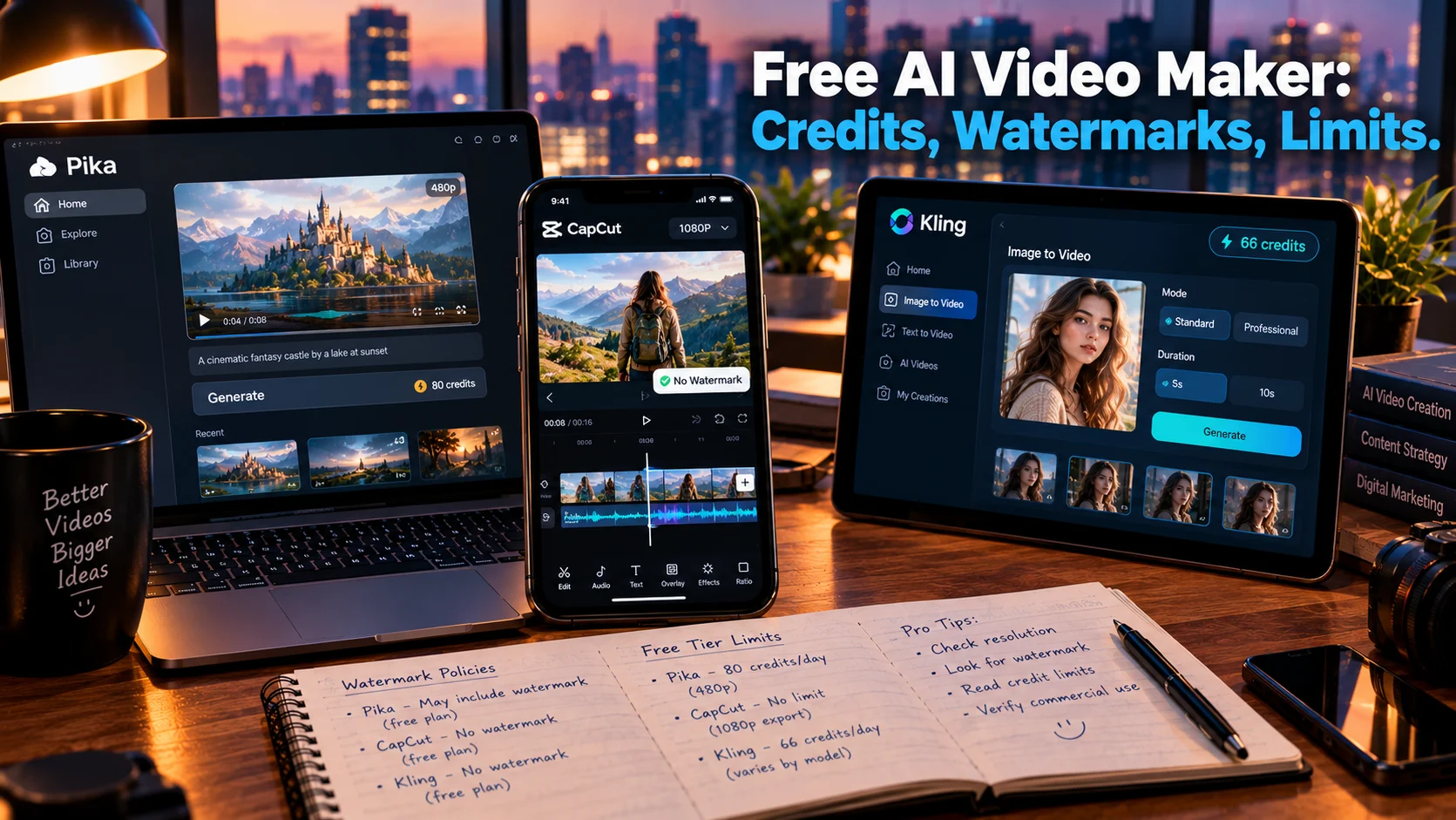
A free AI video maker generates or edits video using artificial intelligence at no cost, but “free” means limited credits, watermarks, and restricted commercial use. Pika offers 80 monthly credits at 480p, Kling provides 66 daily credits with the best image-to-video quality, and CapCut’s free tier exports 1080p without a watermark on standard manual edits.
At-a-Glance: Key Takeaways
- Pika is the best free option for short social clips, with 80 monthly credits at 480p, but free exports are watermarked and lack commercial rights .
- Kling leads on image-to-video quality, offering 66 daily credits with 720p output, though newer models limit practical generation to about one clip per day .
- CapCut’s free tier is genuinely generous for manual editing, exporting 1080p without a watermark on standard content, with Pro required for 4K, premium templates, and advanced AI tools .
- InVideo AI offers the most free volume for testing, with 10 watermarked videos monthly at 720p .
- Runway’s free plan is a one-time trial, not a renewable tier: 125 credits that never refresh, yielding roughly 10 seconds of Gen-4.5 video .
- Open-source models like Wan 2.2 offer the only truly free, no-watermark path, but require GPU hardware and technical setup .
What Is a Free AI Video Maker?
A free AI video maker is a tool that uses artificial intelligence to generate, edit, or enhance video content at no cost. The category spans text-to-video generators, image-to-video animators, and AI-assisted editors that automate tasks like captioning, background removal, and scene detection.
The search intent is commercial investigation. Users want to know which free tools are genuinely usable, what limitations apply, and whether the output is worth the trade-offs in resolution, watermarking, and commercial rights.
The honest answer is that “free” is a marketing term with three distinct meanings in this category. A free trial is a one-time grant that never renews. A free tier is a renewable allowance with caps on resolution, duration, and commercial use. Truly free software is open-source, run on your own hardware, with no platform permission required .
The Major Free AI Video Makers Compared
Pika: Best Free Option for Short Social Clips
Pika’s free Basic plan provides 80 monthly video credits on the Pika 2.5 model at 480p resolution .
What Free Includes
80 credits per month. A typical 5-second 480p clip costs around 12 credits, meaning roughly 6 to 7 clips before running out until the next month .
Where the Limits Hit
Free exports carry a Pika watermark. Commercial use is explicitly unavailable on the Basic plan according to Pika’s current pricing cards . The 480p resolution is acceptable for TikTok and Reels after platform compression, but noticeable on desktop or YouTube .
Editorial interpretation: Pika’s free tier is a sandbox for testing motion effects and learning how the model responds to prompts. It is not a production tool. Pro at $35/month unlocks watermark-free downloads and commercial rights .
Kling: Best Free Image-to-Video Quality
Kling’s free tier offers the strongest motion quality for image-to-video, particularly on portraits and product shots .
What Free Includes
66 credits daily, resetting every 24 hours with no rollover. At standard settings, this yields roughly six clips per day. On newer models like Kling 2.6 or 3.0, practical image-to-video generation is about one per day .
Where the Limits Hit
Free exports carry a visible Kling watermark. Free clips cap at 5 seconds. Commercial use requires a paid plan . The daily allowance does not accumulate, so missed days are lost credits.
Editorial interpretation: Kling is the best free option for anyone testing image-to-video quality on a specific photo. One generation per day on the newest models is fine for hobbyists learning prompt behavior. It is unusable for anyone shipping content on a deadline.
CapCut: The Most Generous Free Editor
CapCut is not primarily an AI video generator, but its free tier is the most capable manual editor in this comparison, with AI features layered in .
What Free Includes
The free plan includes a multi-track timeline, keyframes, chroma key, speed ramping, transitions, auto-captions, basic AI voiceover, and a large library of free music and sound effects. Exports go up to 1080p. Crucially, a plain manual export carries no watermark at all .
Where the Limits Hit
Premium templates and most advanced AI features (text-to-video, avatars, voice cloning) sit behind Pro at roughly $19.99/month. Projects containing Pro-locked assets trigger a watermark or export paywall. Cloud sync and 4K export are also Pro-only .
Editorial interpretation: CapCut’s free tier handles roughly 90 percent of everyday manual editing. For creators editing footage they already have, it is genuinely free at 1080p with no watermark. The AI generation features are where the paywall lives.
InVideo AI: Most Free Volume for Testing
InVideo AI offers the highest free volume in this comparison, making it suitable for testing creative concepts before committing .
What Free Includes
10 watermarked videos per month at 720p. The chat-based editing interface lets you describe changes in plain language, which is useful for rapid iteration on scripts and hooks .
Where the Limits Hit
Every export is watermarked. Resolution is capped at 720p. Paid plans start at $28/month to remove watermarks .
Editorial interpretation: InVideo’s free tier is best used for validating a script or hook structure. Once a format feels right, upgrade to remove the watermark before running any paid traffic.
Runway: A Trial, Not a Tier
Runway’s free plan provides 125 one-time credits that never refresh .
What Free Includes
125 credits. Gen-4 Turbo image-to-video access. At 12 credits per second of Gen-4.5 video, this yields roughly 10 seconds of output .
Where the Limits Hit
The credits do not renew. Failed generations still consume credits, and consumed credits are non-refundable. All free-plan videos carry a Runway watermark .
Editorial interpretation: Runway’s free plan is a quality evaluation tool, not a workflow. Use it to test whether Gen-4.5 handles your prompt type. Do not attempt to produce anything with it.
Where the Paywall Actually Lands
Across every hosted free tool on this list, the pattern is identical .
Watermarks are near-universal. Every free video export carries a visible platform watermark. The watermark-free “free AI video” you see on social media was rendered on a paid plan or a trial credit that has since expired.
Commercial use is prohibited. No renewable free tier on this list permits clean commercial output. Pika, Kling, InVideo, Luma, and Runway all require paid plans for commercial rights .
Resolution is capped. Free output ranges from 480p to 720p. Acceptable for mobile viewing after platform compression. Noticeable on desktop.
Duration is capped. Most free clips are 5 seconds. Runway’s trial yields about 10 seconds total. CapCut’s editor allows longer projects but the AI generation features are separate.
Credits do not roll over. Daily allowances reset every 24 hours. Monthly allowances reset on the billing cycle. Miss a day, lose those credits .
The Open-Source Alternative
For users who want a genuinely free path without watermarks or credit limits, open-source models offer an alternative .
What This Requires
Wan 2.2 from Alibaba’s Tongyi Lab is Apache 2.0 licensed, outputs 720p at 24fps, and the smallest variant fits on 8GB of VRAM. An RTX 4090 runs it in under ten minutes per clip. HunyuanVideo 1.5 from Tencent offers strong temporal coherence but carries a community license with commercial conditions. LTX-Video from Lightricks is among the fastest open models for iteration .
Where the Limits Hit
This is not accessible to non-technical users. It requires GPU hardware (or cloud GPU rental at $0.50-$2/hour), command-line comfort, and tolerance for setup time. The trade-off is control: no credits, no watermarks, no platform restrictions .
Editorial interpretation: Open-source is the only “free forever” option in the strict sense. It eliminates the paywall entirely, shifting the cost from subscription fees to hardware and electricity.
Who Should Use a Free AI Video Maker
Hobbyists and curious creators can use Pika’s monthly credits or Kling’s daily credits to learn how models interpret prompts and motion. Six clips per day on Kling is enough for experimentation .
Social media creators testing vertical content can use Pika’s 480p output for TikTok or Reels, accepting the watermark and resolution limits .
Manual editors with existing footage should use CapCut’s free tier. It exports 1080p without a watermark on standard content, handling most everyday editing tasks .
Users validating creative concepts can use InVideo AI’s 10 monthly videos to test scripts and hooks before upgrading .
Anyone needing commercial output must upgrade. No renewable free tier on this list permits it. The cheapest legitimate commercial route varies by tool, from Pika Pro at $35/month to CapCut Pro at $19.99/month .
Developers and technical users should explore open-source Wan 2.2 for a truly free path without platform restrictions .
Common Mistakes and Cautions
Assuming “free” means usable for client work. Every hosted free export is watermarked and non-commercial. The watermark is the business model .
Confusing a trial with a tier. Runway’s 125 credits are one-time and never refresh. Kling’s 66 daily credits renew, but the practical limit is one generation per day on newer models .
Underestimating credit consumption. A 5-second clip costs 12 credits on Pika. Kling’s 66 daily credits yield roughly six standard clips or one newer-model generation .
Forgetting daily resets. Credits do not accumulate. Miss a day, lose that day’s allowance. Plan prompts before spending credits.
Trusting “no watermark” claims without verification. Free-tier watermark policies change frequently. Reviews from March 2026 said Hailuo’s free tier was unwatermarked; reviews from April 2026 said it added one back .
Frequently Asked Questions
What is the best free AI video maker?
Pika offers the best free option for short social clips with 80 monthly credits. Kling leads on image-to-video quality with 66 daily credits. CapCut is best for manual editing, exporting 1080p without a watermark on standard content .
Are there any free AI video makers without watermarks?
No renewable hosted tier on this list provides watermark-free output. Open-source models like Wan 2.2 can run locally without watermarks, but require GPU hardware and technical setup .
Can I use free AI video output commercially?
No. Every renewable free tier on this list prohibits commercial use. Commercial rights require a paid plan. Pika Pro at $35/month and CapCut Pro at $19.99/month are entry points .
How long are free AI video clips?
Most free tiers cap at 5 seconds. Runway’s 125-credit trial yields about 10 seconds total. CapCut’s editor allows longer projects, but the AI generation features are separate .
Is CapCut really free?
Yes, for manual editing. The free plan exports 1080p without a watermark on standard content and handles roughly 90 percent of everyday editing. Pro unlocks 4K, premium templates, and advanced AI tools .
Conclusion
Free AI video makers offer genuine utility, but the experience is defined by the specific limitations of each tool. Pika provides monthly credits for social clips. Kling delivers the best image-to-video quality at one generation per day. CapCut’s free tier is the most generous for manual editing, with clean 1080p exports. InVideo offers volume for concept testing.