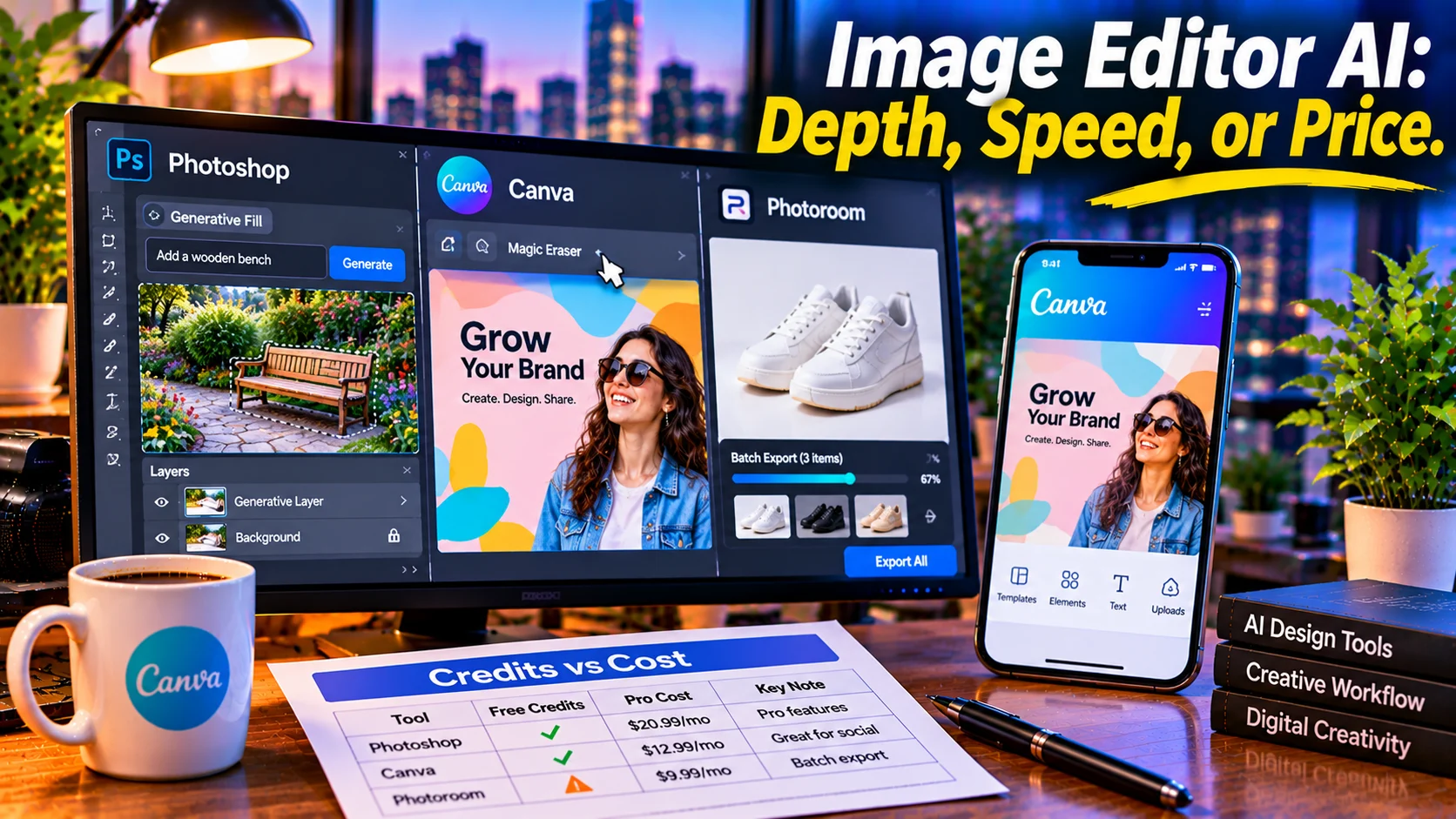
An image editor AI is a tool that applies artificial intelligence to photo manipulation, from one-click background removal to generative fill. Adobe Photoshop offers the deepest professional control at $22.99/month with 25 monthly generative credits, Canva Magic Studio provides the best free-to-paid value for marketing content, and Photoroom specializes in ecommerce product photography with batch exports.
At-a-Glance: Key Takeaways
- Photoshop is the professional standard for AI editing depth, with Generative Fill, Generative Expand, and layers at $22.99/month. But it includes only 25 monthly generative credits, and unlimited standard AI features require Creative Cloud Pro at $69.99/month .
- Canva Magic Studio is the best value for marketers. The free tier includes Chat with Canva AI and Magic Write, but image editing tools like Magic Eraser and Magic Edit are paid-only . Pro costs ~$15/month with 200 Premium AI uses .
- Photoroom is purpose-built for product photos, offering background removal, product staging, virtual models, and batch exports. Free exports carry a watermark; paid plans unlock unlimited exports under fair use .
- Fotor is the budget all-in-one option at $3.33/month annual Pro, but user reports cite credit frustration, billing disputes, and unresponsive refund handling .
- Free tiers are evaluation tools, not production environments. Canva Free limits AI uses, Fotor watermarks exports, and Photoroom caps free exports .
- Credits determine real cost. A tool with a low subscription price but tight AI credits may cost more than a higher-priced plan with generous allowances.
What Is an Image Editor AI?
An image editor AI is software that uses machine learning to modify, enhance, or transform photographs and graphics. The category spans professional desktop applications like Adobe Photoshop, browser-based design platforms like Canva, and specialized tools like Photoroom that focus on a single use case.
The search intent for “image editor ai” is commercial investigation. Users want to know which tool fits their workflow, what the real costs are beyond the headline subscription price, and where the limitations hit. The answer depends entirely on the task: a product photographer has different needs than a social media manager or a professional retoucher.
The market has matured beyond novelty. AI is now embedded in the editing workflow, not bolted on as a separate feature. The question is no longer whether a tool has AI, but whether the AI is precise enough for the work.
The Major AI Image Editors Compared
Adobe Photoshop: Depth at a Price
Photoshop remains the benchmark for professional AI editing. Generative Fill and Generative Expand, powered by Adobe Firefly, let you add, remove, or extend image content by describing what you want . The tools integrate directly into Photoshop’s existing layers, masks, and adjustment systems, which is the real differentiator. The AI does not replace precision editing; it accelerates it within a professional workflow.
The Credit Catch
The $22.99/month plan includes only 25 monthly generative credits . Standard AI features like Generative Fill consume 1 credit per generation, while some operations like Harmonize cost 5 credits . Unlimited access to standard generative features requires Creative Cloud Pro at $69.99/month .
Editorial interpretation: Photoshop’s pricing model is designed for professionals who already rely on the broader Adobe ecosystem. If you only need background removal or quick social graphics, you are paying for depth you may never use .
Canva Magic Studio: Value for Marketing Workflows
Canva’s strength is integration. The AI tools sit inside a design platform that already handles social posts, presentations, and marketing assets. Editing a photo and laying it out in a template happen in the same tab, with brand kits and collaboration built in .
What Free Actually Includes
The free tier is functional but limited. Chat with Canva AI, Magic Write, and templates are included. Image editing tools like Magic Edit, Magic Eraser, Magic Expand, and Background Remover are paid-only . The free plan allows roughly 20 Premium AI uses per month, while Pro provides 200 .
Editorial interpretation: Canva is the best choice for small businesses and marketers who need to turn photos into finished content quickly. It is not the right tool for precision retouching or professional compositing. The AI quality trails dedicated editors for advanced work .
Photoroom: The Ecommerce Specialist
Photoroom does one thing and does it well: turning phone photos into polished product listings. Background removal, product staging, virtual models, and batch exports are built for sellers who need consistency across a catalog .
Pricing Opacity
Photoroom does not publish paid plan prices on its help pages. The free plan exists but caps exports and adds watermarks. Pro, Max, and Ultra tiers unlock unlimited exports (under fair use), advanced AI tools, and batch processing . Buyers must contact sales or check the pricing page for actual costs.
Editorial interpretation: For ecommerce teams processing dozens of product shots weekly, Photoroom’s purpose-built workflow justifies the opaque pricing. For general photo editing, it is the wrong tool .
Fotor: Budget Option with Trust Concerns
Fotor offers an all-in-one editor with AI generation, background removal, and templates at the lowest entry price: $3.33/month on annual Pro . The free tier is usable but watermarks high-resolution exports and includes ads .
The Billing Problem
Independent reviews consistently cite billing issues. Techreviewer’s analysis of 109 reviews found “multiple credible reports of automatic-renewal billing disputes, charges during free trials, and refusals to issue refunds” . One reviewer reported ongoing charges after confirmed cancellation.
Editorial interpretation: Fotor’s low price is attractive, but the credit system frustrates paid subscribers who feel they are paying twice, and the billing complaints represent a material risk. Verify cancellation terms before committing.
Where the Paywall Actually Lands
AI credits are the real cost driver. Photoshop’s 25 monthly credits run out quickly for anyone doing batch work. Canva’s 20 free Premium uses are a demo. Fotor’s 100 credits on Pro are modest for regular editing .
Free tiers are evaluation tools. Canva Free lacks image editing AI entirely. Photoroom Free watermarks exports. Fotor Free watermarks high-res downloads. None are production environments for professional work .
Commercial rights vary. Canva and Photoshop permit commercial use within their terms. Fotor requires verifying current terms for generated content. Photoroom’s commercial rights depend on the plan .
Privacy and Security Considerations
AI image editors process your photos on remote servers unless you use local tools. Photoshop, Canva, Photoroom, and Fotor all upload images for AI processing.
What to check before uploading:
- Whether your images are used for model training
- How long uploaded and generated images are stored
- Whether you can delete your data
- The tool’s terms for ownership of edited output
Important distinction: Canva publishes SOC 2 Type II, ISO 27001, GDPR, and CCPA compliance . Adobe and Photoroom publish similar enterprise certifications. Fotor’s privacy and commercial use terms should be verified directly .
For sensitive or client work, review the privacy policy before uploading. Local tools eliminate transmission but require hardware and technical setup.
Who Should Use Which Editor
Professional designers and retouchers should use Adobe Photoshop. The depth of control, layers, and ecosystem integration justify the price for daily professional work .
Marketers and small businesses should use Canva Magic Studio. The free-to-paid value, template ecosystem, and integrated design workflow make it the fastest path from photo to finished asset .
Ecommerce sellers should use Photoroom. The product-focused workflow and batch exports are purpose-built for catalog work .
Budget-conscious casual users can try Fotor’s free tier or low-cost Pro plan, but should verify billing and cancellation terms carefully given documented complaints .
Anyone needing precision AI editing without a subscription should consider open-source local tools, which offer no content filters and no data transmission at the cost of hardware and setup complexity
Common Mistakes and Cautions
Treating free tiers as permanent solutions. Canva Free lacks image editing AI. Photoroom and Fotor watermark exports. Free plans are for evaluation, not production .
Ignoring the credit system. Photoshop’s 25 monthly credits are insufficient for batch work. Fotor’s credit model frustrates paid subscribers. Canva’s allowance is metered at every tier .
Underestimating billing risk. Fotor has documented complaints about automatic renewals and refund refusals. Verify cancellation terms before entering payment information .
Assuming all AI editors are equal. Photoshop excels at precision compositing. Canva excels at marketing speed. Photoroom excels at product consistency. Using the wrong tool for the task wastes money and time.
Overlooking the free trial. Photoshop offers a 7-day trial. Canva, Photoroom, and Fotor all have free tiers. Test the tool with your actual workflow before committing to an annual plan .
Frequently Asked Questions
What is the best AI image editor overall?
Adobe Photoshop offers the deepest AI editing toolkit for professionals, with Generative Fill, Generative Expand, and full layer control at $22.99/month. For marketers, Canva Magic Studio provides better value and faster workflows. The “best” depends on whether you prioritize precision or speed .
Is Canva Magic Studio free?
Partially. Canva Free includes Chat with Canva AI and Magic Write, but image editing tools like Magic Edit, Magic Eraser, and Background Remover are paid-only. Free allows roughly 20 Premium AI uses per month; Pro provides 200 .
How much does Photoshop AI cost?
Photoshop is $22.99/month on an annual plan with 25 monthly generative credits. Unlimited standard generative features require Creative Cloud Pro at $69.99/month. Students and teachers pay $19.99/month for the first year .
Which AI editor is best for ecommerce product photos?
Photoroom is purpose-built for ecommerce, with background removal, product staging, virtual models, and batch exports. Free exports carry a watermark; paid plans unlock unlimited exports under fair use. Pricing requires contacting sales .
Is Fotor safe to use?
Fotor has documented billing issues. Techreviewer’s analysis found multiple credible reports of automatic-renewal disputes, charges during free trials, and refund refusals. The tool is functional and affordable, but verify cancellation terms before paying .
Conclusion
The best image editor AI depends on what you are editing and who you are. Photoshop remains the professional standard for precision and depth. Canva Magic Studio offers the best value for marketing workflows. Photoroom owns the ecommerce niche. Fotor provides a budget option with billing risks worth understanding.