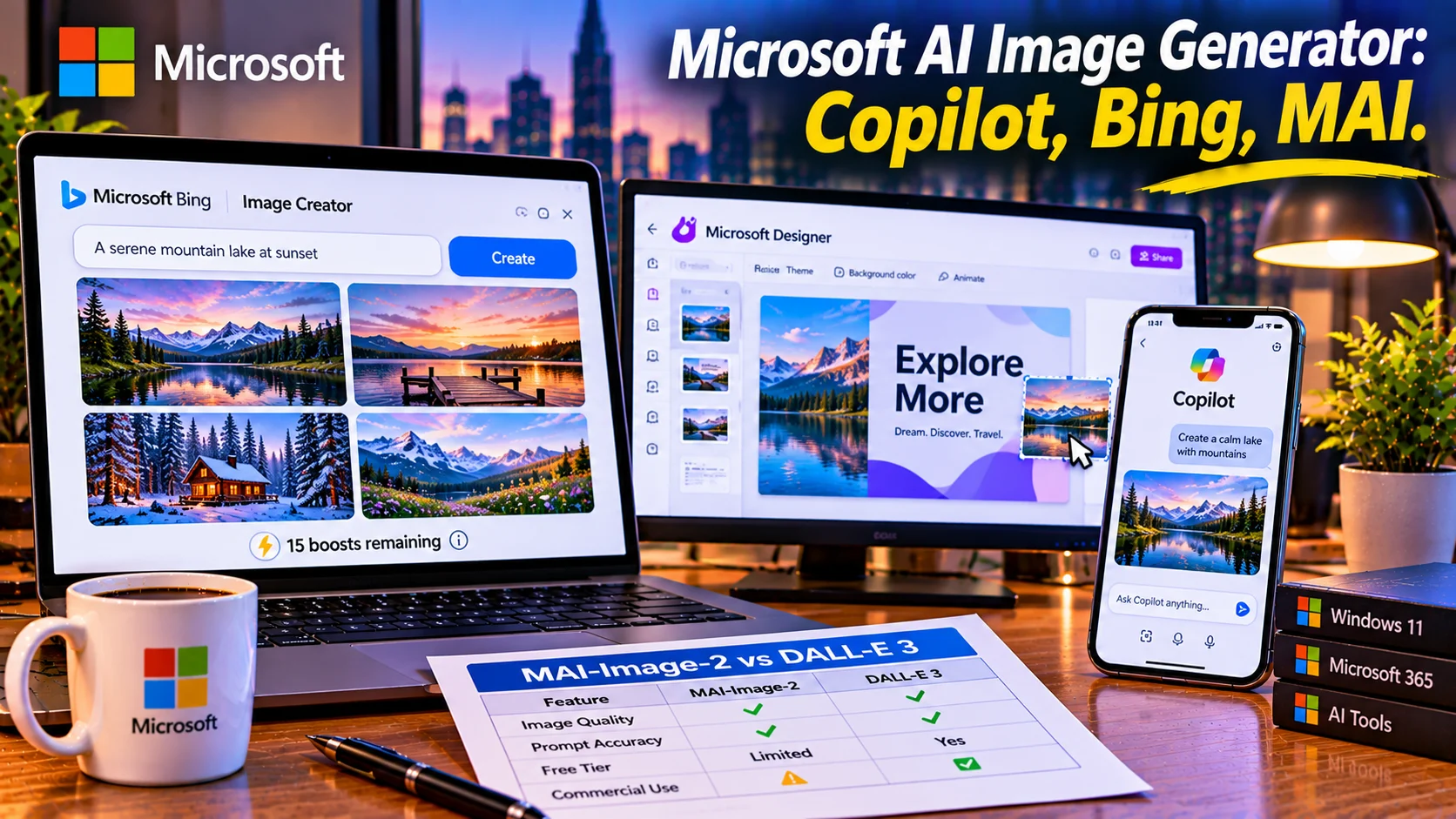
Microsoft’s AI image generation is powered by a mix of models, including OpenAI’s DALL-E 3 and Microsoft’s own in-house MAI-Image models, available through Copilot, Bing Image Creator, and Microsoft Designer. Free users get daily fast-generation boosts with unlimited standard-speed generations, though commercial use is restricted on the free tier and requires specific Microsoft 365 subscriptions.
At-a-Glance: Key Takeaways
- Microsoft uses multiple AI models, including DALL·E 3 and its own MAI-Image-2, across Copilot and Bing Image Creator.
- Free access is generous but speed-limited. Users typically receive 15 fast boosts per day. Once those are used, image generation continues at standard speed without a strict daily limit.
- Commercial use is not permitted on the free tier, which is restricted to personal, non-commercial use .
- Microsoft 365 Personal and Family plans include 60 monthly AI credits shared across Designer, Word, Excel, and other apps .
- Microsoft 365 Premium offers more generous usage than standard credit limits, although some features still have usage restrictions.
- Output is locked to 1024×1024 with a visible watermark, and there is no built-in retouching or aspect ratio control .
What Is the Microsoft AI Image Generator?
Microsoft does not offer a single standalone “AI image generator” product. Instead, image generation is embedded across its ecosystem: Copilot (the AI assistant), Bing Image Creator (the web entry point at bing.com/create), and Microsoft Designer (the design tool) .
The underlying technology has evolved. Early versions relied exclusively on OpenAI’s DALL-E 3. More recently, Microsoft has introduced its own in-house models under the MAI (Microsoft AI) label. MAI-Image-1 was announced and integrated into Copilot and Bing Image Creator, with MAI-Image-2 now also available .
This multi-model approach means users may get outputs from different engines depending on the interface, the time, and Microsoft’s internal routing.
How Microsoft’s Image Generation Works
The Model Stack
Microsoft’s image generation stack currently includes :
| DALL-E 3 | OpenAI | Being phased out but still available in some interfaces |
| MAI-Image-1 | Microsoft (in-house) | Integrated into Bing and Copilot |
| MAI-Image-2 | Microsoft (in-house) | Available in Copilot and Bing |
Microsoft has been transparent about transitioning away from DALL-E 3 toward its own models. The MAI-Image-1 debuted in the top 10 on LMArena, suggesting competitive quality .
The Boost System
The most important practical detail for free users is the “boost” system. Each free Microsoft account receives a daily allowance of fast generations—typically 15 boosts per day .
A boost accelerates generation. When you use one, the image is generated quickly. When you run out of boosts, generation still works, but at a slower “standard speed.” There is no hard cap on standard-speed generations .
Important caveat: Some sources report the boost allowance as weekly rather than daily, and the exact number varies by source and date. Treat the specific number as subject to change and verify in the interface .
The Interfaces
Bing Image Creator is the simplest entry point. Sign in with a personal Microsoft account, enter a prompt, and receive four images. The interface is minimal, designed for quick generation without design tools .
Copilot integrates image generation into the broader AI assistant. You can ask Copilot to create an image as part of a conversation, and it will use the available models. The experience is conversational rather than form-based .
Microsoft Designer is the design-focused entry point. It includes image generation alongside templates, editing tools, and layout features. Designer consumes AI credits, which are separate from the boost system in Bing .
Pricing and Credit Systems
Microsoft’s image generation is not priced as a standalone product. The cost is bundled into Microsoft accounts and Microsoft 365 subscriptions.
Free Tier
A personal Microsoft account provides access to Bing Image Creator and Copilot with the daily boost allowance. Standard-speed generations are unlimited. The free tier is restricted to non-commercial use .
Limitations: Output is 1024×1024, watermarked, and lacks aspect ratio control or retouching tools .
Microsoft 365 Personal and Family
These plans include 60 AI credits per month shared across Designer, Word, Excel, PowerPoint, Paint, Photos, and other apps . The credits replenish monthly.
A Microsoft 365 Personal plan is priced around ¥2,130/month in Japan, and Family around ¥2,740/month, though regional pricing varies .
Microsoft 365 Premium
Premium offers “extensive usage beyond standard credit limits” for image generation, rather than a fixed monthly cap. However, Microsoft’s own documentation clarifies that even Premium is subject to feature limits and credits that can vary by entry point and system conditions .
Copilot Pro
Copilot Pro is priced at $20/month and includes 100 boosts per day, faster generation, and Designer integration . It requires a Microsoft 365 subscription in some configurations.
Privacy and Security Considerations
Microsoft’s image generation processes prompts and generates images on Microsoft’s cloud infrastructure. The privacy terms are governed by the Microsoft Services Agreement and the specific product’s privacy policy.
Key considerations:
- Training data: Microsoft’s terms for consumer Copilot do not explicitly state whether user prompts are used for model training. Review the current privacy policy for specifics.
- Watermarking: Free-tier output includes a visible watermark. This is not just a cosmetic detail; it signals the image’s AI origin .
- Commercial restrictions: Free-tier output is non-commercial. Using it for business purposes violates Microsoft’s terms .
Important distinction: No SOC 2 or similar compliance certification is referenced for the consumer image generation features. Enterprise customers should evaluate the commercial Microsoft 365 Copilot offerings separately.
Who Should Use Microsoft’s AI Image Generator
Casual users already in the Microsoft ecosystem get the clearest value. The free tier provides quick image generation without a new subscription or account .
Microsoft 365 subscribers benefit from the shared AI credit pool across Designer and Office apps. Generating an image and dropping it into a PowerPoint presentation is seamless .
Users needing commercial rights must upgrade. The free tier is non-commercial. Microsoft 365 Premium offers extensive usage, but the commercial terms should be verified for the specific use case .
Users needing specific aspect ratios or retouching should look elsewhere. Microsoft’s free output is locked to 1024×1024 with no editing tools .
Users seeking the highest aesthetic quality may find Midjourney or dedicated image platforms more suitable. Microsoft’s models are competitive but not positioned as the aesthetic benchmark.
Common Mistakes and Cautions
Assuming “free” means unlimited fast generation. The boost system is finite. After boosts are exhausted, generation is slower .
Using free-tier output commercially. The free tier is restricted to non-commercial use. Using it for client work or monetized content violates Microsoft’s terms .
Expecting design control. Free output is 1024×1024, watermarked, and lacks aspect ratio or retouching options .
Confusing Bing Image Creator, Copilot, and Designer. They are different interfaces with different credit systems. Designer uses AI credits; Bing uses boosts .
Assuming the model is always DALL-E 3. Microsoft has transitioned to its in-house MAI models for some interfaces. The output may come from different engines depending on routing .
Frequently Asked Questions
What model does Microsoft’s AI image generator use?
Microsoft uses a mix of models, including OpenAI’s DALL-E 3 (being phased out) and its own in-house MAI-Image-1 and MAI-Image-2 models. The specific model may vary by interface and Microsoft’s internal routing .
Is Microsoft’s AI image generator free?
Yes, with limits. A personal Microsoft account provides daily fast-generation boosts and unlimited standard-speed generations. The free tier is restricted to non-commercial use .
Can I use Microsoft’s free AI images commercially?
No. The free tier is explicitly restricted to personal, non-commercial use. Commercial use requires a paid Microsoft 365 subscription, and even then the terms should be verified for the specific use case .
How many free images can I generate per day?
You receive approximately 15 fast boosts per day. After boosts are exhausted, generation continues at standard speed without a hard cap. The exact boost number and reset period may vary .
What is the difference between Bing Image Creator and Microsoft Designer?
Bing Image Creator is a simple, form-based entry point for quick image generation using boosts. Microsoft Designer is a broader design tool that includes image generation alongside templates and editing, using AI credits shared across Microsoft 365 apps .
Conclusion
Microsoft’s AI image generator is not a single product but a set of capabilities embedded across Copilot, Bing Image Creator, and Microsoft Designer. The models have evolved from DALL-E 3 to Microsoft’s own MAI-Image series, and the access model is built on fast-generation boosts and shared AI credits.