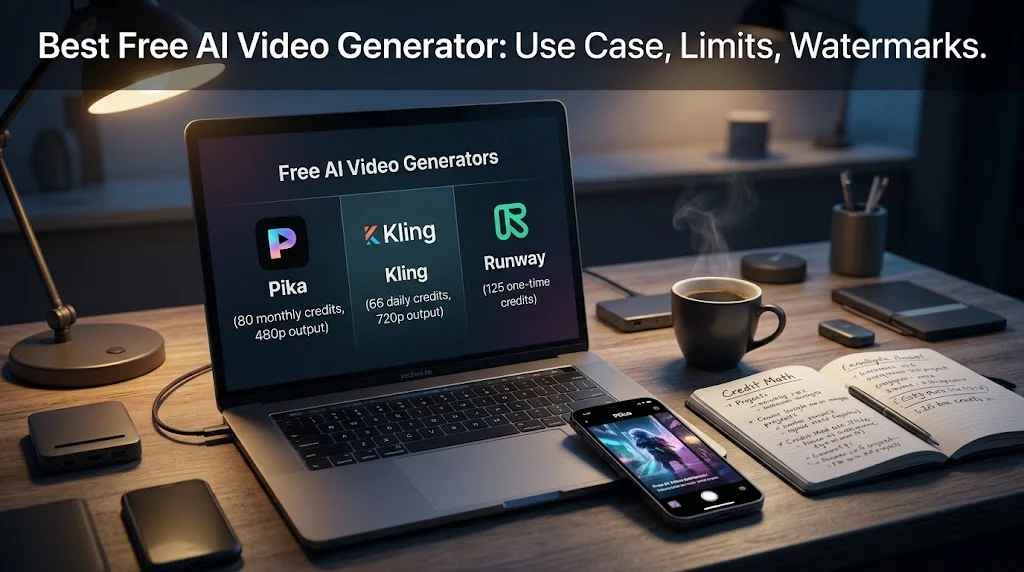
The best free AI video generator depends entirely on your use case. Pika offers 80 monthly credits for short-form social content at 480p, Kling leads image-to-video quality with 66 daily credits, and Runway provides a one-time 125-credit allocation for testing Gen-4 Turbo. No free tier on this list allows commercial use or watermark-free output.
At-a-Glance: Key Takeaways
- There is no single winner. The best free tool depends on whether you need short-form volume, image-to-video quality, or cinematic exploration .
- Pika is the best free option for vertical social content, with 80 monthly credits yielding roughly 6 to 7 clips at 480p .
- Kling delivers superior image-to-video motion quality, especially on portraits and products, with 66 daily credits that reset every 24 hours .
- Runway’s free tier is a one-time 125-credit allocation, roughly 25 seconds of Gen-4 Turbo video, not a renewable allowance .
- Every free export is watermarked and non-commercial. Commercial rights require a paid plan across all major platforms .
- Luma Dream Machine offers the most cinematic output, with 30 monthly credits on web or 250 on iOS, but the credit math limits practical use to a few generations .
What Is a Free AI Video Generator?
A free AI video generator is a tool that creates video clips from text prompts or still images at no cost. The category spans short-form social tools, image animation specialists, and cinematic exploration platforms.
The search intent is commercial investigation. Users want to know which free tool is genuinely usable, what the limitations are, and whether the output justifies the trade-offs. The honest answer is that “free” in AI video means a testing ground, not a production pipeline.
A free tier that gives you 25 seconds of total video forever is not free. It is a demo . The tools worth using offer renewable credits, 720p output minimum, image-to-video support, and a working queue .
The Major Free AI Video Generators Compared
Important caveat: Free tier details change frequently. Verify current terms before committing time to any tool.
Pika: Best Free for Short-Form Social
Pika’s free Basic plan offers 80 monthly video credits supporting the Pika 2.5 model at 480p resolution .
What Free Includes
80 credits per month. A typical 5-second 480p clip costs around 12 credits, meaning roughly 6 to 7 clips before running out until the next month . For TikTok and Reels, 480p is often acceptable after platform compression. The lower resolution becomes noticeable on desktop or YouTube uploads.
Where the Limits Hit
Free exports carry a Pika watermark. Commercial use is not permitted on the free tier . Anything over 5 seconds or at 720p+ requires a paid plan. Pika is a sandbox for learning the workflow and testing effects, not a production tool .
Editorial interpretation: Pika is the best entry point for creators testing vertical short-form content. The monthly credit structure is predictable, and the 480p limitation is tolerable for mobile-first platforms.
Kling: Best Free for Image-to-Video
Kling’s free tier leads on image-to-video motion quality. Independent testing found its output on portraits and product shots noticeably better than Pika’s from the same source images .
What Free Includes
66 credits daily, resetting every 24 hours with no rollover. The figures are visible in-app on the Kling membership page . Output is 720p, watermarked, and non-commercial.
Where the Limits Hit
On newer models like Kling 2.6 or 3.0, practical image-to-video generation is about one per day. A 10-second clip in Professional mode costs roughly 35 credits . One generation a day is fine for hobbyists learning prompt behavior. It is unusable for anyone shipping content on a deadline .
Editorial interpretation: Kling is the best free option when image-to-video quality matters more than volume. Plan prompts carefully before spending credits.
Runway: One-Time Credits for Testing
Runway’s free plan provides a one-time deposit of 125 credits that do not expire and do not renew .
What Free Includes
125 credits, access to a limited set of generative AI tools, and 5GB of asset storage. This translates to roughly 25 seconds of Gen-4 Turbo video .
Where the Limits Hit
The credits never refresh. Once spent, you cannot purchase more without upgrading to Standard . Every video carries a Runway watermark. The free plan is designed for evaluation, not production .
Editorial interpretation: Runway’s free tier is useful for testing output quality before committing to a subscription. It is not a renewable free option.
Luma Dream Machine: Cinematic Exploration
Luma’s output skews more cinematic and less stylized than competitors. Motion quality on slower, atmospheric scenes is strong .
What Free Includes
The web free plan offers limited monthly credits at 720p with draft-resolution video, lower-priority processing, and watermarks. The iOS free plan provides 250 monthly credits . LLMversus lists 30 credits per month for the free tier .
Where the Limits Hit
At 80 credits for a Ray1.6 720p 5-second clip, the 250 iOS allowance yields roughly 3 generations per month . The web allowance is even tighter. Luma is for exploring cinematic motion, not for volume.
Hailuo and Vidu: Other Free Options
Hailuo (MiniMax) offers daily bonus credits sufficient for two to three short 768p videos, watermarked and non-commercial . Free users can queue up to three tasks and generate one video at a time in parallel . Good for testing character animation.
Vidu provides monthly credits enough for roughly 10 to 16 clips depending on duration and quality. A 4-second standard clip runs about 5 credits. Output is 720p, watermarked, and non-commercial .
Where the Paywall Actually Lands
Across every free tool on this list, the pattern is identical.
Watermarks are universal. Every free video export carries a visible platform watermark. The watermark-free “free AI video” you see on social media was rendered on someone’s paid plan .
Commercial use is prohibited. No free tier on this list allows commercial output. Vidu’s documentation is explicit: free plan videos cannot be used for monetized YouTube uploads, paid ads, or client deliverables . Kling, Pika, and Runway all carry the same restriction .
Resolution is capped. Free output ranges from 480p (Pika) to 720p (Kling, Luma) to 768p (Hailuo). Acceptable for mobile viewing after platform compression. Noticeable on larger screens.
Credits do not roll over. Daily allowances reset every 24 hours. Monthly allowances reset on the billing cycle. Miss a day, lose those credits .
Who Should Use Free AI Video Generators
Short-form social creators testing vertical content should start with Pika’s monthly credits for TikTok and Reels clips, accepting 480p and the watermark .
Users animating portraits or product shots should use Kling for superior image-to-video motion quality, planning prompts carefully given the daily limit .
Anyone evaluating Runway’s capabilities can use the one-time 125 credits to test Gen-4 Turbo output before subscribing .
Creators exploring cinematic motion should try Luma’s iOS free tier for 250 monthly credits, accepting the tight credit math .
Anyone needing commercial output must upgrade. No free tier on this list permits it. The watermark is the visible signal; the license is the legal one. Removing the watermark in post does not grant commercial rights .
Common Mistakes and Cautions
Assuming “free” means renewable. Runway’s 125 credits are one-time. Pika’s 80 credits reset monthly. Kling’s 66 credits reset daily. The structures differ, and so do the workflows they support .
Overlooking the non-commercial restriction. Every free tier prohibits commercial use. Using free output for client work or monetized channels violates the terms .
Expecting long clips. Free tiers cap at 5 to 6 seconds. Anything longer requires paid plans or multi-clip stitching.
Ignoring the watermark. Free output is watermarked across all platforms. The watermark is not removable retroactively without upgrading .
Trusting unverified claims. Some aggregator sites list features that differ from official platform documentation. Cross-check with the provider’s own pricing page .
Frequently Asked Questions
What is the best free AI video generator?
There is no single winner. Pika is best for short-form social content with 80 monthly credits. Kling leads image-to-video quality with 66 daily credits. Runway offers 125 one-time credits for testing Gen-4 Turbo. The best choice depends on your use case .
Are there any free AI video generators without watermarks?
No hosted free tier on this list provides watermark-free output. Every major platform (Pika, Kling, Runway, Luma, Hailuo, Vidu) watermarks free exports .
Can I use free AI video output commercially?
No. Every free tier on this list prohibits commercial use. Commercial rights require a paid plan. Removing the watermark in post does not grant commercial rights; the license is the legal restriction .
How long are free AI video clips?
Most free tiers cap at 5 to 6 seconds. Resolution ranges from 480p (Pika) to 768p (Hailuo). Longer clips and higher resolution require paid plans .
Which free AI video generator is best for image-to-video?
Kling offers the best image-to-video motion quality, especially on portraits and product shots, with 66 daily credits. Practical output is about one generation per day on newer models .
Conclusion
Free AI video generators offer a genuine testing ground for learning how models interpret prompts and motion. Pika leads for short-form social volume. Kling leads for image-to-video quality. Runway offers a one-time evaluation credit. Luma provides cinematic exploration.