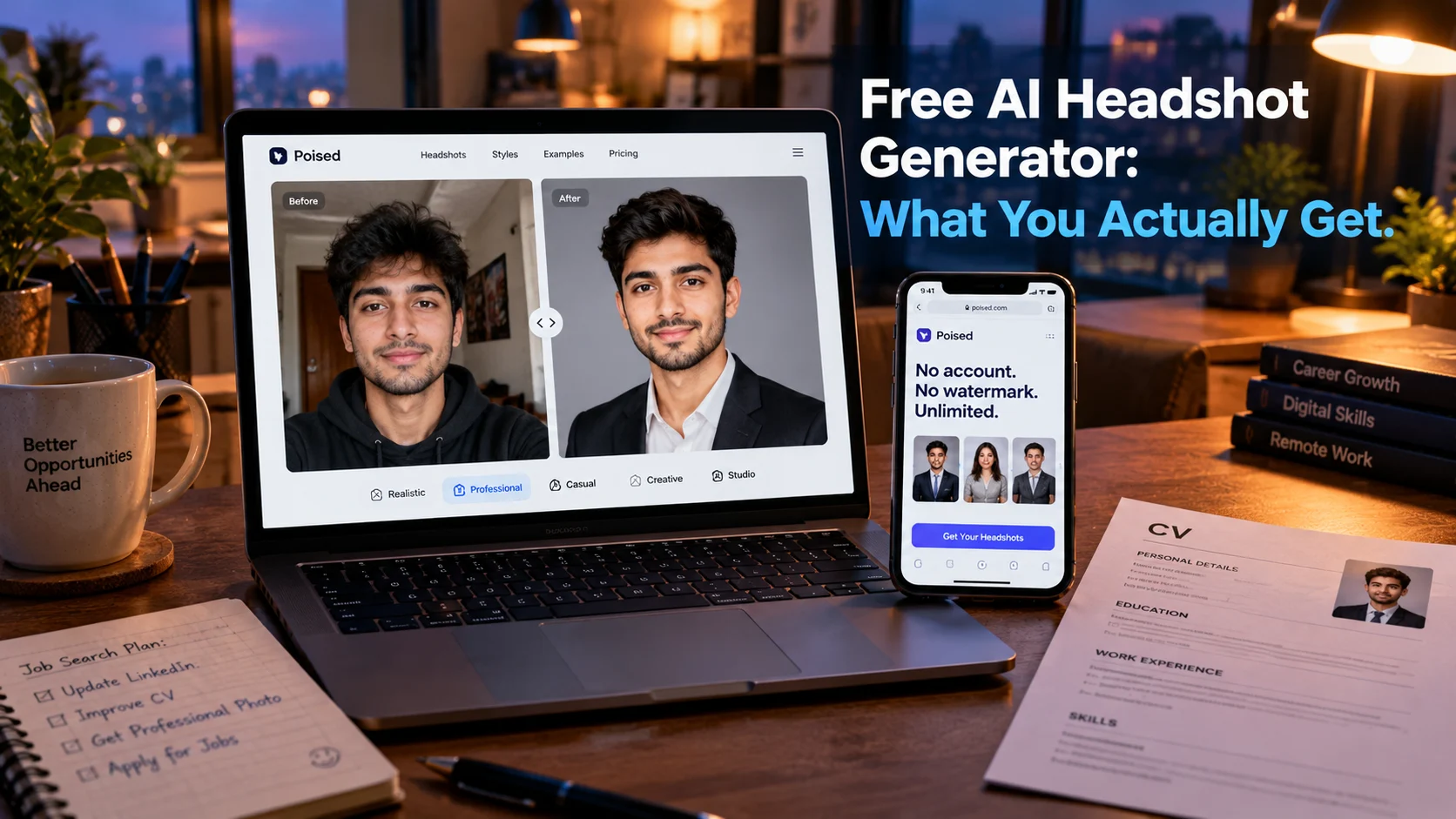
A free AI headshot generator turns a selfie into a professional portrait without cost, but “free” means different things across tools. Poised offers unlimited headshots with no account and no watermark, Magic Hour gives 3 per day for personal use, and Canva provides 2 credits with a 24-hour wait, while most paid services charge $29 to $79 for one-time packages.
At-a-Glance: Key Takeaways
- Poised is the most generous free option with unlimited headshots, no account, no watermark, and commercial use allowed at 819 x 1024 pixels .
- Magic Hour offers 3 free headshots per day without sign-up, but free results are for personal use only .
- Canva gives 2 free credits that refresh every 24 hours, best if you already design in Canva .
- Adobe Firefly’s free daily generations are cleared for commercial use, but the exact daily count is not published .
- BetterPic offers 10 free 4K headshots, but the queue can stretch to 60-90 days and the free tier includes permission for AI training .
- Most “free” tools have a catch: watermarks, personal-use-only limits, low resolution, or privacy trade-offs you should read before uploading a photo.
What Is a Free AI Headshot Generator?
A free AI headshot generator is a tool that transforms a casual selfie into a professional-looking portrait without payment. The category has exploded as remote work and digital profiles made professional photos more important, while traditional headshot photography remains expensive and inconvenient.
The technology typically works in one of two ways. Some tools use trained models that generate a batch of headshots from several uploaded photos, learning your facial features to maintain likeness across different outfits and backgrounds . Others use prompt-based generation, where you describe the desired look and the AI edits your photo accordingly .
The critical distinction for free users is what “free” actually includes. Some tools offer unlimited generations with no strings attached. Others provide a small preview, a watermarked image, or a low-resolution file that requires payment to unlock. Understanding these differences before uploading your photo saves time and avoids disappointment.
The Best Free AI Headshot Generators Compared
Poised: The Most Generous Free Option
Poised runs entirely in your browser and offers unlimited headshots across 8 style packs at 819 x 1024 pixels. No account is required, no watermark is applied, and commercial use is permitted . The company states your photo is never uploaded to a server, which addresses the primary privacy concern with free tools.
The limitation is resolution. At 819 x 1024, the output is suitable for LinkedIn, CVs, and digital profiles but not for print. A higher-resolution Studio tier is in beta . For most job seekers and professionals, the free tier is genuinely sufficient.
Magic Hour: Best for a Quick Single Test
Magic Hour provides 3 free headshots per day from one uploaded photo, with no sign-up and no watermark . The catch is licensing: free results are for personal, non-commercial use only. Paid subscriptions add commercial rights .
Uploads are retained for one day, which is a reasonable privacy posture. For testing whether a particular look works before committing to a paid service, Magic Hour is a low-friction starting point.
Canva: Best If You Already Design There
Canva’s AI headshot generator integrates directly into its design editor, making it easy to drop a generated portrait into a CV, slide deck, or social post you are already creating. The free tier provides 2 credits that refresh after 24 hours .
The trade-off is limited attempts. Two generations are not enough to establish consistent quality, and a poor source photo consumes the allowance quickly . For Canva Pro subscribers, the tool is more practical as part of the broader design workflow.
Adobe Firefly: Best for Commercial Use
Adobe Firefly offers daily free generations that reset every day, though Adobe does not publish the exact count. Output from Adobe’s own Firefly models is cleared for commercial use, making it the safest free option for work that generates income .
Firefly requires an Adobe account and provides a more controlled workflow than preset-based tools. You upload a reference photo, describe the clothing, background, and lighting, and refine the result with Adobe’s editing tools . The limitation is that the daily quota is unpredictable, making capacity hard to plan.
BetterPic: Best for High Resolution, If You Can Wait
BetterPic’s free tool offers 10 4K headshots, up to five outfit and background combinations, and a commercial license without a credit card . On specifications alone, it is the most generous fully generated option.
The caveats are significant. The current shared queue is 60-90 days, and support documentation warns demand can stretch delivery to three months . More importantly, BetterPic’s free tier includes permission to use results for marketing and AI training, though users can request deletion. Paid tiers have a different privacy boundary . Do not upload sensitive photos merely to access the free allowance.
Pixelbin: No Sign-Up, No Watermark
Pixelbin offers up to 3 HD headshots per month with no sign-up and no watermark. Creating an account adds 10 free credits . The tool is limited to professional styles only—corporate, personal branding, and lifestyle—with no artistic or creative options. For a straightforward work photo refresh, it is a practical no-commitment option.
How Free AI Headshot Generators Work
The Generation Pipeline
Most free tools follow a similar workflow. You upload one or more photos of yourself. The tool either trains a lightweight model on your likeness or uses your photo as a reference for prompt-based generation. The output is a headshot with a professional background, adjusted lighting, and in some cases, a changed outfit .
The quality of the source photo matters enormously. Clear, front-facing images with good lighting and no sunglasses produce better results. Filters, heavy crops, and obscured faces reduce the likelihood of a usable output .
The Free Tier Architecture
Free tiers exist for different reasons. Some tools like Poised use free generation as a loss leader for a paid high-resolution tier. Others like Magic Hour limit commercial use to push business customers toward subscriptions. Canva uses free credits to keep users within its design ecosystem. Adobe Firefly uses free generations to promote its commercial-safe model.
Understanding the business model behind the free tier helps predict what you will actually get. A tool that monetizes through high-resolution upgrades will give you useful but lower-resolution free output. A tool that monetizes through commercial licensing will restrict free use to personal projects.
Privacy and Security Considerations
Local vs. Cloud Processing
The most significant privacy distinction among free tools is whether your photo leaves your device. Poised states it runs in your browser and your photo is never uploaded . Most other tools process photos on their servers.
For cloud-based tools, review the retention policy. Magic Hour keeps uploads for one day . Pixelbin’s retention is not clearly stated. BetterPic’s free tier includes AI training consent unless you request deletion .
Free Tier Consent Trade-offs
Free tiers often require broader consent than paid tiers. BetterPic’s free exchange explicitly includes permission for marketing and AI training, while paid tiers offer a different privacy boundary . This is not unique to BetterPic. Free users are frequently the product, whether through training data, marketing use, or conversion pressure.
Important distinction: No SOC 2 or ISO certification is referenced for these consumer tools. They are not enterprise-grade products. Upload only photos you are comfortable sharing under the tool’s stated terms.
Photo Quality and Likeness
Free tools generally produce lower-resolution outputs and may apply more aggressive smoothing or stylization than paid tiers. The result can look professional but subtly “off”—skin too smooth, features slightly altered, expression unnatural. This matters for professional profiles where authenticity is the point.
A clear prompt instruction helps. When using prompt-based tools like Gemini or ChatGPT, include “keep my face, hair and features exactly the same” to reduce unintended alteration .
Who Should Use Free AI Headshot Generators
Job seekers updating a LinkedIn or CV photo can use Poised or Magic Hour for a quick, no-cost refresh. For most professional profiles, the free output is sufficient.
Professionals testing a look before committing to a paid service can use free tiers to evaluate whether a particular style or outfit works on their face.
Designers already in Canva benefit from the integrated workflow, even with limited credits.
Anyone needing commercial rights should prioritize Adobe Firefly or verify the specific tool’s commercial terms. Magic Hour’s free tier is personal use only .
Users with sensitive photos should favor on-device tools like Poised or accept the privacy trade-offs of cloud tools only with full awareness.
Anyone needing print-quality or high-resolution output will likely need a paid tier or a one-time paid package from services like HeadshotPro ($29 for 30 images) .
Common Mistakes and Cautions
Assuming “free” means usable. Some free tiers produce watermarked previews, low-resolution files, or images restricted to personal use. Read the terms before uploading.
Ignoring commercial licensing. Magic Hour’s free results are personal use only. Using them on a company website or in marketing materials violates the terms .
Overlooking the AI training consent. BetterPic’s free tier includes permission for AI training. If this matters, use a different tool or request deletion .
Expecting perfect likeness. Free tools, especially prompt-based ones, may smooth skin or alter features. The photo can look professional but not quite like you.
Using a poor source photo. Filters, sunglasses, and heavy crops reduce output quality. Use a clear, front-facing, well-lit photo .
Forgetting the wait. BetterPic’s free queue can take 60-90 days. For an application deadline, this is impractical .
Frequently Asked Questions
What is the best free AI headshot generator?
Poised is the most generous free option: unlimited headshots, no account, no watermark, and commercial use allowed at 819 x 1024 pixels. Magic Hour offers 3 per day for personal use, and Adobe Firefly provides commercial-safe daily generations with an unpublished cap .
Is there a completely free AI headshot generator with no catch?
Poised is the closest to “no catch” for digital profiles. It requires no account, applies no watermark, and permits commercial use. The limitation is resolution: 819 x 1024 is suitable for LinkedIn but not print .
Can I use a free AI headshot commercially?
Only with tools that explicitly permit it. Poised allows commercial use on its free tier. Adobe Firefly’s free generations are cleared for commercial use. Magic Hour’s free tier is personal use only. Canva’s terms should be checked .
Do free AI headshot generators watermark images?
Some do, some do not. Poised, Magic Hour, and Pixelbin do not watermark free results. Canva’s terms should be checked. BetterPic does not watermark but requires AI training consent .
How long does a free AI headshot take?
Most tools generate in seconds to minutes. BetterPic’s free tier is the exception, with a queue that can stretch to 60-90 days . For immediate results, Poised, Magic Hour, Canva, and Firefly are practical.
Conclusion
Free AI headshot generators have matured to the point where a genuinely useful professional photo is available without payment. Poised leads on generosity and privacy, offering unlimited headshots with no account and no watermark. Magic Hour provides a quick daily allowance for personal testing. Adobe Firefly is the safest choice for commercial use.