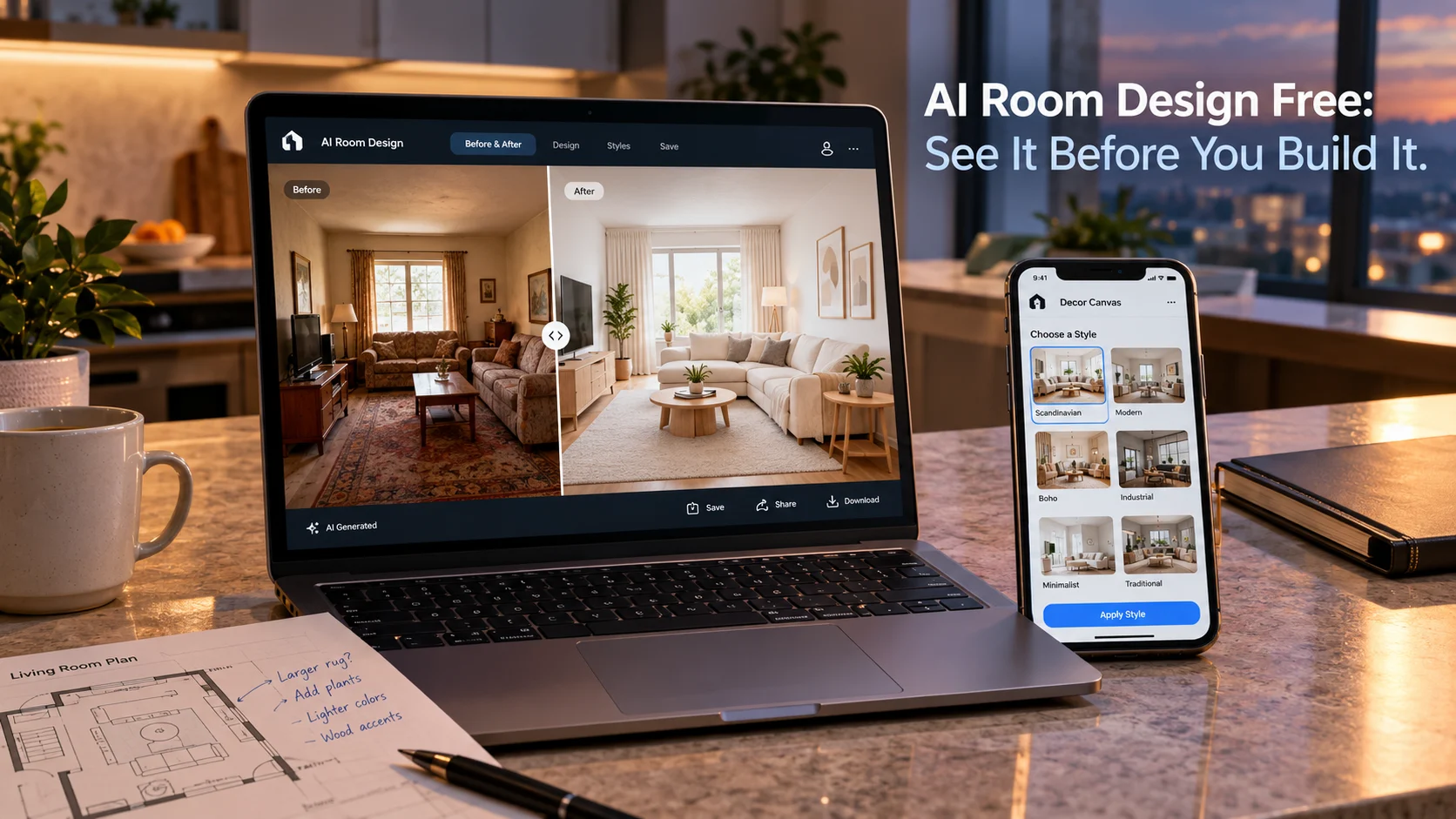
Free AI room design tools let you upload a photo of your room and generate photorealistic redesigns in seconds. The best genuinely free options include ChatGPT (via image prompting), Decor Canvas (3 free generations), Spacely AI (40 free credits, watermark-free), and AI Interior Design Offline (fully on-device, no cloud uploads).
At-a-Glance: Key Takeaways
- “Free” means different things across tools. Some offer unlimited free tiers with watermarks, others give one-time credits, and a few are genuinely free with no strings attached .
- Spacely AI offers 40 free trial credits with watermark-free results and a stated commercial license, though its paid pricing is opaque .
- AI Interior Design Offline processes everything on-device, requires no subscription, and keeps photos entirely private .
- ChatGPT can redesign rooms from photos using its image capabilities, making it a no-cost option for existing subscribers .
- Decor Canvas offers 3 free generations across 90+ styles, powered by Google Gemini, with strong privacy commitments .
- Free tiers often add watermarks or restrict downloads, so check export terms before relying on a tool for client work or listings .
What Is AI Room Design Free?
AI room design free refers to tools that let you visualize interior changes without paying upfront. You upload a photo of your existing space, select a style or describe what you want, and the AI generates a redesigned version in seconds.
The category has exploded because the underlying technology has become accessible. Google Gemini, Stable Diffusion, and custom models trained on interior photography now power consumer apps and browser tools that require no design expertise. A homeowner can preview a Scandinavian living room, a real estate agent can stage an empty apartment, and a renter can test bold wall colors without picking up a paintbrush .
But “free” is a spectrum. Some tools offer unlimited generations with watermarks. Others give a handful of one-time credits. A few are genuinely free, either because they run entirely on your device or because they monetize through other means. Understanding which kind of free you are getting determines whether a tool is useful for your project.
The Best Free AI Room Design Tools Compared
How Free AI Room Design Tools Work
The Photo-to-Render Pipeline
Most tools follow a consistent workflow. You upload a photo of your room or capture one in-app. The AI analyzes the geometry—walls, windows, furniture placement—and applies a style transformation. The output is a photorealistic render that preserves the room’s structure while changing materials, furnishings, and lighting .
The quality varies dramatically. Tools like Decor Canvas and Spacely AI produce outputs that look like professional interior photography. Simpler tools may distort proportions or generate furniture that does not match the room’s actual dimensions. ChatGPT, for example, is excellent for ideation but may show windows where none exist or rearrange walls in ways that are structurally impossible .
On-Device vs. Cloud Processing
A critical distinction for privacy-conscious users is where the AI runs. Most tools upload your room photo to cloud servers for processing. This is fast and enables powerful models, but it means your images leave your device.
AI Interior Design Offline takes a different approach. It downloads a 1.1 GB model once and processes everything locally on your iPhone. No cloud uploads, no subscriptions, no data leaving your device. The trade-off is fewer styles (six) and potentially slower generation on older hardware .
Decor Canvas states that photos stay private and are not shared or sold, with GDPR and DPDP compliance. It uses Google Gemini for generation, so some processing occurs in the cloud, but the developer commits to not retaining or selling images .
Free Tier Limitations to Watch For
Watermarks and Download Restrictions
Many free tiers add watermarks to generated images. Inspirat adds a “small watermark” on free results . RoomAI’s free tier includes watermarked exports . Maket’s free plan does not allow downloads at all—renders are for viewing only .
Spacely AI stands out by stating its free plan results are watermark-free with high-resolution downloads and a commercial license. That is unusual and worth verifying at signup .
Credit and Generation Limits
Free allowances vary widely. Decor Canvas gives 3 total generations . Spacely AI gives 40 credits, but does not state how many credits per render . Inspirat gives 2 generations per day . AI Room Design offers 5 projects per month .
The critical question is whether the allowance renews. Decor Canvas’s 3 generations appear to be a one-time grant. Inspirat’s 2 per day renews. GenRoom gives 6 credits at signup, not monthly .
Style and Room Type Limits
Free tiers often restrict access to premium styles. RoomAI’s free tier includes “core styles” but locks premium styles behind a subscription . Decor Canvas’s free tier includes access to 90+ styles, but Pro unlocks unlimited designs and HD downloads .
Real-World Use Cases for Free Tools
Homeowners Planning Renovations
A homeowner considering a kitchen remodel can upload a photo, generate several style variations, and use the results to communicate with contractors or make decisions about materials. The free tier is often sufficient for this exploratory phase.
Renters Exploring Changes
Renters who cannot make permanent modifications can visualize temporary changes—paint colors, furniture arrangements, lighting—before investing in reversible updates. Tools like IKEA Kreativ are particularly useful because they use actual IKEA products that the user can purchase .
Real Estate Staging
Real estate agents can use free tools to virtually stage empty properties for listing photos. AI Room Design explicitly targets this use case, noting that agents can produce staging visuals without physical furniture costs . However, agents should check commercial licensing terms—Spacely AI’s stated commercial license on its free tier is an exception, not the norm .
Designers Seeking Rapid Ideation
Interior designers can use free tools to generate multiple concept variants quickly, presenting options to clients before committing to detailed 3D modeling or physical samples. The free tier serves as a brainstorming layer, not a production tool .
Privacy and Security Considerations
Cloud-Based Tools
Most free AI room design tools process images in the cloud. This means your room photos—which may reveal layout, valuables, and personal belongings—are transmitted to third-party servers.
Privacy policies vary. Decor Canvas states it does not share or sell images and is GDPR/DPDP compliant . AI Interior App states images are deleted within 24 hours and not permanently stored or shared, with no user tracking . RoomFlip states it does not sell personal information and encrypts data in transit, but retains account-linked data as needed for service operation .
On-Device Processing
For users uncomfortable with cloud uploads, AI Interior Design Offline is the clearest option. It explicitly states: “No cloud uploads, no subscriptions, no data leaves your device.” The AI model downloads once and runs locally .
What to Check Before Uploading
Before uploading a photo of your home to any free tool, review:
- Whether images are retained after generation
- Whether images are used for model training
- Whether the developer shares data with third parties
- Whether you can delete your data
Important distinction: No SOC 2 certification or similar enterprise compliance framework is referenced for these consumer tools. They are not designed for sensitive commercial or personal data.
Common Mistakes and Cautions
Assuming “free” means unlimited. Most free tiers have strict generation limits, watermarks, or download restrictions. Read the terms before investing time .
Using free renders for commercial work without checking licenses. Most free tiers do not include commercial rights. Spacely AI’s stated commercial license on its free plan is an exception .
Expecting structural accuracy from generative tools. AI can move walls, add windows, or distort proportions. Use tools that preserve architectural fidelity (like HomeVisualizerAI) if structural accuracy matters .
Ignoring privacy implications. Room photos reveal personal spaces. Cloud-based tools process them on external servers. On-device tools avoid this .
Overlooking the on-device trade-off. AI Interior Design Offline offers privacy but limits styles to six and requires a 1.1 GB download. It is not the right tool for users seeking diverse style options .
Frequently Asked Questions
What is the best free AI room design tool?
The “best” depends on your priority. For privacy, AI Interior Design Offline runs entirely on-device with no uploads . For watermark-free client work, Spacely AI’s 40 free credits are notable . For diverse styles on Indian homes, Decor Canvas offers 90+ styles with 3 free generations . For iterative ideation, ChatGPT is accessible if you already use it .
Are free AI room design tools really free?
Most are freemium. They offer limited free generations, often with watermarks or download restrictions. Genuinely free options exist: ChatGPT’s image generation is included with its free tier, and AI Interior Design Offline is free with no subscription .
Do free AI room design tools add watermarks?
Many do. Inspirat adds a small watermark on free results . RoomAI’s free tier includes watermarks . Spacely AI states its free results are watermark-free . Decor Canvas adds watermarks on its free tier .
Can I use free AI room design renders commercially?
Check the specific tool’s terms. Most free tiers do not include commercial licenses. Spacely AI’s free plan states a commercial license is included, but the company’s other documentation is inconsistent . For client work or listings, verify licensing before use.
Is it safe to upload photos of my home to AI room design tools?
It depends on the tool. Cloud-based tools process images on external servers. AI Interior Design Offline processes everything locally, so photos never leave your device . Decor Canvas and AI Interior App state images are not sold or permanently stored . Review each tool’s privacy policy before uploading.
Conclusion
Free AI room design tools let anyone visualize interior makeovers without expensive software. They’re ideal for homeowners, renters, and designers exploring styles and layouts. Before choosing a tool, check free credits, watermarks, privacy policies, and commercial rights. Test it with your own room to find the best fit