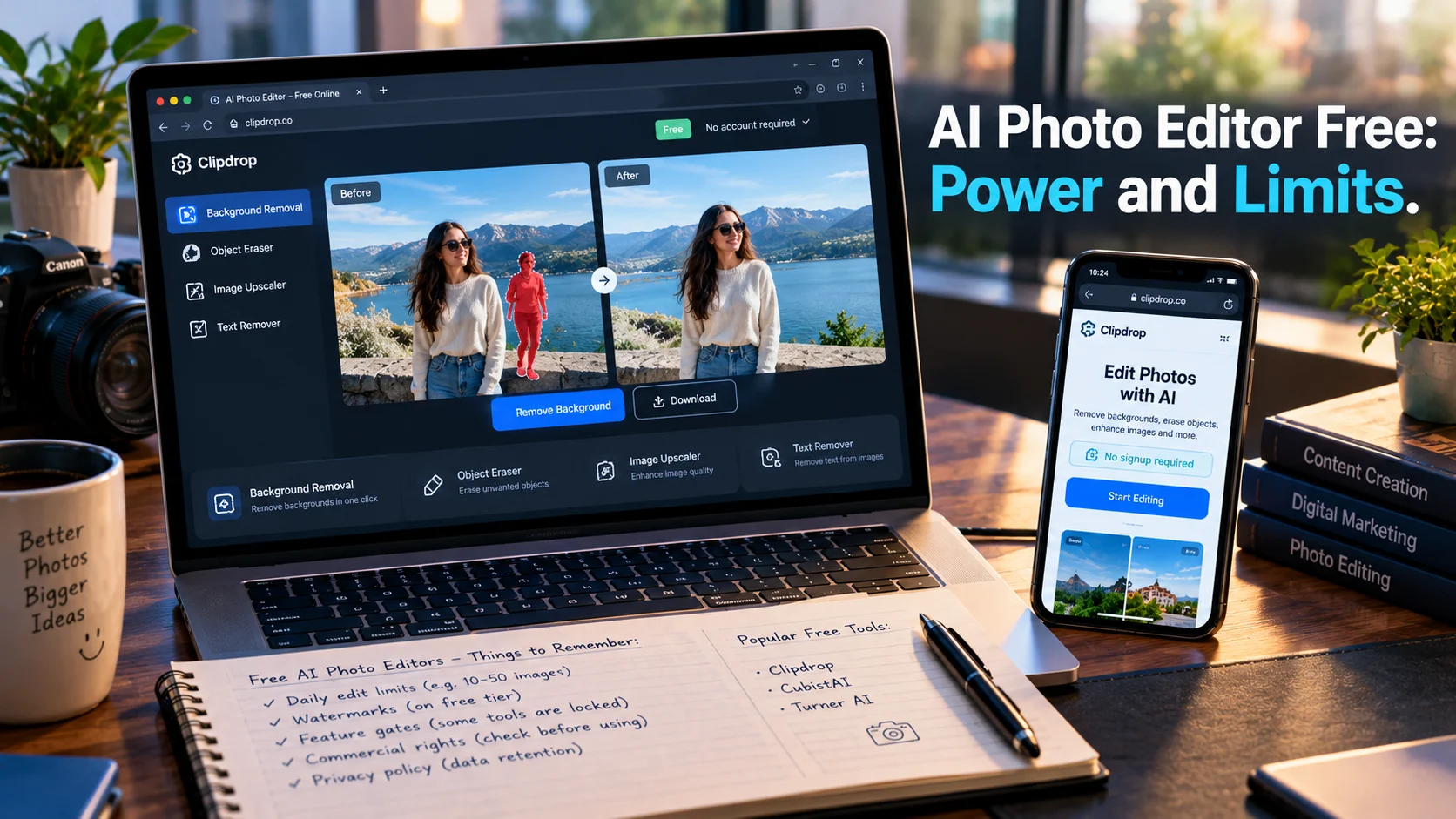
Free AI photo editors deliver genuine editing power, from background removal to object erasing and image upscaling. Tools like CubistAI and Turner AI offer no-signup access with commercial rights, while Microsoft Designer and Canva provide broader design ecosystems. The trade-off is daily caps, watermarks, or feature gates that push heavy users toward paid tiers.
At-a-Glance: Key Takeaways
- No-signup tools exist with real commercial rights. CubistAI offers unlimited AI image generation and editing with no account required and full commercial rights on outputs . Turner AI provides browser-based editing without signup, using plain-language instructions .
- Daily caps are the norm, not the exception. AI Photo Editor Free allows 3 edits per day without watermark . Clipdrop limits each function to 20 uses per day . ChatGPT’s free tier has a tight daily image edit ceiling .
- Watermarks separate free from paid. Gemini applies visible AI watermarks to all free-tier edited images . Fotor’s free tier adds watermarks and resolution restrictions .
- Privacy risks vary dramatically. Meta’s Muse Image uses public Instagram photos by default unless users opt out, with no notification when images are used . Local-first and no-storage tools offer stronger privacy.
- Billing complaints plague some platforms. Fotor reviewers report unexpected charges, early trial billing, and strict no-refund policies even for same-day cancellations .
What Is a Free AI Photo Editor?
A free AI photo editor is a tool that uses artificial intelligence to perform image editing tasks without requiring payment. The category spans browser-based web apps, mobile applications, and features embedded within larger platforms like ChatGPT, Gemini, and Canva.
The AI capabilities that matter most in free tiers include background removal, object erasing, image upscaling, photo enhancement, generative fill (replacing or extending image content via text prompts), and style transfer. These are the tasks that previously required Photoshop skills or paid subscriptions.
What separates a genuinely useful free AI photo editor from a trial trap is the combination of access, output quality, and usage limits. A tool that offers unlimited edits but watermarks every output is less useful than one with a daily cap but clean exports. A tool that requires no signup but stores your images indefinitely is a different proposition than one that processes locally and discards data.
The Best Free AI Photo Editors Compared
How Free AI Photo Editors Work
The Editing Pipeline
Most free AI photo editors follow a similar workflow. You upload an image or select one from a gallery, describe the desired change in natural language or use dedicated tools (background remover, eraser, upscaler), and the AI processes the request. Output appears for preview and download.
The underlying technology varies. Some tools use dedicated models for specific tasks like background removal (often based on U-Net architectures or segmentation models). Others route requests through general-purpose image generation models like Stable Diffusion or proprietary models accessed via APIs.
Plain-Language Editing
Turner AI exemplifies the “plain-word editing” approach. Users describe what they want in their own words, and the tool interprets the instruction without requiring knowledge of editing software commands . This lowers the barrier for users who find traditional editors intimidating.
ChatGPT and Gemini offer similar conversational editing. You upload an image and type instructions like “remove the person in the background” or “make the lighting warmer.” The AI applies the change.
One-Click Tool Suites
CubistAI and similar platforms bundle dedicated tools: background remover, image upscaler, photo enhancer, image expander (outpainting), magic eraser, AI replace (inpainting), and text/watermark remover . These function as one-click operations rather than conversational edits, which can be faster for routine tasks.
The Hidden Limits of Free Tiers
Daily Caps and Queues
Free does not mean unlimited. AI Photo Editor Free allows 3 edits daily . Clipdrop caps each function at 20 uses per day . ChatGPT’s free tier has a tight image generation and editing limit per 24-hour window . Non-account users on some platforms face longer processing queues .
Watermarks
Gemini applies a visible watermark to every image generated or edited on the free plan, plus an invisible SynthID watermark . Fotor’s free tier adds watermarks and resolution restrictions . Watermarks make free output unsuitable for professional or commercial use without upgrading.
Feature Gates
Advanced features are often paywalled. Fotor restricts advanced editing to paid tiers . Canva’s AI features have usage limits on the free plan . The gap between what is advertised and what is available without payment is a recurring complaint .
Quality and Consistency
Free-tier AI models may be older or less capable than paid versions. ChatGPT’s free image editing tends to “reconstruct” images rather than adjust them, potentially altering facial features when asked for multiple changes . Prompt adherence can be unreliable on free tiers, consuming attempts on off-target outputs.
Privacy and Data Concerns
The Meta Muse Image Controversy
Meta’s Muse Image, available free through Meta AI, Instagram Stories, and WhatsApp, drew immediate criticism for its handling of public Instagram photos. Users can tag public accounts and use their images to create AI-generated content without notifying the account holder. The feature is enabled by default, requiring users to actively opt out .
This follows a pattern critics have flagged before: broad data use unless users take action to prevent it. Meta’s history with Cambridge Analytica and facial recognition systems adds context to user unease .
On-Device vs. Cloud Processing
Turner AI states that edited files are not permanently stored and are processed only for editing purposes . This contrasts with cloud-based tools that may retain uploads. For sensitive images, tools that process locally or discard data after editing offer stronger privacy.
What to Check Before Uploading
Before uploading personal or client images to any free AI photo editor, review the privacy policy for:
- Whether images are retained after processing
- Whether images are used for model training
- Whether outputs are stored publicly
- Data residency and third-party sharing
Free tiers often come with broader data rights for the platform. The cost of free may be your data.
Pricing Reality: When Free Stops Working
Upgrade Triggers
Most free tiers hit limits at predictable points:
- Volume: Daily caps reached during active projects
- Quality: Watermarks or resolution restrictions on outputs
- Features: Advanced tools locked behind subscriptions
- Speed: Queue delays for non-paying users
Typical Paid Tiers
| CubistAI | $14.90/month | Higher limits or features |
| AI Photo Editor Free | $4.83/month | Unlimited editing |
| LightX | $3.33/month | Full AI suite |
| Phot.AI | $19.99/month | Professional retouching, HDR |
Billing Caution
Fotor’s reviewers report a pattern of billing issues: unexpected charges, early trial billing, and denied refunds even for same-day cancellations. One reviewer described support as “robotic, inflexible, and policy-driven” . Before entering payment information for any free trial, check cancellation terms and refund policies.
Who Should Use Free AI Photo Editors
Casual users and hobbyists editing personal photos for social media. The daily caps on tools like AI Photo Editor Free or Clipdrop are sufficient for occasional use.
Content creators testing workflows before committing to paid tools. CubistAI and Turner AI allow no-signup evaluation with commercial rights, making them low-risk for testing .
Small business owners creating basic marketing assets. Microsoft Designer integrates with the Microsoft ecosystem and offers generative AI design tools free with an account .
Users who need specific one-off edits like background removal or object erasing. Clipdrop’s 20 free uses per function per day cover most occasional needs .
Professionals with high-volume needs will find free tiers insufficient. Watermarks, caps, and feature gates push serious users toward paid subscriptions or dedicated tools.
Privacy-sensitive users should avoid platforms with broad data rights. Tools that state non-permanent storage or local processing are safer choices .
Common Mistakes and Cautions
Assuming “free” means unrestricted. Daily caps, watermarks, and feature gates are standard. Read the limits before starting a project.
Ignoring watermarks on commercial work. Gemini’s free tier watermarks all outputs . Using watermarked images commercially may violate terms or harm brand perception.
Uploading sensitive images without checking retention. Cloud-based tools may retain uploads. Turner AI states non-permanent storage, but not all tools are as clear .
Entering payment details for trials without reading cancellation terms. Fotor’s billing complaints illustrate the risk . Check refund policies and cancellation processes before committing.
Trusting “unlimited” claims without verification. CubistAI claims unlimited free use , but such claims are rare and may change. Verify current terms on the platform itself.
Frequently Asked Questions
What is the best free AI photo editor?
“Best” depends on your need. CubistAI offers no-signup editing with commercial rights . Turner AI provides plain-language editing with non-permanent storage . Clipdrop gives 20 free uses per function daily . Microsoft Designer integrates AI design tools with a Microsoft account .
Are free AI photo editors really free?
They are free within limits. Most impose daily caps (3-20 edits), add watermarks, or gate advanced features. Unlimited free use is rare. The cost of free is often your data or exposure to upgrade prompts.
Do free AI photo editors add watermarks?
Some do, some don’t. Gemini’s free tier watermarks all outputs . CubistAI, Turner AI, and AI Photo Editor Free claim no watermarks on free outputs . Fotor’s free tier adds watermarks .
Can I use free AI photo editor outputs commercially?
It depends on the tool. CubistAI grants full commercial rights on every image . Turner AI allows commercial use if you have rights to the input image . Gemini outputs carry watermarks that may complicate commercial use . Always check the specific tool’s terms.
Are free AI photo editors safe for private photos?
Safety varies. Turner AI states files are not permanently stored . Meta’s Muse Image uses public Instagram photos by default unless users opt out . For private or sensitive images, choose tools with clear non-retention policies or process locally.
Conclusion
Free AI photo editors offer useful features like background removal, object erasing, and image enhancement. Tools such as Clipdrop and other free editors are great for casual users and creators. Before choosing one, check daily limits, watermarks, commercial rights, and privacy policies to find the best fit for your needs.