A free AI logo generator creates logo concepts from your business name and style preferences at no cost. The most usable free options are VistaPrint (free SVG, PDF, and transparent PNG exports), Namecheap (free no-watermark vector downloads), and Design.com (free generation with extensive editing). However, many tools only offer free previews and charge for downloads.
At-a-Glance: Key Takeaways
- VistaPrint offers the most practical free downloads, including SVG, PDF, and transparent PNG files at no cost .
- Namecheap provides free no-watermark vector downloads for SVG and PNG files .
- Design.com offers free AI generation and extensive customization, with transparent PNGs included on downloads .
- Shopify Tinker is a free mobile app bundling 100+ AI creative tools, including logo generation, from OpenAI, Google, and Anthropic models .
- Canva and Adobe Express have free tiers, but vector exports and premium features require paid plans .
- Looka generates logos for free but requires payment for downloadable files .
What Is a Free AI Logo Generator?
A free AI logo generator is a tool that uses machine learning to create logo designs based on user inputs at no cost. You enter your business name, select an industry or style, and the AI generates multiple concepts within seconds.
The technology behind these tools varies. Some use generative models trained on design patterns to produce unique concepts. Others combine AI with template libraries, suggesting starting points that users then customize manually.
The critical distinction for anyone searching for a “free” option is what happens after generation. Most tools let you generate and preview logos at no cost. The question is whether you can download a usable file, whether it carries a watermark, and whether you own the commercial rights.
The Major Free AI Logo Generators Compared
Important caveat: Free tiers change frequently. Verify current terms before committing to any tool.
How Free AI Logo Generators Work
The Generation Process
Most AI logo generators follow a similar workflow. You start by entering your company name and industry. Some tools ask for a slogan or tagline. You then select style preferences: minimal, vintage, modern, geometric, or specific color palettes.
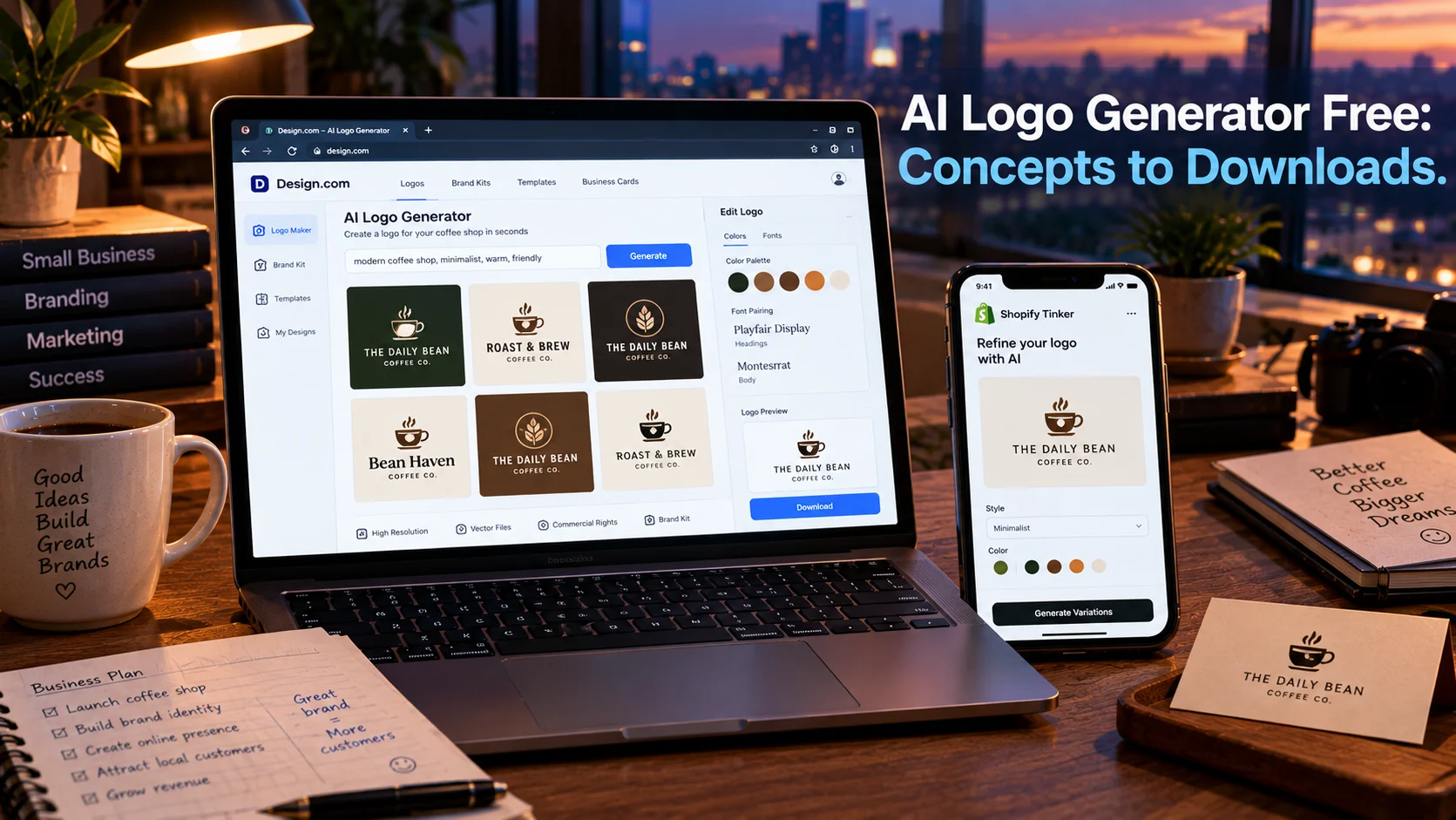
Design.com’s process lets you browse thousands of logos or search with your business name and keywords. The AI generates related logos, which you can shortlist, customize (colors, fonts, layout), and preview on apparel or signage before downloading .
Shopify Tinker takes a different approach. Instead of a blank prompt box, Tinker organizes over 100 specialized tools by outcome. You select “create a logo,” and the app uses “prompt abstraction” where Shopify writes complex prompts behind the scenes. Users only provide simple inputs or upload photos. Tinker also remembers style and creative direction from past work, helping maintain brand consistency .
Customization and Editing
After generation, most tools offer an editor for refinement. Design.com’s editor lets you adjust colors, fonts, and layout with full customization. You can preview your logo on apparel, signage, and other applications before downloading .
Canva’s advantage is its broader design ecosystem. Once you generate a logo, you can resize it for any platform, edit colors, and access millions of stock images. The trade-off is that Canva’s AI output tends toward generic designs that require manual polish to feel distinctive.
The Technical Foundation
These tools use generative AI models trained on large datasets of logo designs. The models learn patterns in typography, iconography, color theory, and composition. When you provide inputs, the model generates novel combinations that fit the constraints.
The quality of output depends on the model, the training data, and the specificity of your inputs. Vague prompts produce generic results. Detailed prompts specifying industry, style, color preferences, and brand personality yield better outputs.
Renderforest’s prompt formula suggests including style, brand name, business type, audience, brand traits, symbol direction, color palette, font style, use cases, and things to avoid .
What “Free” Actually Includes
VistaPrint: Practical Free Downloads
VistaPrint’s AI Logomaker offers free SVG, PDF, and transparent PNG exports, making it one of the strongest options for real-world use. According to Renderforest’s comparison, VistaPrint is the best overall choice if you want practical files right away .
Namecheap: Free No-Watermark Vector
Namecheap Logo Maker has one of the clearest no-watermark free logo maker claims. If SVG and PNG files are your priority, Namecheap is the best option .
Design.com: Free Generation with Extensive Editing
Design.com lets you generate and edit logos for free. The platform offers thousands of premium, customizable logos with editing for fonts, colors, and layout. Every logo created comes with a transparent version when downloaded in PNG format .
BrandCrowd’s guide notes that Design.com and BrandCrowd allow watermark-free downloads on eligible free logos, while some other tools reserve full-quality exports for paid tiers. Both platforms automatically extend logo colors and fonts into business cards, social posts, and websites .
Important limitation: While Design.com offers free generation and editing, full vector exports and some premium features may require paid plans. The free download may be limited to certain formats.
Shopify Tinker: Free Mobile App with 100+ Tools
Shopify launched Tinker in March 2026 as a free mobile app bundling over 100 AI tools for creating images, videos, logos, and product photography. The app organizes tools by outcome, so you select “logo creation” and describe what you need. Tinker brings models from OpenAI, Google, Anthropic, and others into a single app, with context maintained across creations. The app is available on iOS and Android for users 13 and older .
Important caveat: Tinker is new, and independent testing of its logo output quality and download terms is limited. The free app model may change.
Canva: Free PNG, Paid SVG
Canva’s free plan includes AI logo generation through its Magic Studio suite. You can generate concepts from text prompts and download as PNG. Commercial use is permitted for free-tier designs, though you should verify current terms for specific elements used.
The limitation is vector export. SVG and PDF downloads require Canva Pro. For businesses that need scalable vector files for printing, this is a meaningful gap .
Adobe Express: Free with Credit Limits
Adobe Express offers a free tier that includes logo creation, with a downloadable PNG carrying a full commercial license. The free plan includes basic editing tools and limited assets. Premium plans at US$9.99/month unlock premium templates, full Adobe Fonts access, and more generative AI credits .
Limitation: Adobe Express does not offer SVG vector export on any tier according to some comparisons. For print-quality scalable logos, this is a constraint.
Looka: Free to Try, Paid to Use
Looka generates logos for free, but downloading requires payment. The basic PNG logo package costs $20 USD, and the high-resolution package with PNG, EPS, SVG, and PDF files costs $65 USD. A Brand Kit subscription offers hundreds of templates .
Looka’s royalty-free license means you can use downloaded files for commercial or non-commercial purposes. But the free tier does not include downloads.
BrandCrowd: Free High-Res, Paid Vector
BrandCrowd offers free AI generation and high-resolution downloads, but vector files require paid plans. Subscription pricing starts around $5/month billed annually .
Key Features to Evaluate
Vector Files
Vector files (SVG, PDF, EPS) are essential for professional use. They scale infinitely without pixelation, making them suitable for printing on business cards, signage, merchandise, and large-format materials. PNG and JPG files are raster-based and lose quality when enlarged.
VistaPrint and Namecheap are the only tools in this comparison that offer free vector exports . Design.com, Canva, and BrandCrowd require paid plans for vector files.
Commercial Rights
Before using any logo for business purposes, confirm that the free tier includes commercial use rights. Most tools grant commercial rights for downloaded files, but verify the terms. VistaPrint and Namecheap offer free downloads with commercial rights according to available information . Design.com’s terms should be verified for free-tier commercial use.
Renderforest’s guide cautions that AI logo tools cannot guarantee that a logo is legally safe, distinctive, or protectable. Users should search trademark databases like WIPO’s Global Brand Database before investing in a logo .
Watermarks
Free downloads may carry watermarks. Namecheap explicitly offers no-watermark free downloads . Design.com allows watermark-free downloads on eligible free logos . Canva’s free PNG downloads may include watermarks on some elements.
Brand Kit and Assets
A logo alone is rarely enough. A brand kit includes color palettes, font pairings, social media templates, and guidelines for consistent usage. Design.com and BrandCrowd automatically extend logo colors and fonts into business cards, social posts, and websites . Canva’s ecosystem provides templates for social media, menus, flyers, and other marketing materials.
Privacy and Security Considerations
AI logo generators process business names and brand information. Most are consumer-grade tools without the security certifications required for sensitive data.
What to check before using:
- Whether your inputs are used for model training
- How long generated designs are stored
- Whether you can delete your account and associated data
- The tool’s data retention policies
Important distinction: No SOC 2 certification or similar compliance framework is typically referenced for free logo generators. They are consumer products, not enterprise software.
Who Should Use a Free AI Logo Generator
Early-stage founders and solopreneurs testing business ideas without committing to design costs. VistaPrint and Namecheap offer free vector downloads that allow launching with a professional logo at no cost .
Small businesses on tight budgets that need a functional logo for basic branding. Canva’s free PNG output works for digital use, provided vector files are not required.
Side project creators who need a quick logo for a website, social profile, or prototype. Design.com’s free generation lets you explore concepts before deciding whether to pay.
Shopify store owners can use the free Tinker app to generate logos alongside product images, videos, and other marketing content .
Businesses planning to hire a designer later can use free AI generators for early concepts and direction. The generated logos serve as starting points, not final assets.
Anyone needing print-quality vector files immediately should prioritize VistaPrint or Namecheap’s free vector downloads, or budget for a paid plan elsewhere.
Established businesses with brand guidelines should not rely on free AI generators. The lack of customization depth, potential generic outputs, and limited vector access make them unsuitable for professional brand identity work.
Common Mistakes and Cautions
Assuming “free” means fully free. Most tools allow free generation but charge for downloads. Looka is generation-free but download-paid .
Overlooking vector file limitations. PNG and JPG files are not suitable for professional printing. Canva and Adobe Express require paid plans or do not offer vector export at all.
Ignoring commercial rights. Verify that the free tier grants commercial use. Some tools restrict free downloads to personal use.
Expecting unique, custom designs. AI generators produce concepts based on patterns. Canva’s output tends toward generic designs that could belong to any business in the industry. Manual refinement is usually necessary.
Forgetting about trademark search. Renderforest cautions that AI logo tools cannot guarantee a logo is legally safe. Search your industry and location, check competitors, and use trademark databases like WIPO’s Global Brand Database before committing .
Frequently Asked Questions
What is the best free AI logo generator?
VistaPrint offers the most practical free downloads, including SVG, PDF, and transparent PNG files at no cost. Namecheap is best for free no-watermark vector downloads. Design.com offers free generation with extensive editing options .
Can I really get a logo for free?
Yes, but with limits. VistaPrint and Namecheap allow free downloads with vector files. Design.com allows free generation and editing with transparent PNG downloads. Looka and BrandCrowd allow free generation but charge for downloads .
Do free logo generators give vector files?
Only some. VistaPrint includes SVG and PDF on its free downloads. Namecheap includes SVG. Design.com, Canva, Adobe Express, and BrandCrowd require paid plans for vector exports .
Are AI-generated logos copyrightable?
Copyright rules for AI-generated works are evolving. Most tools grant you a license to use the generated logo, but ownership and copyrightability depend on jurisdiction and the tool’s terms. Renderforest cautions that AI logo tools cannot guarantee a logo is legally safe or protectable, and recommends trademark searches before committing .
Can I use a free AI logo for my business?
Yes, if the tool grants commercial use rights. VistaPrint and Namecheap offer free downloads with commercial rights. Verify the terms for any tool before using the logo publicly.
Conclusion
Free AI logo generators have made professional-looking logos accessible to anyone with a business name and five minutes. The quality has improved significantly, and some tools now offer genuinely free downloads with vector files and commercial rights.