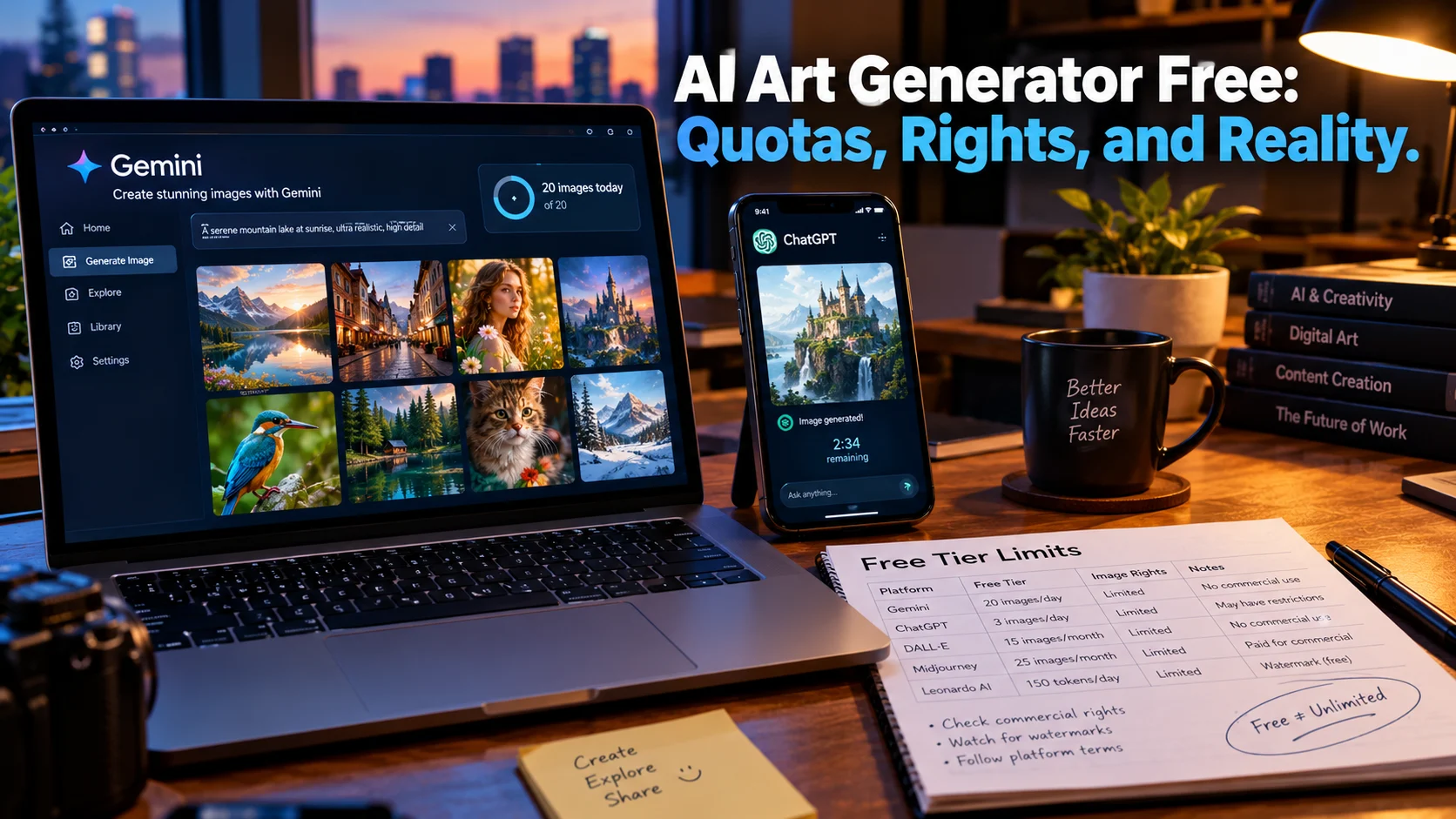
A free AI art generator lets you create images from text prompts at no cost, but “free” varies enormously. Google Gemini offers roughly 20 daily images with commercial rights, ChatGPT provides only 2-3 images per day, and tools like Recraft produce public, non-commercial images on their free tiers. The best choice depends on whether you need volume, commercial use, or vector output.
At-a-Glance: Key Takeaways
- Google Gemini offers the strongest free tier for most users: roughly 20 images daily via Nano Banana, with commercial use permitted under Google’s terms .
- ChatGPT’s free tier is extremely limited: approximately 2-3 images per 24 hours, with no published official number .
- Microsoft Designer’s free outputs are non-commercial only, making it unusable for business work despite generous daily volume .
- Recraft is the only free tool producing native SVG vectors, but free-tier images are public and non-commercial .
- Watermarks and commercial rights vary dramatically: Gemini adds a visible logo, Adobe Firefly’s free tier lacks legal indemnification, and Canva’s free AI allowance is metered .
- Local options like ExoGen offer complete privacy and no quotas, but require capable hardware and technical setup .
What Is a Free AI Art Generator?
A free AI art generator is a tool that converts text descriptions into images using machine learning, offered at no cost with limitations. The technology behind these tools ranges from proprietary diffusion models to open-source Stable Diffusion implementations.
The critical distinction for anyone searching for a “free” option is not whether generation costs money, but what happens after generation. Can you download the image? Does it carry a watermark? Can you use it commercially? How many images can you generate before hitting a wall?
These questions matter more than raw image quality because they determine whether a free tool is genuinely usable or merely a demo.
The Major Free AI Art Generators Compared
Important caveat: Free tiers change frequently. Verify current terms before committing to any tool.
How Free AI Art Generators Work
The Generation Pipeline
These tools use generative models, primarily diffusion-based architectures, trained on large datasets of images and text captions. The model learns associations between visual patterns and language, then generates novel images when prompted.
Google’s Nano Banana (used in Gemini), OpenAI’s GPT Image models, and Adobe’s Firefly represent different approaches to the same problem. Some prioritize photorealism, others artistic style, and some focus on text rendering within images.
The Quota System
Free tiers are managed through daily or monthly quotas. Gemini’s ~20 daily images reflect server capacity management . ChatGPT’s 2-3 images are designed to encourage upgrading for any serious use . Canva meters “AI use points” across all premium AI features, so generating images competes with other AI tasks .
The Commercial Rights Question
This is where free tiers diverge most sharply. Gemini permits commercial use under Google’s terms . OpenAI assigns ownership to users, including commercial use . Microsoft Designer explicitly restricts free outputs to personal, non-commercial use . Recraft’s free images are public and non-commercial .
Adobe Firefly’s free tier is a special case. Firefly is trained on licensed content and offers commercial indemnification on paid plans. The free tier does not include this indemnification, meaning you use free outputs without Adobe’s legal backing .
Key Features by Use Case
For Volume and Speed: Google Gemini
Gemini’s ~20 daily images at up to 1K resolution make it the strongest free option for users who need consistent output. The Nano Banana model handles complex text rendering across 10+ languages and produces clean results in a wide range of styles .
Limitation: Outputs carry a visible Gemini logo in the app, plus an invisible SynthID watermark. API access avoids the logo but requires different setup .
For Commercial Work: ChatGPT (with caveats)
ChatGPT’s free tier assigns ownership to users and permits commercial use, but the 2-3 image daily limit makes it impractical for any real volume . It works for occasional one-off images where commercial rights matter but volume does not.
For Vector Output: Recraft
Recraft is the only free tool in this comparison producing native SVG vectors, directly usable in Illustrator or Figma. This makes it valuable for logos, icons, and illustrations that need to scale .
Critical limitation: Free-tier images are public, visible in a community gallery, and owned by Recraft. Commercial use requires a paid plan .
For Privacy: ExoGen (Local)
ExoGen is a desktop application that runs Stable Diffusion models entirely on your machine. No data leaves your computer, no quotas apply, and you control the output completely .
Trade-off: Requires Python 3.11+, CUDA for GPU acceleration, 8GB+ RAM, and 30GB+ storage for models. It is not a browser-based tool for casual users .
Pricing When Free Is Not Enough
For users who hit free limits, paid entry points vary.
Privacy and Security Considerations
Free AI art generators process prompts and generate images on vendor servers. Most do not publish security certifications or data retention policies.
What to check before using:
- Whether prompts and images are used for model training
- How long generated images are stored
- Whether outputs are public (Recraft’s free tier is public by default)
- The tool’s data retention policies
Important distinction: No SOC 2 certification or similar compliance framework is typically referenced for consumer AI art generators. They are not enterprise software. Do not use them for confidential or sensitive content.
Who Should Use a Free AI Art Generator
Casual users exploring AI art can start with Gemini for quality and volume, or ChatGPT if commercial rights matter more than daily output.
Small businesses needing occasional images should evaluate Gemini’s commercial-use terms or budget for a paid tier with indemnification (Adobe Firefly Standard) .
Designers needing vector assets can use Recraft’s free tier for exploration, then upgrade for private, commercial-use SVGs .
Privacy-conscious users with capable hardware should consider ExoGen for complete local control .
Users needing print-quality or high-volume output will find free tiers insufficient. Budget for a paid plan.
Common Mistakes and Cautions
Assuming “free” means commercial. Microsoft Designer’s free outputs are personal-use only . Recraft’s free images are public and non-commercial .
Ignoring watermarks. Gemini adds a visible logo to app-generated images . Microsoft Designer adds visible watermarks .
Overlooking quota variability. Gemini’s daily limit shifts with server load and is not officially published . ChatGPT’s 2-3 image cap is community-reported, not officially confirmed .
Expecting Adobe’s indemnification on free. The legal protection Adobe advertises applies to paid plans, not the free tier .
Forgetting about public galleries. Recraft’s free images are visible to other users and indexable .
Frequently Asked Questions
What is the best free AI art generator?
Google Gemini offers the best balance of daily volume (~20 images) and commercial-use permission for most users . ChatGPT is the alternative if commercial ownership matters more than volume. Recraft is best for vector output, with the caveat that free images are public and non-commercial.
Can I use free AI-generated images commercially?
It depends on the tool. Gemini permits commercial use under Google’s terms . ChatGPT assigns ownership to users . Microsoft Designer and Recraft’s free tiers are non-commercial only . Always verify the specific tool’s current terms.
Are free AI art generators safe to use?
They process prompts on vendor servers without published security certifications. Do not use them for confidential content. Recraft’s free images are public by default . For privacy, local tools like ExoGen keep everything on your machine .
Do free AI art generators add watermarks?
Some do. Gemini adds a visible logo in the app plus an invisible SynthID watermark . Microsoft Designer adds visible watermarks . ChatGPT uses only invisible C2PA marking . Recraft does not add watermarks but makes images public .
Can I generate vector art for free?
Recraft is the only tool in this comparison producing native SVG vectors on its free tier. However, free-tier images are public and non-commercial. For commercial vector work, the $10/month Basic plan is required .
Conclusion
Free AI art generators have made image creation accessible to anyone with a browser and a prompt. Gemini’s daily allowance and commercial-use permission make it the strongest starting point for most users. ChatGPT offers commercial ownership at the cost of volume. Recraft serves vector needs with a public-gallery trade-off. ExoGen provides complete privacy for users with the hardware to run it.