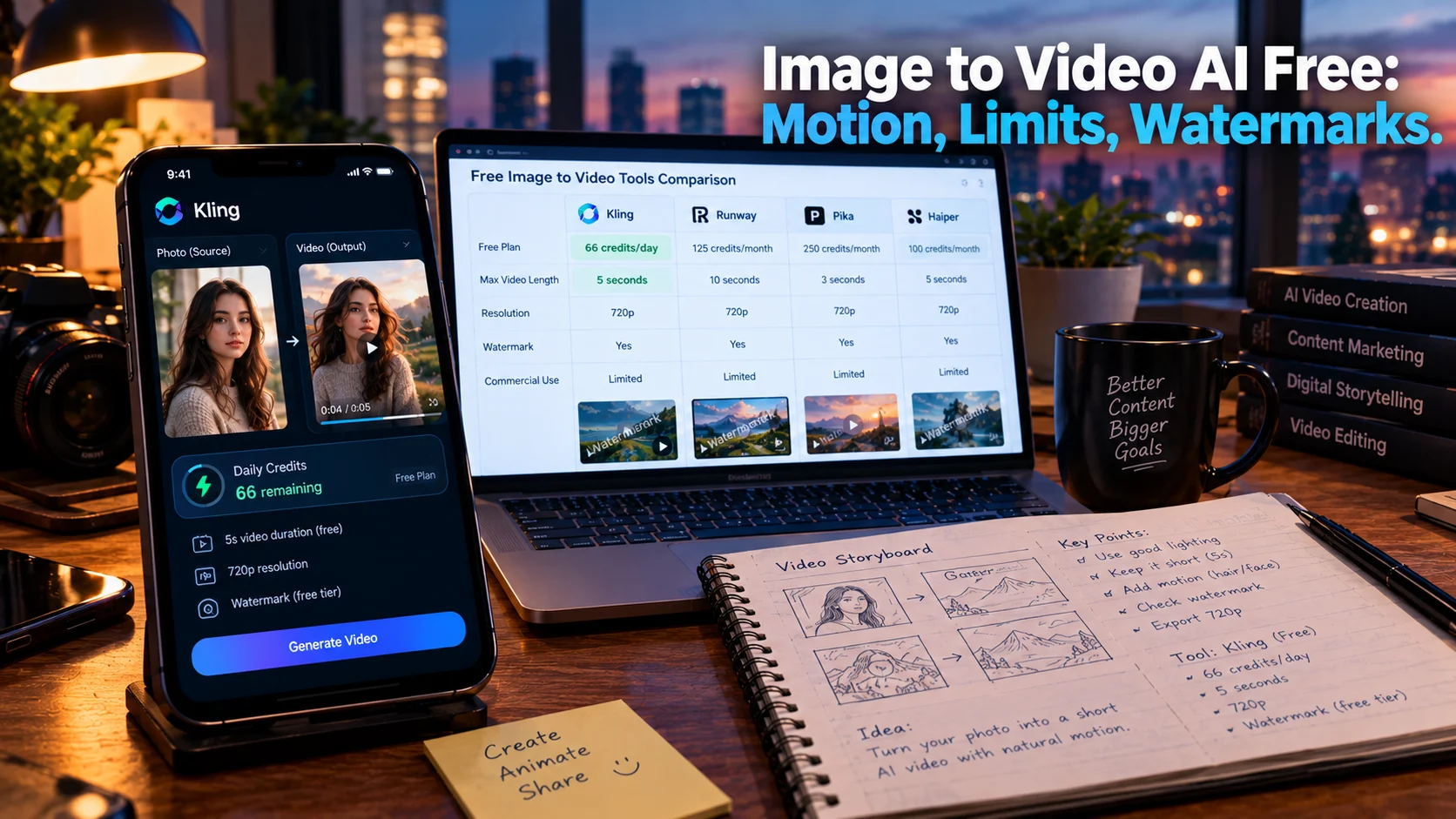
Free image to video AI tools animate still photos into short clips, but “free” means limited credits, watermarks, and restricted commercial use. Kling offers 66 daily credits with the best motion quality for portraits and products, Hailuo provides fast i2v with a small daily allowance, and Pika gives 80 monthly credits at 480p. No free tier on this list allows clean commercial output.
At-a-Glance: Key Takeaways
- Kling is the best free option for image to video quality, especially on portraits and product shots, with 66 daily credits that reset every 24 hours .
- Hailuo is the fastest path from still to motion, offering a few free clips daily at 720p, though credits expire quickly .
- Pika gives 80 monthly credits at 480p, suitable for casual vertical content but not for sustained workflows .
- Every free video export is watermarked, and no free tier on this list permits commercial use cleanly .
- Daily allowances do not roll over, meaning missed days are lost credits. Storyboard first, then spend video credits on the final animation.
- Open-source models like WAN 2.1 offer a “free forever” path, but require GPU hardware and technical setup .
What Is Free Image to Video AI?
Free image to video AI refers to tools that animate a static image into a short video clip at no cost. You upload a photo, describe the motion you want, and the model generates a clip that preserves the original image’s composition while adding movement.
The search intent is commercial investigation. Users want to know which free tools produce usable output, what the limitations are, and whether the results are worth the trade-offs in quality, watermarking, and commercial rights.
The honest answer is that free image to video is a testing ground, not a production pipeline. The tools are capable enough to evaluate quality and learn prompt behavior. They are not capable enough to ship client work without upgrading.
The Major Free Image to Video Tools Compared
| Kling | 66 credits/day (~6 clips) | 720p | Yes | No | Portrait and product i2v |
| Hailuo | Small daily allowance | 720p | Yes | No | Fast i2v, character animation |
| Pika | 80 credits/month | 480p | Yes | No | Casual vertical clips |
| Luma Dream Machine | Limited monthly / 250 iOS | 720p | Yes | No | Cinematic atmosphere |
| PixVerse | 60 initial + 30 daily | Sub-HD | Yes | No | Fast mobile rendering |
| LTX Buzz | Free core tools | Varies | Not specified | Not specified | Quick photo animation |
Important caveat: Free tier details change frequently. Verify current terms before committing time to any tool .
Kling: Best Free Image to Video Quality
Kling’s free tier is the standout for image to video specifically. Independent testing found its motion quality on portraits and product shots noticeably better than Pika’s output from the same source images .
What Free Includes
Kling provides 66 credits daily, resetting every 24 hours with no rollover. The figures are visible in-app on the membership page. At standard settings, this converts to roughly six clips per day. On newer models like Kling 2.6 or 3.0, practical i2v generation is about one per day .
Where the Limits Hit
Every free export carries a visible Kling watermark. Free clips cap at 5 seconds. Queue priority is standard-speed. Commercial use requires a paid plan .
One generation per day on the newest models is fine for hobbyists learning prompt behavior. It is unusable for anyone shipping content on a deadline .
Hailuo (MiniMax): Fastest Image to Motion
Hailuo is one of the quickest free ways to animate an existing image. Upload a frame, describe the motion, and the free tier returns a 6-second 720p clip .
What Free Includes
New users registered after June 2025 receive a one-time welcome package of free credits that expire 3 days after being granted. Free downloads include a watermark. Free users are limited to one parallel generation .
Where the Limits Hit
The 3-day expiry is the catch. Sign up and don’t use it that week, and it’s gone. The daily credits vanish at reset. Commercial use requires a paid plan .
Hailuo is strong for character animation and talking-head content where facial expressions need to feel natural. It is not designed for sustained free production.
Pika: Casual Monthly Credits
Pika’s free Basic plan offers 80 monthly video credits at 480p resolution on the Pika 2.5 model .
What Free Includes
80 credits per month. A typical 5-second 480p clip costs around 12 credits, meaning roughly 6 to 7 clips before running out until the next month .
Where the Limits Hit
Free exports are 480p and watermarked. Credits do not roll over. The free tier excludes commercial use .
Pika is best for testing its effects library, including Pikaffects, Pikadditions, and Pikaswaps. If the question is whether a specific motion effect fits your creative vision, Pika’s credits go further than Runway’s one-time grant. If the question is whether the output is production-ready, it is not .
Luma Dream Machine: Cinematic Atmosphere
Luma’s free tier skews cinematic and less stylized. Motion quality on slower, atmospheric scenes is the best of the free options .
What Free Includes
The web free plan offers limited monthly credits at 720p, draft-resolution video, lower-priority processing, and watermarks. The iOS free plan provides 250 monthly credits .
Where the Limits Hit
At 80 credits for a Ray1.6 720p 5-second clip, the 250 iOS allowance gets roughly 3 generations per month. Luma’s free tier feels designed to demo the model, not run a workflow .
Commercial use is not permitted on the free tier.
PixVerse: Fast Mobile Rendering
PixVerse renders faster than most competitors, making it suitable for mobile workflows where speed matters more than resolution .
What Free Includes
The free tier provides 60 initial credits plus 30 daily. Videos are watermarked and resolution is below HD. Two simultaneous generation tasks are supported .
Where the Limits Hit
The daily allowance is small. Resolution is capped below HD. Watermark and non-commercial restrictions apply.
PixVerse is best for quick social media clips where the phone is the primary editing device and speed is the priority.
LTX Buzz: App-Based Free Animation
LTX Buzz from Lightricks is a free iOS app that transforms images into videos using the LTX AI model. It offers text-to-image, image-to-video, and trending presets like Egg Pop and Bald It .
What Free Includes
The app advertises free core tools with “no render limits” and high-resolution output. In-app purchases unlock premium tools including advanced editing, AI headshots, and multi-layer design .
Where the Limits Hit
Reviewer complaints describe errors that prevent video production and difficulty obtaining refunds for in-app purchases. The free tier’s actual limits are not clearly documented on the App Store listing .
Editorial interpretation: LTX Buzz is early-stage and its free claims are unverified. Approach with caution and test the core tools before purchasing anything.
Where the Paywall Actually Lands
Across every free tool on this list, the pattern is identical.
Watermarks are universal. Every free video export carries a visible platform watermark. The watermark-free “free AI video” you see on social media was rendered on someone’s paid plan .
Commercial use is prohibited. No free tier on this list allows clean commercial output. Pika, Kling, Hailuo, Luma, and PixVerse all require paid plans for commercial rights .
Resolution is capped. Free output ranges from 480p to 720p. Acceptable for mobile viewing after platform compression. Noticeable on desktop or large screens.
Duration is capped. Most free clips are 5 to 6 seconds. Luma and some others allow slightly longer at draft quality.
Credits do not roll over. Daily allowances reset every 24 hours. Miss a day, lose those credits. Monthly allowances reset on the billing cycle .
The Open-Source Alternative
For users who want a genuinely free path without watermarks or credit limits, open-source models offer an alternative. WAN 2.1 and WAN 2.6 are available on GitHub and Hugging Face, runnable locally on your own hardware .
What This Requires
A capable GPU, technical setup, and tolerance for command-line workflows. The trade-off is control: no credits, no watermarks, no commercial restrictions imposed by a platform. The cost shifts from subscription fees to GPU electricity and hardware .
Editorial interpretation: Open-source is the only “free forever” option in the strict sense. It is not accessible to non-technical users, but for developers and tinkerers, it eliminates the paywall entirely.
Who Should Use Free Image to Video AI
Hobbyists and curious creators can use Kling’s daily credits to learn how image to video models behave. Six clips per day is enough to test prompts and understand motion quality .
Social media creators testing vertical content can use Pika’s monthly credits for casual TikTok or Reels clips, accepting the 480p resolution and watermark .
Users animating portraits or character shots should start with Kling for quality or Hailuo for speed, accepting the daily limits .
Anyone needing commercial output must upgrade. No free tier on this list permits it cleanly. The cheapest legitimate route is a low paid tier from Krea or similar, starting around $5.25/month billed yearly with watermark-free output and a commercial license .
Developers and technical users should explore open-source WAN models for a truly free path without platform restrictions .
Common Mistakes and Cautions
Assuming “free” means usable for client work. Every free export is watermarked and non-commercial. The watermark is not a minor annoyance; it is the business model .
Underestimating credit consumption. A 5-second clip costs 12 credits on Pika. Kling’s 66 daily credits yield roughly six standard clips or one newer-model generation. Plan prompts before spending .
Forgetting daily resets. Credits do not accumulate. Miss a day, lose that day’s allowance. Storyboard with free image tools first, then spend video credits on the final animation .
Expecting long clips. Free tiers cap at 5 to 6 seconds. Anything longer requires paid plans or multi-clip stitching.
Trusting unverified app claims. LTX Buzz advertises no render limits but has reviewer complaints about non-functioning core features and refund difficulties .
Frequently Asked Questions
What is the best free image to video AI?
Kling offers the best motion quality for portraits and product shots, with 66 daily credits. Hailuo is fastest for animating a still image. Pika gives 80 monthly credits at 480p for casual use. The “best” depends on whether you prioritize quality, speed, or monthly volume .
Are there any free image to video tools without watermarks?
No hosted free tier on this list provides watermark-free output. Open-source models like WAN 2.1 can run locally without watermarks, but require GPU hardware and technical setup .
Can I use free image to video output commercially?
No. Every free tier on this list prohibits commercial use. Commercial rights require a paid plan. The cheapest legitimate commercial route is a low paid tier from Krea or similar, starting around $5.25/month billed yearly .
How long are free image to video clips?
Most free tiers cap at 5 to 6 seconds. Resolution ranges from 480p (Pika) to 720p (Kling, Hailuo, Luma). Longer clips and higher resolution require paid plans .
What is the fastest free image to video tool?
Hailuo is generally the fastest for animating an existing image, returning a 6-second 720p clip with minimal friction. PixVerse also renders quickly for mobile workflows .
Conclusion
Free image to video AI offers a genuine testing ground for learning how models interpret motion prompts. Kling leads on output quality for portraits and products. Hailuo is fastest from still to motion. Pika provides monthly credits for casual vertical clips. Luma offers cinematic atmosphere at low volume.