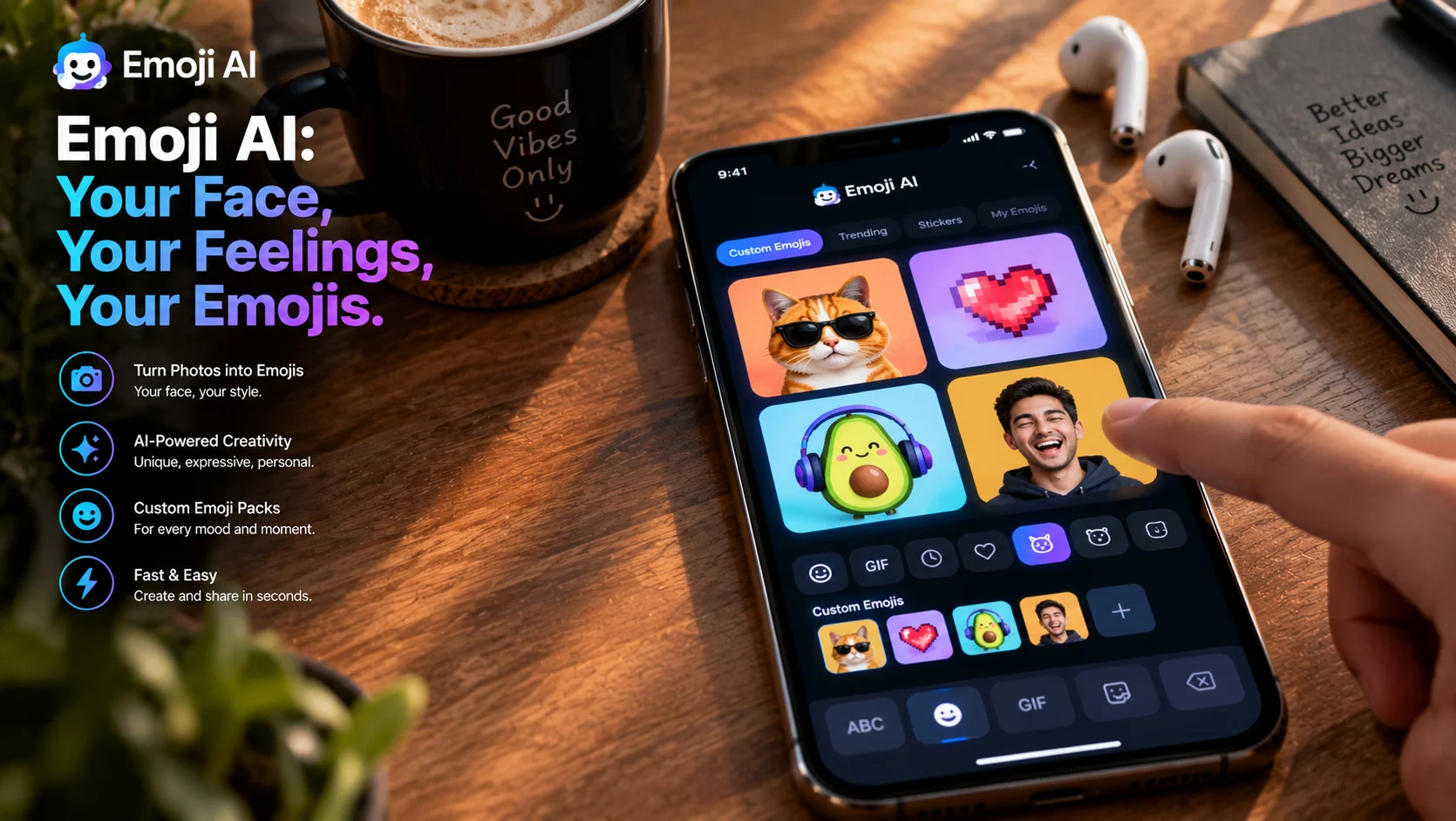
Emoji AI refers to AI-powered tools that generate custom emojis from text descriptions, photos, or existing emoji combinations. Apps like Emoji Keyboard, Makemoji, and Gemoji use generative AI to turn prompts or selfies into shareable emoji stickers, while open-source projects like Platmoji and Open Genmoji offer free alternatives for developers.
At-a-Glance: Key Takeaways
- Emoji AI tools generate custom emojis from text prompts or photos, letting users create personal expressions beyond the standard Unicode set .
- Subscription pricing varies widely, from $0.99 weekly to $29.99 per item, with most apps offering free tiers and in-app purchases .
- Privacy practices are inconsistent. Some apps claim no data collection, while others disclose sharing personal information with third parties .
- Open-source alternatives exist for developers, including Platmoji (trained on 3K emojis) and Open Genmoji (Flux.1-dev with custom LoRA) .
- Emoji Kitchen remains the most popular free option, allowing users to mash up two existing emojis into new combinations via Google’s Gboard .
- Samsung patented AI emoji generation from video, signaling that platform-level integration is coming .
What Is Emoji AI?
Emoji AI describes a category of tools that use artificial intelligence to generate custom emoji-style graphics. Unlike the fixed Unicode emoji set that ships with operating systems, these tools create new visuals on demand, typically from text descriptions or uploaded photos .
The category includes three distinct approaches. Text-to-emoji generators accept a written prompt like “a smiling cat wearing sunglasses” and produce a matching emoji image. Photo-to-emoji converters transform selfies, pet photos, or any image into emoji form. Emoji mixers combine two existing emojis into a new hybrid design .
This is distinct from emoji suggestion tools, which recommend existing emojis for text messages, or emoji translators, which convert text into sequences of standard emojis.
How Emoji AI Works
Text-to-Emoji Generation
The core technology is text-to-image diffusion, similar to how tools like Midjourney or DALL-E generate images from prompts. Users describe the emoji they want, and the AI produces a small, stylized graphic optimized for messaging platforms .
Open Genmoji, an open-source project, demonstrates the technical approach. It uses Flux.1-dev fine-tuned with a custom LoRA (Low-Rank Adaptation) trained on Apple emoji aesthetics. The LoRA locks in the emoji “look” through approximately 209 MB of weights and a single trigger word, making the output more reliable than prompt-based style descriptions .
Photo-to-Emoji Conversion
Photo-based generation uses image-to-image pipelines. Users upload a photo, and the AI processes it through face detection or object recognition, then generates an emoji-style rendering . Some apps use IP-Adapter or similar identity-preservation techniques to maintain recognizable features .
The Transparency Challenge
A technical hurdle for emoji generation is transparency. Emojis typically require transparent backgrounds to blend into messaging interfaces. Some tools rely on post-hoc matting (like rembg), while others instruct models to generate on a chromakey backdrop (e.g., pure #00FF00 green) for cleaner edge extraction .
Key Features of Emoji AI Tools
Custom Emoji Creation
The primary feature is generating unique emojis from user input. Apps like Makemoji and AI Emoji Generator Keyboard accept text descriptions or photos and produce custom emojis in under a minute .
Keyboard Integration
Most mobile apps integrate with the device keyboard, allowing users to insert custom emojis directly into conversations on iMessage, WhatsApp, Instagram, and other platforms .
Emoji Mixing
Emoji Kitchen, available through Google’s Gboard, allows users to combine two existing emojis into a new one. The feature has spawned open-source wrappers and community projects, including emojikitchen.dev with over 100,000 mashups .
Sticker Pack Creation
Some tools allow users to organize their creations into sticker packs for easier reuse. Gemoji and Emojine both support building custom libraries .
Pricing and Plans
Emoji AI tools use varied pricing models, from free with ads to subscription-based premium features.
Important note: Subscription apps often auto-renew. Users should review cancellation terms before subscribing.
Privacy and Security Considerations
Privacy practices vary dramatically across Emoji AI tools, and this is a critical consideration given that many apps request photo access.
Apps Claiming No Data Collection
Emoji – Keyboard by KISSAPP states “The developer does not collect any data from this app” . This is a strong privacy position for a consumer app.
Apps with Data Sharing Disclosures
Emojine discloses that the app “may share personal information, app activity, and two other data types with third parties” . Users concerned about privacy should review the full policy before granting access.
General Recommendations
- Review the privacy policy before uploading personal photos
- Check what data the app requests access to (photos, contacts, keyboard input)
- Understand that keyboard apps can theoretically access everything you type
- Prefer apps with clear “no data collection” statements if privacy matters
Important distinction: A statement that an app “does not collect data” refers to that specific implementation. It does not automatically apply to all apps in the category.
Emoji AI Alternatives and Competitors
Editorial interpretation: For casual users wanting quick custom emojis, the mobile apps (Makemoji, Gemoji) offer the lowest friction. For privacy-conscious users, Emoji Keyboard’s no-data policy is notable. For developers, open-source options like Platmoji and Open Genmoji provide full control. Emoji Kitchen remains the best free option for those satisfied with mixing existing emojis.
Who Should Use Emoji AI
Social media users wanting unique reactions and expressions beyond standard emojis. Custom emojis stand out in group chats and comment sections .
Content creators who need branded emoji stickers for community engagement on platforms like Discord and Slack .
Pet owners and parents who want to turn photos of their animals or children into emoji stickers .
Developers building emoji features into applications can use open-source tools like Platmoji or Open Genmoji as starting points .
Privacy-conscious users should review data policies carefully and prefer apps with explicit no-collection statements .
Common Mistakes and Cautions
Assuming all emoji apps are private. Keyboard apps can access everything you type. Review permissions carefully before installation .
Ignoring subscription auto-renewal. Many emoji apps use weekly or monthly subscriptions that renew automatically. Cancel before the renewal date if you no longer need the service .
Expecting platform-wide compatibility. Custom emojis may work in iMessage but not render correctly in other apps. Most tools save emojis as images for broader sharing .
Uploading sensitive photos without review. Photo-to-emoji features require photo access. Verify how the app handles uploaded images .
Confusing emoji generation with emoji suggestion. Some apps suggest existing emojis; others generate new ones. Read descriptions carefully.
Frequently Asked Questions
What is Emoji AI?
Emoji AI refers to tools that generate custom emojis using artificial intelligence. They accept text descriptions or photos and produce unique emoji-style graphics, unlike the fixed Unicode emoji set that ships with operating systems .
Are Emoji AI apps free?
Most apps offer free tiers with limited features. Full access requires subscriptions ranging from $0.99 to $29.99. Open-source alternatives like Platmoji and Open Genmoji are completely free but require technical setup .
Are Emoji AI apps safe?
Privacy practices vary. Emoji – Keyboard states it collects no data, while Emojine discloses third-party data sharing. Users should review privacy policies before granting photo or keyboard access .
What is Emoji Kitchen?
Emoji Kitchen is a free feature in Google’s Gboard that combines two existing emojis into a new mashup. It has over 100,000 combinations and is available on Android .
Can I create emojis from my photos?
Yes. Most Emoji AI apps offer photo-to-emoji conversion. Upload a selfie, pet photo, or any image, and the AI generates an emoji-style version. Privacy practices for photo handling vary by app .
Conclusion
Emoji AI represents a natural evolution of digital expression. Where once users were limited to the emojis that shipped with their devices, they can now generate custom visuals from text or photos in seconds. The category spans casual mobile apps, free open-source tools, and platform-level integrations like Emoji Kitchen.
What matters most is understanding the trade-offs. Free options like Emoji Kitchen offer immediate value with no privacy concerns. Mobile apps provide more creative control but often require subscriptions and raise data handling questions. Open-source tools offer full control but demand technical skill.
Emoji AI may suit social media users wanting unique expressions, content creators building community engagement, and anyone wanting to turn personal photos into emoji stickers. It may not suit privacy-conscious users unwilling to grant keyboard or photo access, or those satisfied with standard emojis.
Before installing any Emoji AI app, review the privacy policy. Check what data the app requests. Understand the subscription terms. And remember that the best emoji is one that expresses something the standard set cannot.