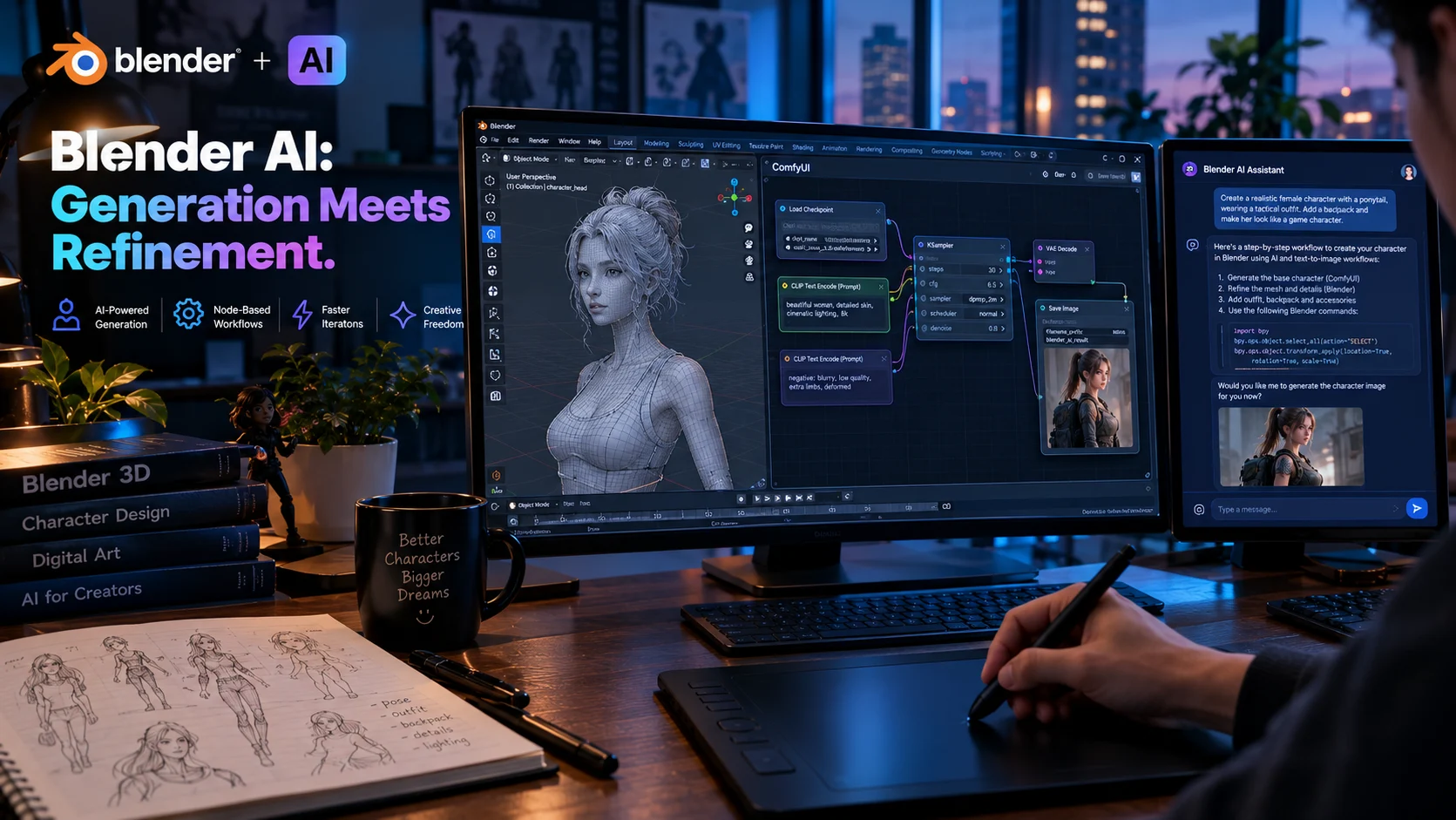
Quick Answer: Blender AI refers to third-party add-ons, MCP servers, and external tools that bring AI-assisted workflows into Blender, including mesh generation, texture creation, and natural-language scene editing. Blender itself has no built-in generative AI and the Foundation has stated no such features are planned for the core software.
At-a-Glance: Key Takeaways
- Blender has no built-in generative AI. The Foundation explicitly stated in May 2026 that no generative AI functionality is currently available or planned for integration .
- Third-party add-ons fill the gap. Tools like BlendRelay MCP and ComfyUI-BlenderAI-node enable natural-language scene editing and AI texture generation directly within Blender .
- External generators export to Blender. Platforms like Meshy, Tripo3D, and Microsoft’s TRELLIS.2 produce .glb files with PBR materials that import directly into Blender .
- AI handles repetitive setup, not creative judgment. Rigging structures, lighting configurations, and render settings are well-suited to AI automation. Weight painting and artistic iteration remain human tasks .
- Blender’s AI policy requires local, sovereign models. Any AI-enabled feature considered for core integration must run locally and use lawfully licensed training data .
- The workflow is generation plus refinement. AI produces a starting point; Blender remains the workspace for cleanup, topology fixes, and production polish .
What Is Blender AI?
Blender AI is not a product. It is a category that describes how artificial intelligence integrates with Blender, the open-source 3D creation suite. This includes third-party add-ons that add AI capabilities to Blender, external AI tools that generate assets for Blender import, and MCP (Model Context Protocol) servers that let AI agents control Blender through natural language.
The distinction matters because Blender’s core development philosophy separates assistive AI from generative AI. The Foundation welcomes tools that reduce repetitive work, such as the OptiX and OIDN denoisers that have shipped with Blender for years. It draws a line at generative features that produce artwork from prompts .
This position creates a specific ecosystem shape. AI capability enters Blender through community-built add-ons and external platforms, not through official releases.
Blender’s Official Stance on AI
The Blender Foundation published its AI policy in May 2026 following community debate over an Anthropic donation. The policy is explicit and worth quoting directly.
“Blender is a tool for artists and creators, it’s made by humans for humans. No generative AI functionality is currently available or planned to be integrated in Blender.”
The Foundation amended Anthropic’s contribution to a one-time donation rather than ongoing fund membership, citing the need to maintain independence in technical decision-making .
What Blender Considers Acceptable AI
The developer guidelines outline criteria for any AI-enabled feature that might be researched for future inclusion :
- Local and sovereign: The model must run locally or be deployable anywhere without restrictions.
- Copyleft-friendly licensing: The model should be available under a license compatible with open-source principles.
- IP conscious: Training data must be lawfully licensed.
- Assistive, not generative: Features should reduce repetitive operations, not create artwork from prompts.
Examples of assistive AI already in Blender include render denoising, image upscaling, mask generation, and motion capture cleanup. These tools help artists work faster without replacing creative judgment.
How Blender AI Tools Work
AI integrations with Blender operate through several distinct technical approaches.
MCP Servers and Natural-Language Control
MCP servers like BlendRelay connect Blender to AI agents such as Codex, Claude, or Antigravity. The agent receives natural-language instructions and translates them into Blender operations through typed tools .
A prompt like “Set up three-point lighting for the character at the origin” becomes a sequence of API calls that create lights, position them at specific coordinates, configure intensity and color temperature, and set shadow parameters .
The agent can inspect the current scene, query object properties, and verify results before proceeding. Checkpoint systems allow undo if a result needs reversal .
ComfyUI Integration
ComfyUI-BlenderAI-node converts ComfyUI nodes into Blender nodes, allowing AI image generation and texture workflows to run inside Blender’s interface . The add-on supports:
- AI material creation and texture baking
- Camera input as a real-time source for AI generation
- AI animation interpolation and style transfer
- Direct import or replacement of AI-generated meshes in the 3D viewport
This integration lets artists use Blender’s camera and geometry as input for AI generation without switching applications.
External Generation and Export
Platforms like Meshy, Tripo3D, and TRELLIS.2 operate outside Blender but export directly into it. The typical workflow involves generating a mesh externally, downloading a .glb or .fbx file, and importing it for refinement .
Key Tools and Platforms
What AI Can and Cannot Do in Blender
Tasks Well-Suited to AI
Rigging structure. AI can build armatures from descriptions, create IK chains, and handle parenting operations. A prompt specifies limb lengths, orientations, and constraint targets, and the agent executes the mechanical setup .
Lighting configuration. Three-point lighting setups, HDRI environment maps, and render settings are parameter-heavy but straightforward. AI handles them in single prompts .
Texture generation. AI can create PBR textures and material variations from descriptions or reference images .
Scene assembly. For blockout and previsualization, AI can generate props and assemble environments from text descriptions .
Render optimization. Denoising, upscaling, and format conversion are mature AI applications already integrated into Blender .
Tasks That Remain Human
Weight painting. Defining how bones influence vertices requires visual judgment and iterative testing. AI lacks the feedback loop to assess whether an elbow deforms cleanly under extreme poses .
Artistic iteration. Adjusting the mood of a scene, refining proportions, and making taste-driven decisions remain human work. Andrew Price’s Blender Conference talk emphasized that artists should focus on “judgment, taste, and worldbuilding” while automating repetitive tasks .
Final topology cleanup. AI-generated meshes often require manual retopology for animation or production. Quad topology output helps, but complex assets still need human review .
Privacy and Data Considerations
AI tools for Blender vary significantly in how they handle data.
Local and Sovereign Models
Blender’s AI policy prioritizes local execution. Tools that run models on the artist’s hardware keep data private by default. The OIDN and OptiX denoisers process everything locally .
Cloud-Based Tools
External generators like Meshy and Tripo3D process prompts and images on their servers. Mesh 3D AI’s privacy policy states that prompts and images are “deleted immediately afterward” and that no personal information is collected .
Important caveat: These are company claims. Independent verification of data handling practices is not available for most AI 3D tools. SOC 2 certification or similar compliance frameworks are rarely mentioned in available documentation.
API Key Management
Some add-ons require users to supply their own API keys for services like OpenRouter or Stability AI. This means prompts and generated content pass through third-party services under the user’s account .
Common Mistakes and Cautions
Expecting AI to replace modeling skill. AI generates starting points. It does not produce production-ready assets without refinement. Topology, UVs, and material alignment require human review .
Ignoring Blender’s version requirements. BlendRelay MCP requires Blender 4.5 or newer. ComfyUI-BlenderAI-node recommends Blender 3.5 through 4.0. Verify compatibility before installing .
Overlooking compute requirements. Local AI models are resource-intensive. TRELLIS.2 was benchmarked on NVIDIA H100 hardware. Running similar models on consumer GPUs requires patience and configuration .
Assuming all AI tools respect IP. Blender’s policy requires lawful training data for any AI feature it considers. Third-party tools may not meet the same standard. Review licensing terms before commercial use .
Skipping the free tier. Most external generators offer free credits. Test output quality before committing to a subscription .
Frequently Asked Questions
Does Blender have built-in AI features?
Blender includes assistive AI for render denoising (OIDN, OptiX) and some image processing tasks. It has no generative AI features for mesh creation, texture generation, or prompt-based artwork. The Foundation has stated no such features are planned for core integration .
What is the best Blender AI add-on for natural-language editing?
BlendRelay MCP is the most mature option for natural-language scene editing. It works with Codex, Claude, and Antigravity agents, supports object-level and mesh-level edits, and includes automatic scene checkpoints .
Can AI generate 3D models directly in Blender?
Not natively. External generators like Meshy and Tripo3D produce 3D assets that you import into Blender. The ComfyUI-BlenderAI-node add-on can import AI-generated meshes, but generation happens through ComfyUI .
Is AI-generated 3D content safe for commercial use?
This depends on the tool. Blender’s AI policy requires lawfully licensed training data for any feature it considers. External platforms have their own licensing terms. Meshy offers a free tier with CC BY 4.0 licensing and commercial licensing on paid plans .
Will AI replace Blender artists?
AI automates repetitive tasks like rigging setup, lighting configuration, and texture generation. It does not replace artistic judgment, weight painting, topology cleanup, or creative direction. The emerging workflow is AI generation plus human refinement .
Conclusion
Blender AI describes a growing ecosystem of third-party tools that bring AI assistance into the 3D creation workflow. MCP servers enable natural-language control of Blender’s operations. ComfyUI integration adds texture and material generation inside the interface. External platforms generate meshes that import directly into Blender for refinement.
What matters most is understanding the boundary. Blender’s core software has no generative AI and none is planned. The Foundation’s policy prioritizes local, sovereign, assistive tools that reduce repetitive work without replacing creative judgment.
These tools may suit technical artists comfortable with setup and experimentation, and developers building asset pipelines. They may not suit users seeking one-click production assets or those unwilling to manage API keys and agent configurations.
Before adopting any Blender AI tool, verify Blender version compatibility. Test free tiers before subscribing. Review data handling practices for cloud-based services. And remember that AI produces starting points, not finished work. The artistic decisions remain yours