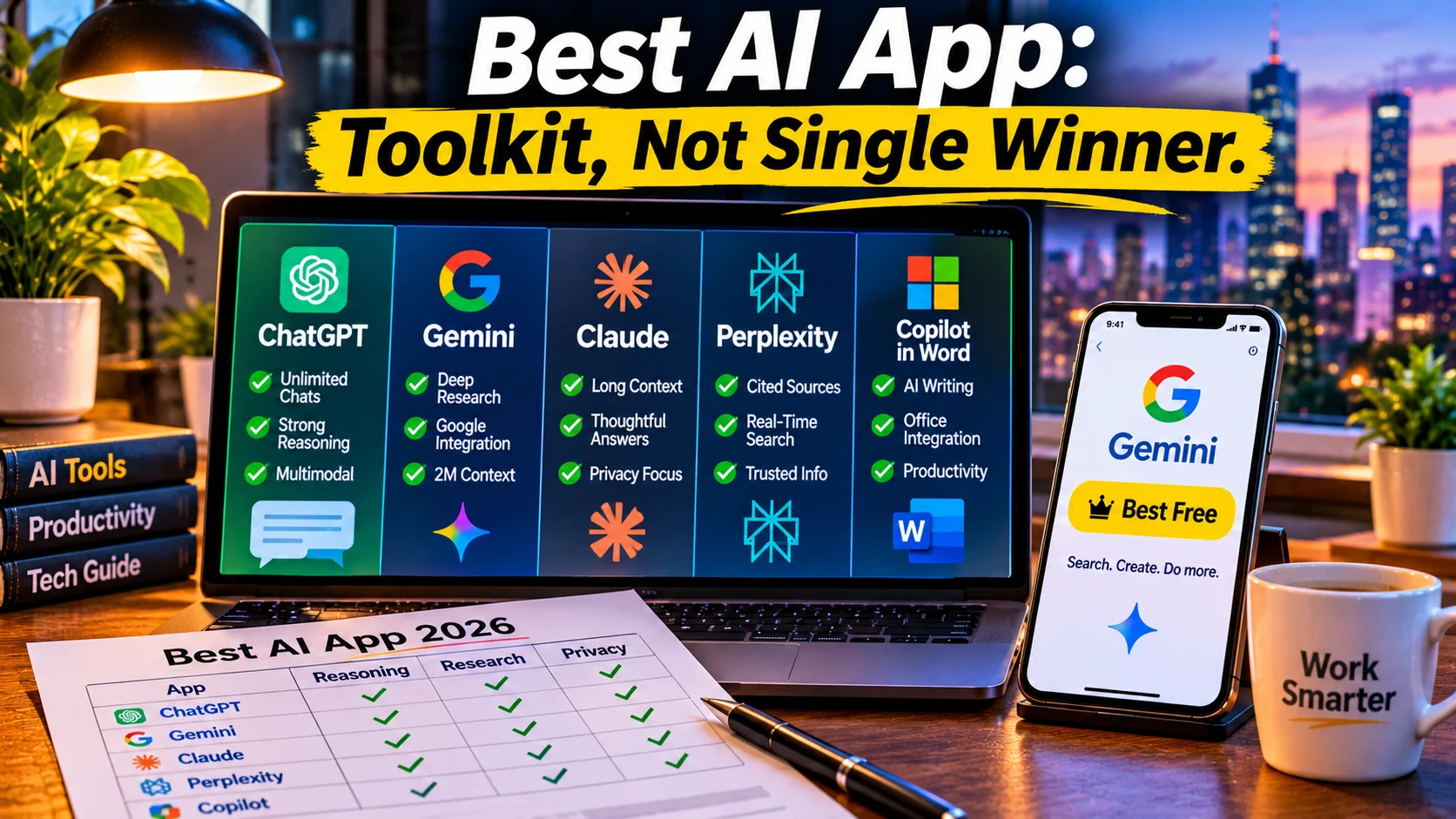
There is no single best AI app. ChatGPT remains the most used with over 1.2 billion weekly users, but Gemini offers the strongest free tier with deep Google integration, Claude leads on complex reasoning and document work, and Perplexity is the dedicated research tool. Most people now use two or three apps depending on the task.
At-a-Glance: Key Takeaways
- ChatGPT is still the volume leader with over 1.2 billion weekly users as of late 2026, though its growth has slowed and competitors are catching up on specific tasks .
- Gemini offers the best free tier, providing access to capable models, deep research, and 15GB of Google Drive storage without payment .
- Claude has climbed to third place globally on the web, with paid subscriber growth of 200% and a reputation for strong reasoning on long documents .
- Perplexity is the research specialist, citing sources by default and offering multiple search modes, making verification easier .
- Microsoft Copilot is the choice for Microsoft 365 users, integrating directly into Word, Excel, and Outlook for workflow-embedded assistance .
- Privacy-focused users have local options, though mainstream apps train on user data by default and require manual opt-outs.
What Makes an AI App “Best”?
The search for the best AI app is the wrong question in 2026. The market has matured beyond a single winner. The a16z consumer AI report from March 2026 confirmed that multi-tool usage is the norm: about 20% of ChatGPT users also visit Gemini weekly .
The right question is: best for what? A general assistant that drafts emails and summarizes PDFs is different from a research engine that cites sources, a coding companion that understands your repository, or a privacy-first tool that never sends data to the cloud.
This guide organizes the best apps by use case, with verified pricing, documented strengths, and clear guidance on who each tool suits.
Best Overall: ChatGPT
ChatGPT remains the default entry point for most people. It handles text, images, code, voice, and file uploads in one interface. The free tier offers unlimited messaging on a capable model, though uploads, voice, and Deep Research are capped.
What It Does Well
The breadth is unmatched. ChatGPT can draft, brainstorm, analyze documents, generate images, and browse the web. CNET describes it as “good at most things, though it might not be particularly great at all things” . PCMag names it “Best Overall” for its versatility .
Where It Falls Short
The free tier uses a standard model, not the frontier version. Context is limited compared to paid plans. CNET notes that “despite its popularity, ChatGPT is less impressive next to the competition these days” and “lacks a killer feature” . Ads appear on the free plan and low-cost Go tier.
Who it suits: Anyone who wants one app for everything and is comfortable with usage limits on advanced features.
Best Free Tier: Gemini
PCMag’s testing concluded that Gemini offers the best free chatbot experience. It provides access to capable models, deep research, and voice chat at no cost, plus 15GB of Google Drive storage .
What It Does Well
The Google Workspace integration is the differentiator. Gemini can answer questions based on your Gmail history, summarize unread emails, and pull context from Drive and Docs. CNET calls it “the best value chatbot,” noting that even the lowest paid tier includes 400GB of cloud storage and can be shared with up to five people .
Gemini also has a crown in image generation. CNET states that “thanks to Nano Banana Pro, Gemini went from decent at images to the best, seemingly overnight” .
Where It Falls Short
Gemini tends to hallucinate on niche technical topics. One reviewer noted it struggles with complex Bash scripts and recommended double-checking output before running it . Privacy is also a consideration. Conversations feed Google’s models unless you disable history in Settings.
Who it suits: Google Workspace users who want a capable free assistant and are willing to verify technical output.
Best for Complex Reasoning: Claude
Claude has moved from a niche alternative to a genuine competitor. It climbed from sixth to third place on the web in a16z’s rankings, and its paid subscriber growth was 200% .
What It Does Well
Claude Opus excels at complex reasoning and long document analysis, with up to 200,000 tokens of context on paid plans. PCMag names it “Best for Privacy,” citing “proficient in complex reasoning, creative writing, deep research, and web search” .
A ScienceDirect study evaluating chatbot responses to clinical questions found Claude achieved the highest GQS (4.5) and usefulness scores, though it also produced the least readable text .
The MCP (Model Context Protocol) ecosystem is a differentiator. Anthropic has curated 160 connected apps plus 50 community MCP servers. Only 11% overlap with ChatGPT’s app integrations, meaning each tool has its own lane .
Where It Falls Short
The free tier is functional but limited compared to Gemini. Pro costs $20/month. Claude does not offer image or video generation, which matters if you want one app for everything . PCMag notes that Claude “now trains on user data by default,” which is a privacy concern for some users .
Who it suits: Professionals doing document-heavy work, developers, and anyone who values reasoning quality over feature breadth.
Best for Research: Perplexity
Perplexity is not trying to be ChatGPT. It is a search engine with AI synthesis, and it does that one thing with focus. The free tier includes basic search with citations, while Pro ($20/month) unlocks more sources and full research features .
What It Does Well
Every answer comes with linked citations by default. You can verify claims against sources rather than trusting the model’s confidence. TechRadar’s comparison, cited by Digital Today, notes that Perplexity “provides source links as well, a structure designed to help users verify information themselves” .
The ScienceDirect study found Perplexity achieved the highest QAMAI total score for clinical questions, “largely through retrieval-based source provision” . CNET names it “Best AI Chatbot for Research,” praising how it breaks down sources right next to the point it makes .
Where It Falls Short
Perplexity is better for factual research than creative tasks. It is not as versatile as a general-purpose chatbot. CNET notes it still “cites YouTube and Reddit as sources by default too often” and is “not immune to hallucinations, despite providing sources” .
Who it suits: Researchers, journalists, students, and anyone who needs to verify information with sources.
Best for Microsoft Users: Microsoft Copilot
Copilot is the choice for anyone embedded in Microsoft’s ecosystem. It integrates directly into Word, Excel, PowerPoint, and Outlook, bringing AI assistance into existing workflows rather than requiring a separate app .
What It Does Well
The integration is the point. Copilot can draft in Word, analyze data in Excel, and summarize emails in Outlook without copy-pasting between tools. PCMag names it “Best for Customization and Memory” .
Where It Falls Short
Copilot’s capabilities vary by subscription and app. Microsoft has been consolidating personal and work Copilot interfaces, and some features like Podcast and Deep Research were retired in August 2026 . It is not a standalone AI app in the same sense as ChatGPT or Gemini; it is an add-on to Microsoft’s ecosystem.
Who it suits: Professionals whose daily work happens in Word, Excel, and Outlook.
Best for Privacy: Local and Opt-Out Options
Not every AI app sends your data to the cloud. For sensitive work, local and opt-out options exist.
Claude is named “Best for Privacy” by PCMag, though it “now trains on user data by default” . Users must manually opt out.
Local options like Manzoni (macOS) run AI models entirely offline, keeping data on-device. These are niche tools for journalists, lawyers, and anyone handling confidential documents.
Important distinction: No mainstream AI app offers true zero-retention privacy by default. Google, OpenAI, and Anthropic all train on user data unless you disable history or opt out in settings. Local tools eliminate the cloud entirely but require hardware and technical setup.
How to Choose
| One app for everything | ChatGPT | Broadest feature set, unlimited free messaging |
| Best free tier | Gemini | Capable models, Google integration, 15GB storage |
| Complex reasoning and documents | Claude | Long context, strong reasoning, MCP ecosystem |
| Research with citations | Perplexity | Sources by default, multiple search modes |
| Microsoft 365 workflow | Microsoft Copilot | Native integration with Word, Excel, Outlook |
| Privacy and offline work | Local tools | Data never leaves your device |
Common Mistakes and Cautions
Assuming one app must do everything. The a16z data shows multi-tool usage is normal. Most people use two or three apps for different tasks .
Ignoring the free tier limitations. ChatGPT’s free tier caps uploads and voice. Gemini’s free tier is generous but feeds Google’s models unless you disable history. Claude’s free tier is functional but limited compared to paid .
Trusting AI output without verification. All models hallucinate. Perplexity’s citations and NotebookLM’s source-locked answers reduce the risk, but they do not eliminate it. Always verify high-stakes information.
Overlooking privacy defaults. Gemini’s Keep Activity is on by default. ChatGPT trains on user data unless you opt out. Claude now trains on user data by default . For sensitive work, local options are the safer choice.
Paying for overlapping tools. ChatGPT Plus and Claude Pro both cost $20/month. If you only need one, pick the one that matches your primary use case. If you need both, budget accordingly .
Frequently Asked Questions
What is the best AI app overall?
ChatGPT remains the most widely used and broadly capable general assistant, with over 1.2 billion weekly users. However, the “best” depends on your task. Gemini offers the strongest free tier, Claude leads on reasoning and document work, and Perplexity is best for research .
What is the best free AI app?
Gemini offers the best free tier, providing access to capable models, deep research, and voice chat without payment, plus 15GB of Google Drive storage. ChatGPT’s free tier is also generous for text, but caps uploads and advanced features .
Is ChatGPT still the most popular AI app?
Yes. ChatGPT remains the most used AI app, with over 1.2 billion weekly users as of late 2026. However, its growth has slowed and competitors are gaining ground on specific tasks. Multi-tool usage is now the norm .
What is the best AI app for research?
Perplexity is the dedicated research tool, with citations by default and multiple search modes. It achieved the highest score in a clinical question evaluation study, largely due to its retrieval-based source provision .
What is the best private AI app?
No mainstream AI app offers true zero-retention privacy by default. Claude is named “Best for Privacy” by PCMag but trains on user data by default . Local tools that run models offline offer the strongest privacy guarantee but require technical setup.
Conclusion
The best AI app in 2026 depends on what you need it to do. ChatGPT remains the default general assistant, but its dominance is softening as users explore specialized tools. Gemini offers the strongest free tier, particularly for Google Workspace users. Claude has become the choice for complex reasoning and document work. Perplexity handles research.