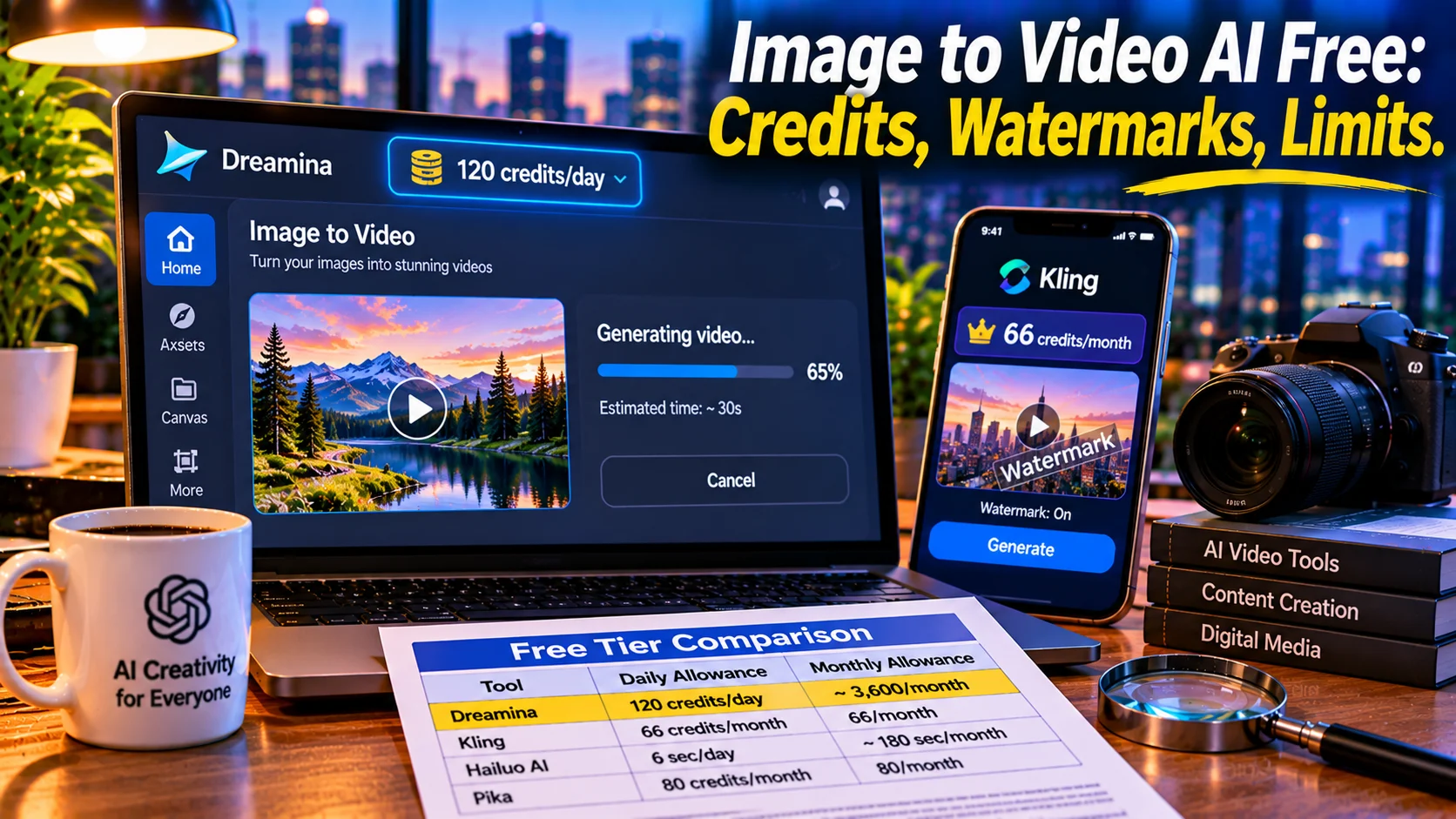
A free image to video AI tool animates a still photo into a short clip at no cost. Dreamina offers 120 daily credits with a dedicated image-to-video workflow, Kling provides 66 monthly credits with watermarked output, Pika gives 40 signup credits plus 20 daily check-ins, and Runway provides a one-time 125-credit demo. Every free tier imposes watermarks or commercial restrictions.
At-a-Glance: Key Takeaways
- Dreamina offers the most usable free allowance with 120 credits per day, enough for multiple image-to-video attempts depending on model and resolution settings .
- Kling provides 66 monthly credits plus a $1 signup bonus, but free videos carry a watermark and no commercial rights .
- Pika’s free tier requires daily check-ins for 20 credits, with image-to-video generation costing 100 credits, making single-clip generation impractical without multiple days of accumulation .
- Runway’s free tier is a one-time demo of 125 credits, not an ongoing allowance .
- Hailuo offers roughly 4–8 test generations at 768p with a watermark on its free plan .
- Commercial use is restricted across every free tier. Watermarks and non-commercial terms are standard.
What Is Free Image to Video AI?
Free image to video AI refers to tools that animate a static image into a short video clip at no cost. You upload a photo, describe the motion you want, and the model generates a clip that preserves the original composition while adding movement.
The search intent is commercial investigation. Users want to know which free tools produce usable motion, what the limitations are, and whether the results are worth the trade-offs in quality, watermarking, and commercial rights.
The honest answer is that free image to video is a testing ground, not a production pipeline. The tools are capable enough to evaluate motion quality and learn prompt behavior. They are not capable enough to ship client work without upgrading.
The Major Free Image to Video Tools Compared
Important caveat: Free tier details change frequently. Verify current terms before committing time to any tool.
Dreamina: The Most Generous Daily Allowance
Dreamina offers the most practical free tier for ongoing image-to-video experimentation. The platform provides 120 free credits per day, which renew daily and can be used across supported image and video workflows .
What Free Includes
The 120 daily credits are a creative budget rather than a guaranteed number of videos. The actual number of clips depends on the selected model, duration, resolution, and generation mode. Dreamina’s image-to-video workflow supports portraits, illustrations, product images, and visual concepts .
The platform explicitly frames the free allowance as room for iteration. Because AI video often requires multiple attempts, the daily refresh allows users to test, adjust, and retry without a one-time credit wipeout .
Where the Limits Hit
Credits are consumed per generation based on configuration. Retries are not free. Free tier output may carry watermarks or commercial restrictions. The platform encourages checking the displayed credit cost before generating .
Editorial interpretation: Dreamina’s daily refresh is the best free model for learning image-to-video. The allowance is sufficient for multiple tests per day, and the renewal means a failed attempt does not end the experiment.
Kling: Monthly Credits with Watermarks
Kling’s free tier provides 66 credits per month plus a $1 signup bonus, granting access to all models including image-to-video .
What Free Includes
The 66 monthly credits renew on the first of each month. The signup bonus provides enough for roughly 20+ test videos according to the provider. All models are accessible, including O1, 2.6, 2.5 Turbo, and 2.1 .
Where the Limits Hit
Free videos include a watermark. Commercial use is not permitted on the free tier. The 66 credits yield approximately 6–7 short videos at 10 seconds or 13–14 at 5 seconds, depending on model settings .
Editorial interpretation: Kling’s monthly allowance is best for periodic testing, not daily experimentation. The credits are sufficient to evaluate the model, but the monthly refresh limits sustained use.
Pika: Check-In Model with High Costs
Pika’s free tier operates on a check-in model. New users receive 40 credits, and daily check-ins provide 20 additional credits. Image-to-video generation costs 100 credits .
Where the Limits Hit
The math is prohibitive for regular use. A single image-to-video clip requires 100 credits, meaning free users need multiple days of check-ins to accumulate enough for one generation. The free plan does not include a commercial license .
Editorial interpretation: Pika’s free tier is best for testing the platform’s interface and effects library, not for producing usable clips.
Hailuo: Limited Test Generations
Hailuo’s free plan offers roughly 4–8 test generations at 768p with a watermark. Credits are consumed whether or not the output is usable .
Where the Limits Hit
The free allowance is sufficient only for initial evaluation. Paid plans start around $9.99/month, and a single 1080p clip costs 80 credits. The Standard tier provides about 12 full-quality videos per month .
Editorial interpretation: Hailuo’s free tier is a trial, not a workflow. The watermark and credit consumption on failed attempts make it unsuitable for anything beyond basic testing.
Runway: One-Time Demo Only
Runway’s free tier provides 125 credits as a one-time grant, not an ongoing allowance. Once consumed, there is no free refresh .
Where the Limits Hit
The 125 credits are enough to test the platform’s capabilities but not to sustain any kind of regular workflow. The free tier is explicitly described as a demo .
Editorial interpretation: Runway is worth testing if you want to evaluate its quality before committing, but it is not a free image-to-video solution in any practical sense.
Where the Paywall Actually Lands
Across every free image to video AI tool on this list, the pattern is identical.
Watermarks are standard. Dreamina, Kling, Hailuo, and Runway all apply watermarks or restrictions on free output . The watermark-free clip you see on social media was rendered on a paid plan.
Commercial use is prohibited. No free tier on this list permits clean commercial output. Kling explicitly restricts commercial use on free . Hailuo’s free plan outputs carry restrictions .
Resolution is capped. Free output ranges from 768p (Hailuo) to lower resolutions depending on model selection. Dreamina’s resolution varies by configuration .
Credits do not roll over. Kling’s monthly credits reset. Pika’s daily check-ins do not accumulate beyond the daily grant. Dreamina’s daily credits refresh rather than stack .
Retries consume credits. Unlike some text-to-image tools where failed generations may be refunded, image-to-video credits are typically consumed regardless of output quality .
Privacy and Security Considerations
Free image to video tools process your uploaded images and prompts on remote servers. Most are consumer-grade tools without enterprise security certifications.
What to check before uploading:
- Whether your images are used for model training
- How long uploaded images and generated clips are stored
- Whether you can delete your data
- The tool’s terms for ownership of generated video
Important distinction: No SOC 2 certification or similar compliance framework is typically referenced for free image to video AI tools. They are consumer products. Do not upload sensitive or confidential images without reviewing the privacy policy.
Who Should Use a Free Image to Video AI Tool
Hobbyists and curious creators should start with Dreamina’s 120 daily credits. The daily refresh allows consistent experimentation without a one-time credit wipeout .
Users evaluating multiple models should use Kling’s 66 monthly credits to test different models, accepting the watermark and monthly limit .
Anyone needing commercial output must upgrade. No free tier on this list permits it cleanly.
Users who want to test before committing can use Runway’s one-time 125 credits as a demo, understanding that it is not an ongoing allowance .
Developers and technical users should explore API options from Replicate, which offer pay-per-second pricing with no subscription. Wan 3.0 starts at $0.05 per second for 480p . This is not free, but it is transparent and scalable.
Common Mistakes and Cautions
Assuming “free” means usable for client work. Every free export is watermarked or restricted. The watermark is the business model.
Underestimating credit consumption. Pika’s image-to-video costs 100 credits against a free allowance of 40 plus 20 per check-in. Multiple days are needed for one clip .
Forgetting daily resets. Dreamina’s credits refresh daily rather than stacking. Kling’s monthly credits reset. Miss a day, lose that day’s allowance .
Expecting long clips. Free tiers cap at 5–10 seconds. Hailuo’s free tier offers short test generations at 768p .
Ignoring the API alternative. Replicate offers pay-per-second video generation with no subscription. Wan 3.0 at $0.05/second for 480p is a cost-effective option for developers who need more control than free tiers provide .
Frequently Asked Questions
What is the best free image to video AI tool?
Dreamina offers the most usable free allowance with 120 daily credits that refresh, allowing multiple attempts per day. Kling provides 66 monthly credits with access to all models but a monthly limit. Runway offers a one-time 125-credit demo .
Are there any free image to video tools without watermarks?
No hosted free tier on this list provides watermark-free output. Dreamina, Kling, Hailuo, and Runway all apply watermarks or restrictions on free output .
Can I use free image to video output commercially?
No. Kling explicitly restricts commercial use on its free tier . Hailuo’s free plan outputs carry restrictions . Commercial rights require a paid plan.
How long are free image to video clips?
Most free tiers cap at 5–10 seconds. Dreamina’s image-to-video supports 4–30 second generation depending on the model, but free credits limit how many longer clips you can generate . Hailuo’s free tier offers short test generations .
What is the cheapest paid option if I outgrow free tiers?
Replicate offers pay-per-second pricing with no subscription. Wan 3.0 costs $0.05 per second for 480p, $0.10 for 720p, and $0.20 for 1080p . MiniMax H3 Highspeed costs $0.06 per second at 768p . This is transparent and scales with usage.
Conclusion
Free image to video AI tools offer a genuine testing ground for learning how models interpret motion prompts. Dreamina leads on daily usability with 120 refreshing credits. Kling provides a monthly allowance for periodic testing. Pika’s check-in model makes free use impractical. Hailuo and Runway are demos, not workflows.