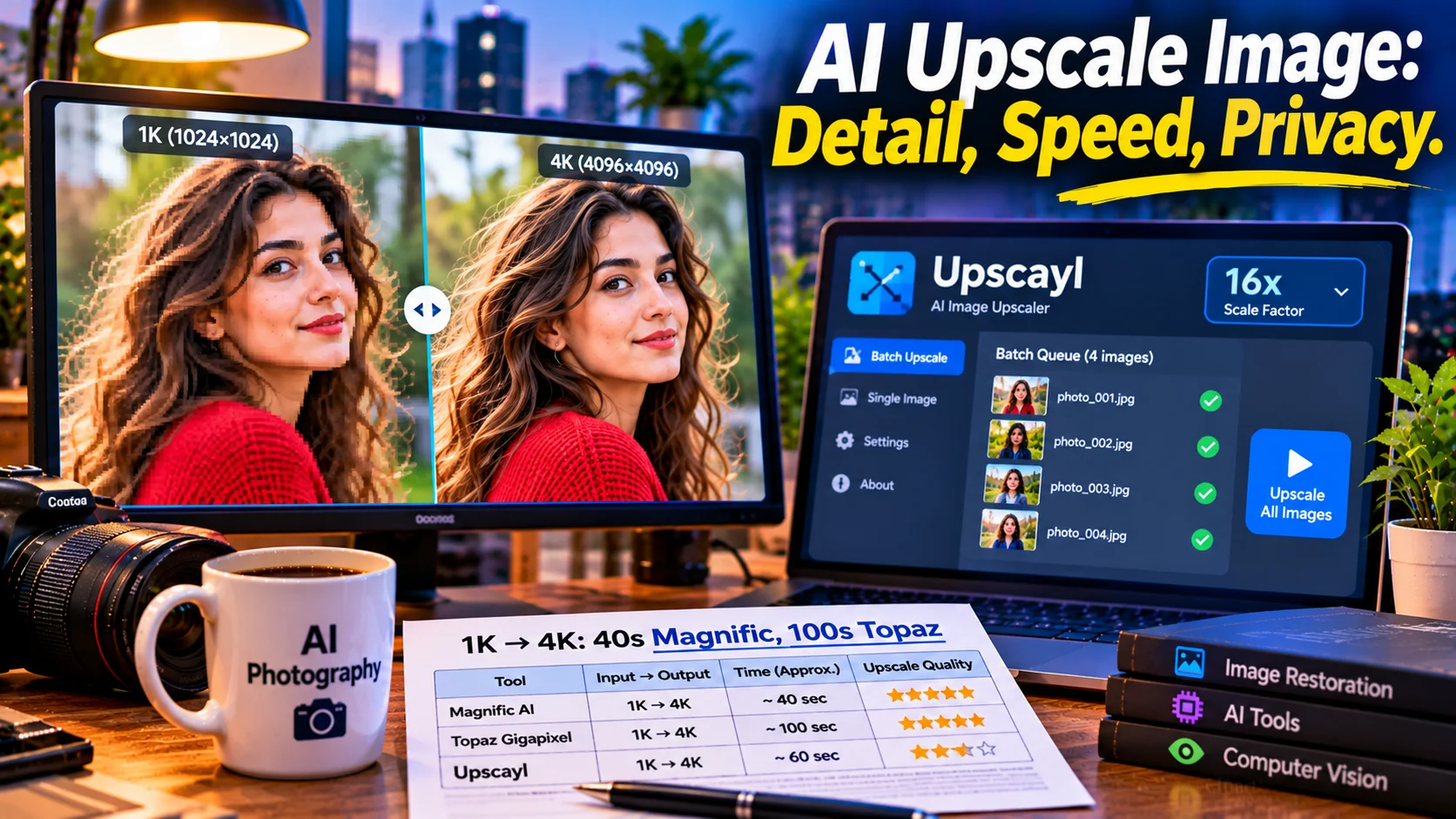
AI image upscaling uses deep learning to reconstruct detail when enlarging a photo, but the right tool depends on whether you prioritize privacy, speed, or creative reinterpretation. Upscayl is the best free local option with no uploads, Topaz Gigapixel offers polished results at $29/month, and Magnific’s creative models can add detail that wasn’t there, starting at $39/month.
At-a-Glance: Key Takeaways
- Upscayl is the strongest free option, running entirely on your GPU with no uploads, no subscriptions, and up to 16x scaling using Real-ESRGAN models .
- Topaz Gigapixel starts at €29/month and handles up to 6x scaling with cloud rendering now unlimited, but the license is subscription-only .
- Magnific offers creative upscaling that invents detail rather than preserving it, with plans starting around $39/month .
- Speed varies dramatically. A 1K to 4K upscale takes roughly 40 seconds with Magnific Precise, 80 seconds with Nano Banana Pro, and 100 seconds with Topaz .
- Creative upscaling can fix AI-generated faces but risks changing the image. Conservative upscaling preserves fidelity but cannot add detail that was never captured .
- Do not rely on upscaling to fix AI artifacts. ComfyUI’s handbook explicitly warns against using upscalers to repair generation errors .
What Is AI Image Upscaling?
AI image upscaling is the process of enlarging an image using machine learning models that predict and reconstruct missing detail. Unlike traditional resampling, which interpolates pixel values and produces soft or blocky results, AI upscalers learn patterns from training data and generate plausible detail at higher resolutions.
The category splits into two fundamentally different approaches. Conservative upscaling preserves the original image as closely as possible, sharpening edges and reducing noise without inventing new content. Creative upscaling reimagines the image at higher resolution, using generative models to add detail that the source did not contain.
The choice between them depends on the source. A scanned family photo needs conservative upscaling to avoid altering faces. An AI-generated image with soft features may benefit from creative upscaling that rebuilds them more realistically.
The Major AI Upscalers Compared
How AI Upscaling Works
The Conservative Approach
Conservative models like Real-ESRGAN, Topaz Fast, and Magnific Precise analyze the low-resolution image and reconstruct edges, textures, and fine details based on patterns learned from training data. They do not invent new objects or change the composition. The goal is fidelity: make the image larger without making it look different.
Real-ESRGAN is the open-source foundation for many tools, including Upscayl. It uses a generative adversarial network trained on degraded images to restore detail that was lost to compression or low resolution . In testing against Topaz, Real-ESRGAN preserved paper grain and fabric weave more naturally, while Topaz occasionally smoothed grain and re-invented micro-detail .
The Creative Approach
Creative upscalers like Magnific Creative and Topaz Bloom use diffusion models to generate new detail. They can make a soft face look sharper, add texture to flat surfaces, and improve the overall realism of an image.
The trade-off is control. A creative upscaler may redraw doors, windows, or facial features. In Phlearn’s testing, Topaz Bloom made a Midjourney-generated woman “look more like a person,” but it also invented details that were not in the original . Bloom has a hard limit of 9 megapixels, meaning it cannot handle large outputs in a single pass.
The Agentic Frontier
Academic research is pushing toward agentic upscaling. 4KAgent, presented at NeurIPS 2025, uses a Perception Agent to analyze the input image and a Restoration Agent to execute a tailored plan. It achieves state-of-the-art results across 26 benchmarks, including face restoration and medical imaging . This is research-stage, not consumer-available, but it signals where the field is heading.
Speed Benchmarks: What to Expect
ComfyUI’s upscaling handbook provides concrete timing for 1K to 4K upscales :
| Magnific Precise | ~40 seconds |
| WaveSpeed SeedVR2 | ~40 seconds |
| Magnific Creative | ~50 seconds |
| Magnific Skin Enhancer | ~60 seconds |
| HitPaw | ~60 seconds |
| Nano Banana Pro | ~80 seconds |
| Topaz | ~100 seconds |
For video upscaling, FlashVSR is significantly faster than SeedVR2 or Topaz. A 10-second 720p clip upscales to 1080p in about 41 seconds with FlashVSR, compared to 312 seconds with SeedVR2 on an RTX 5090 .
When Upscaling Fails
It Cannot Fix AI Artifacts
ComfyUI’s handbook states this directly: “Do not rely on upscaling to fix common AI artifacts.” If an AI-generated image has six fingers, melting text, or impossible geometry, upscaling will make those errors larger and more detailed, not correct them .
It Cannot Add Detail That Was Never Captured
A severely blurry photo lacks the information needed to reconstruct a sharp image. Conservative upscalers will produce a larger blurry image. Creative upscalers will invent plausible detail, but it may not match reality.
Creative Upscaling Can Alter Identity
In Phlearn’s test, Topaz Gigapixel at 4x produced a “waxy face, smeared texture, halos” . Creative models that redraw faces risk changing the person’s appearance. For portraits and historical photos, conservative upscaling is the safer choice.
The Skin Enhancer Niche
Magnific’s Skin Enhancer is specifically tuned for portraits. ComfyUI recommends it as best for faces, but it is a specialized tool within a broader platform . It is not a general-purpose upscaler.
Pricing and Access
Free Options
Upscayl is free and open source under AGPL-3.0. It runs locally on Windows, macOS, and Linux using Vulkan GPU acceleration. No account, no uploads, no subscription .
Real-ESRGAN is free and open source. It requires more technical setup than Upscayl but offers more control through command-line flags and model selection .
Paid Options
Topaz Gigapixel costs €29/month after a free trial. The license is subscription-only, and cloud rendering is now unlimited rather than credit-based .
Magnific starts around $39/month according to comparison sites . Pricing tiers and credit allowances vary.
Nano Banana Pro is available via API at roughly $0.13 per output for 2x upscaling through services like Apify .
Privacy and Security Considerations
Local tools (Upscayl, Real-ESRGAN) process images entirely on your hardware. Files never leave your device. This is the strongest privacy posture and the reason many professionals choose local tools for confidential work .
Cloud tools (Topaz cloud rendering, Magnific, Nano Banana API) upload images to external servers. Review privacy policies for data retention and training practices before uploading sensitive content.
Important distinction: No SOC 2 certification or similar compliance framework is typically referenced for consumer AI upscalers. They are not enterprise-grade by default.
Who Should Use Which Upscaler
Privacy-conscious users and batch workers should use Upscayl. It is free, local, handles folders, and requires no account .
Users who want polished results with minimal effort should use Topaz Gigapixel. The interface auto-detects issues and suggests a workflow. It is the “good fast” option .
Creative professionals rebuilding soft AI images should experiment with Magnific or Topaz Bloom. These tools add detail that conservative upscalers cannot, but they require oversight to avoid altering the image .
Developers and scripters should use Real-ESRGAN directly. It is more work to set up, but presets and scripts enable consistent batch processing .
Anyone needing to fix AI generation errors should not rely on upscaling. Fix the generation, not the upscale .
Common Mistakes and Cautions
Expecting upscaling to fix AI artifacts. Six fingers become larger six fingers. Upscaling amplifies errors rather than correcting them .
Using creative upscaling on historical or portrait photos. Redrawn faces can change identity. Use conservative models for anything where fidelity matters.
Ignoring the 9-megapixel limit on Topaz Bloom. Bloom cannot handle large outputs in a single pass. Gigapixel goes larger but with different trade-offs .
Assuming free means low quality. Upscayl, built on Real-ESRGAN, produces results competitive with paid tools for straightforward upscaling. A digital artist quoted on Upscayl’s site said it “beat the paid trials I tried” .
Forgetting the hardware requirement. Local upscaling requires a GPU. Upscayl uses Vulkan acceleration, which works on most modern GPUs but not all integrated graphics .
Frequently Asked Questions
What is the best free AI image upscaler?
Upscayl is the best free option. It is open source, runs locally with no uploads, supports batch processing, and scales up to 16x using Real-ESRGAN models . Real-ESRGAN itself is also free but requires more technical setup .
How much does Topaz Gigapixel cost?
Topaz Gigapixel costs €29/month after a free trial. The license is subscription-only, and cloud rendering is now unlimited rather than credit-based .
Can AI upscaling fix blurry photos?
It depends on the source. Conservative upscalers will produce a larger blurry image if the detail was never captured. Creative upscalers can invent plausible detail, but it may not match reality. Upscaling cannot reconstruct information that does not exist in the source .
What is the difference between conservative and creative upscaling?
Conservative upscaling preserves the original image, sharpening and denoising without inventing new content. Creative upscaling uses generative models to add detail that was not in the source, which can improve realism but may alter the image .
Is AI upscaling private?
Local tools like Upscayl and Real-ESRGAN process images entirely on your hardware, so files never leave your device. Cloud tools like Topaz cloud rendering, Magnific, and Nano Banana API upload images to external servers. Review privacy policies before uploading sensitive content .
Conclusion
AI image upscaling offers genuine value, but the tool matters as much as the task. Upscayl provides free, local, private upscaling that handles most straightforward needs. Topaz Gigapixel delivers polished results with minimal effort for a monthly fee. Magnific and Topaz Bloom offer creative detail enhancement for images that need more than preservation.