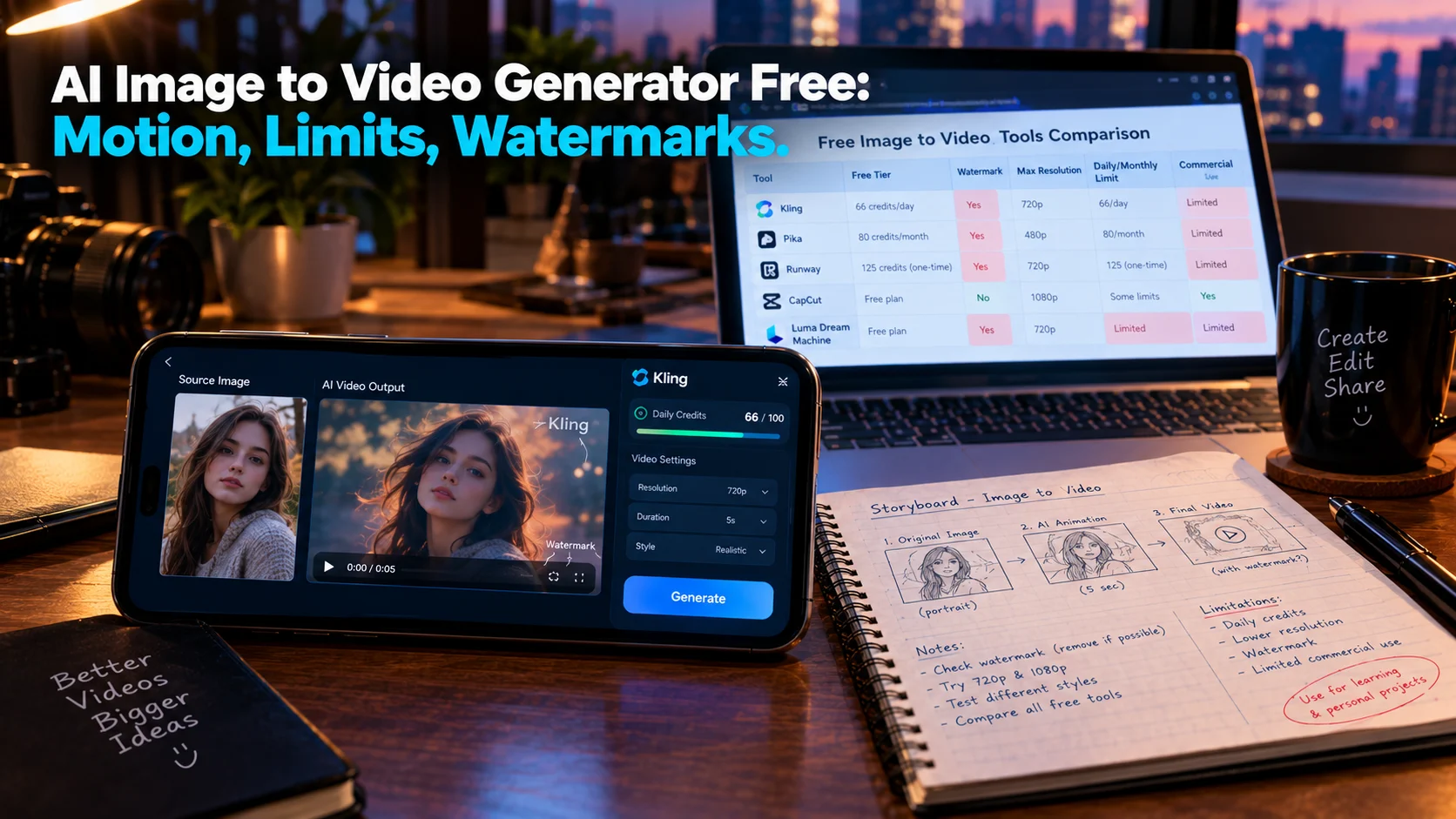
A free AI image to video generator animates a still photo into a short clip at no cost. Kling offers 66 daily credits with the best motion quality for portraits and products, Hailuo returns 6-second 720p clips quickly, Pika gives daily check-in credits, and PixVerse provides 60 daily credits at 540p. Every free export carries a watermark, and none permit commercial use cleanly.
At-a-Glance: Key Takeaways
- Kling is the best free option for image to video quality, with 66 daily credits that expire after 24 hours. Free output is watermarked, non-commercial, and low-resolution .
- Hailuo is the fastest path from still to motion, returning a 6-second 720p clip from an uploaded frame, though free exports are watermarked and carry no commercial rights .
- Pika’s free allowance is daily check-in based, with new users receiving 40 credits and 20 credits per daily check-in. Image-to-video generation costs 100 credits .
- Luma Dream Machine offers roughly 30 free generations monthly at 720p with watermarks and no commercial use permitted .
- PixVerse provides 60 daily credits, roughly one video per day, capped at 540p with a watermark. Daily credits expire at midnight UTC .
- Commercial rights are the real paywall. No free tier on this list permits commercial output without upgrading or using a third-party platform that bundles commercial licensing .
What Is a Free AI Image to Video Generator?
A free AI image to video generator is a tool that animates a static image into a short video clip at no cost. You upload a photo, describe the motion you want, and the model generates a clip that preserves the original composition while adding movement.
The search intent is commercial investigation. Users want to know which free tools produce usable motion, what the limitations are, and whether the results are worth the trade-offs in quality, watermarking, and commercial rights.
The honest answer is that free image to video is a testing ground, not a production pipeline. The tools are capable enough to evaluate motion quality and learn prompt behavior. They are not capable enough to ship client work without upgrading.
The Major Free Image to Video Generators Compared
Important caveat: Free tier details change frequently. Verify current terms before committing time to any tool.
Kling: Best Free Image to Video Quality
Kling’s free tier is the standout for image to video specifically. The platform gives 66 credits daily that expire after 24 hours, enough to test prompts and compare models for weeks before paying .
What Free Includes
The free tier requires no card. Free generations wait longer in the queue at peak hours, and the newest models and features usually require a paid plan .
Where the Limits Hit
Free output is watermarked, non-commercial, and low-resolution. It is enough to test the tool, not to produce publishable work . Commercial use requires a paid plan.
Editorial interpretation: Kling’s free tier is the best option for learning what modern image to video models can do. The daily reset means missed days are lost credits, but the allowance is sufficient for consistent experimentation.
Hailuo: Fastest Image to Motion
Hailuo, from MiniMax, is one of the quickest free ways to animate an existing image. Upload a frame, describe the motion, and the free tier returns a 6-second 720p clip .
What Free Includes
The free tier gives daily bonus credits, typically enough for two or three short 768p videos. MiniMax adjusts the exact allowance often and publishes it only in-app .
Where the Limits Hit
Free exports are watermarked, resolution tops out around 720p, you can queue only a few tasks at a time, and daily credits vanish at reset. No commercial rights are included .
Editorial interpretation: Hailuo is the best free option when you have a still image and want to see it move with minimal friction. The trade-off is watermarked, non-commercial output.
Pika: Daily Check-In Credits
Pika’s free tier operates on a check-in model rather than a fixed monthly allowance.
What Free Includes
New users receive 40 credits, and daily check-ins provide 20 additional credits. Image-to-video generation costs 100 credits, meaning free users need multiple days of check-ins to generate a single clip .
Where the Limits Hit
The credit cost relative to the free allowance makes Pika’s free tier impractical for regular use. Commercial rights and private generations are listed as paid features .
Editorial interpretation: Pika’s free tier is best for testing its effects library (Pikaffects, Pikadditions, Pikaswaps) rather than for sustained image-to-video workflows.
Luma Dream Machine: Cinematic at Low Volume
Luma’s free tier offers a limited monthly allowance for cinematic-style motion.
What Free Includes
Approximately 30 generations per month at 720p. Output carries a watermark and commercial use is not permitted. Unused generations do not roll over .
Where the Limits Hit
At roughly 30 generations monthly, Luma’s free tier is designed to demo the model, not run a workflow. Each generation costs 1-5 credits depending on length, meaning the 30-credit allowance yields fewer clips than the number suggests .
Editorial interpretation: Luma is best for evaluating cinematic motion quality on slower, atmospheric scenes. It is not a volume tool on the free tier.
PixVerse: Fast Mobile Rendering
PixVerse renders quickly and provides a generous daily credit allowance for mobile workflows.
What Free Includes
90 signup credits plus 60 daily credits, roughly one video per day. Free renders are capped at 540p and carry a watermark. Daily credits expire at midnight UTC .
Where the Limits Hit
540p resolution is noticeably low for desktop viewing. The daily cap of roughly one video limits sustained use. Commercial rights require a paid plan.
Editorial interpretation: PixVerse is best for quick social media clips where the phone is the primary editing device and speed matters more than resolution.
Where the Paywall Actually Lands
Across every free image to video generator on this list, the pattern is identical.
Watermarks are universal. Every free video export carries a visible platform watermark. The watermark-free clip you see on social media was rendered on a paid plan or through a third-party platform that bundles commercial licensing .
Commercial use is prohibited. No free tier on this list allows clean commercial output. Kling, Hailuo, Luma, and PixVerse all require paid plans for commercial rights .
Resolution is capped. Free output ranges from 540p (PixVerse) to 720p (Hailuo, Luma). Acceptable for mobile viewing after platform compression. Noticeable on desktop.
Credits do not roll over. Kling’s daily credits expire after 24 hours. Hailuo’s daily credits vanish at reset. PixVerse’s credits expire at midnight UTC. Luma’s monthly generations do not roll over .
Daily caps limit volume. Even with credits remaining, free tiers often impose daily generation caps. PixVerse allows roughly one video per day. Kling’s free tier is for testing, not production .
The Third-Party Workaround
Some platforms bundle access to multiple models with different free-tier terms. Mobbi, for example, offers Hailuo 2.3 with free daily credits, no watermark, and a commercial license on every output. The same credit balance covers Sora 2, Veo 3, Kling 2.6, and other models .
Editorial interpretation: This is a legitimate path to watermark-free, commercially licensed output on a free tier, but it depends on the third-party platform’s terms and longevity. Verify the current offer before relying on it.
Privacy and Security Considerations
Free AI image to video generators process your uploaded images and prompts on remote servers. Most are consumer-grade tools without enterprise security certifications.
What to check before uploading:
- Whether your images are used for model training
- How long uploaded images and generated clips are stored
- Whether you can delete your data
- The tool’s terms for ownership of generated video
Important distinction: No SOC 2 certification or similar compliance framework is typically referenced for free image to video generators. They are consumer products. Do not upload sensitive or confidential images without reviewing the privacy policy.
Who Should Use a Free Image to Video Generator
Hobbyists and curious creators can use Kling’s daily credits to learn how image to video models behave. The 66 daily credits are sufficient for testing prompts and comparing motion quality .
Users animating portraits or character shots should start with Hailuo for speed or Kling for quality, accepting the daily limits and watermarks .
Social media creators testing vertical content can use PixVerse’s daily credits for quick clips, accepting the 540p resolution and watermark .
Anyone needing commercial output must upgrade. No free tier on this list permits it cleanly. Third-party platforms like Mobbi offer a workaround, but terms should be verified .
Developers and technical users should explore open-source models for a truly free path without platform restrictions.
Common Mistakes and Cautions
Assuming “free” means usable for client work. Every free export is watermarked and non-commercial. The watermark is the business model .
Underestimating credit consumption. Pika’s image-to-video costs 100 credits against a free allowance of 40 plus 20 per check-in. Multiple days of check-ins are needed for one clip .
Forgetting daily resets. Credits do not accumulate. Miss a day, lose that day’s allowance. Storyboard with free image tools first, then spend video credits on the final animation .
Expecting long clips. Free tiers cap at 5 to 6 seconds. Anything longer requires paid plans or multi-clip stitching .
Ignoring the third-party option. Platforms like Mobbi offer watermark-free, commercially licensed output on free daily credits, which changes the calculus for creators who need usable results .
Frequently Asked Questions
What is the best free AI image to video generator?
Kling offers the best motion quality for portraits and product shots with 66 daily credits. Hailuo is fastest for animating a still image. PixVerse provides 60 daily credits at 540p for quick mobile clips. The best depends on whether you prioritize quality, speed, or daily volume .
Are there any free image to video tools without watermarks?
No hosted free tier on this list provides watermark-free output directly. Third-party platforms like Mobbi offer Hailuo 2.3 with no watermark and a commercial license on free daily credits, but terms should be verified .
Can I use free image to video output commercially?
No. Every free tier on this list prohibits commercial use. Commercial rights require a paid plan or a third-party platform that bundles commercial licensing .
How long are free image to video clips?
Most free tiers cap at 5 to 6 seconds. Hailuo returns 6-second 720p clips. Resolution ranges from 540p (PixVerse) to 720p (Hailuo, Luma) .
What is the fastest free image to video tool?
Hailuo is generally the fastest for animating an existing image, returning a 6-second 720p clip with minimal friction. PixVerse also renders quickly for mobile workflows .
Conclusion
Free AI image to video generators offer a genuine testing ground for learning how models interpret motion prompts. Kling leads on output quality with 66 daily credits. Hailuo is fastest from still to motion. PixVerse provides daily credits for quick mobile clips. Luma offers cinematic atmosphere at low volume. Pika’s check-in model makes free use impractical for regular workflows.