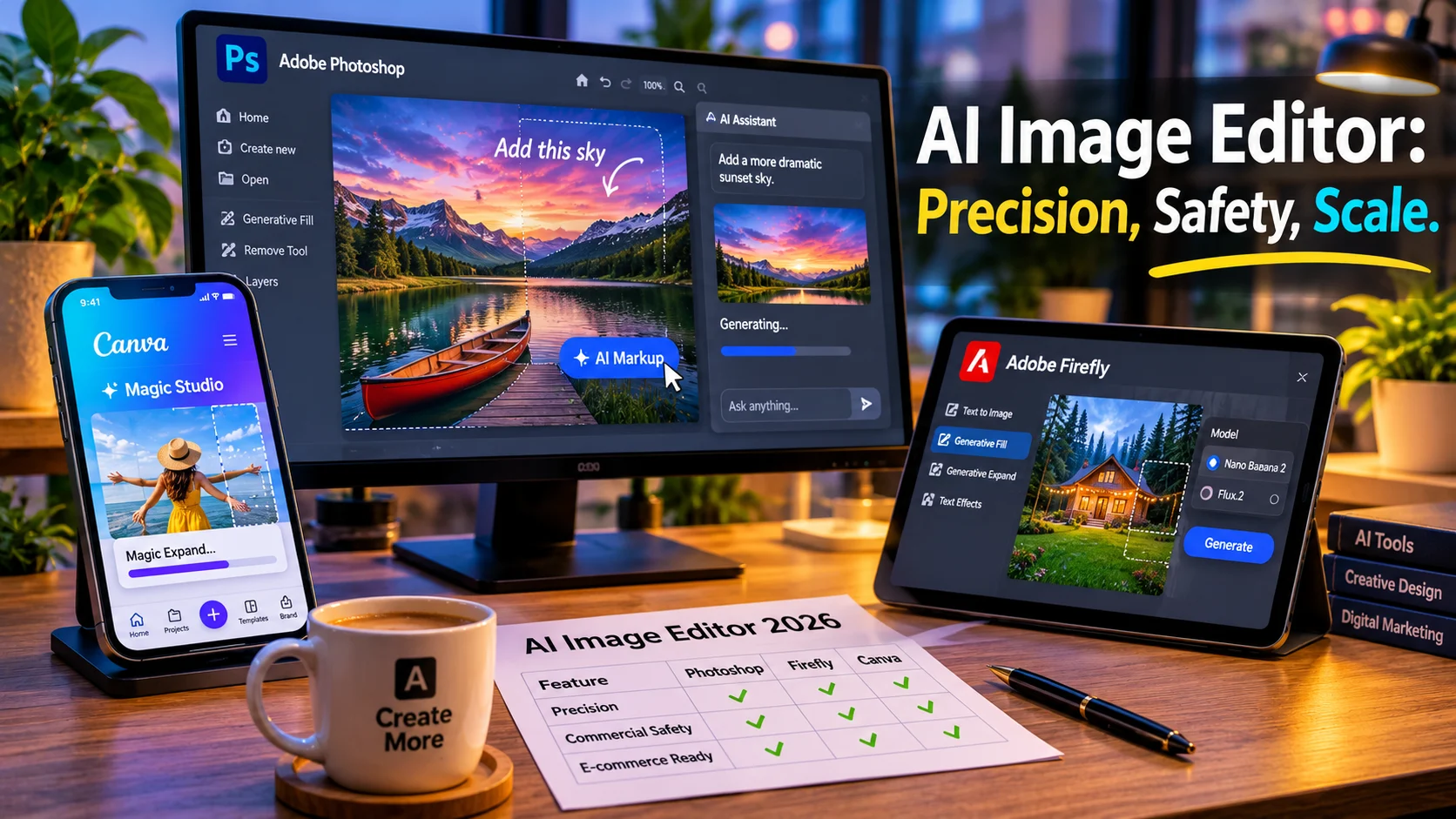
An AI image editor uses artificial intelligence to modify photos through text prompts, conversational commands, or drawn annotations. The best tool depends on your task: Adobe Photoshop’s AI Assistant for precise, conversational edits on desktop or mobile, Adobe Firefly for browser-based generative editing with commercial safety, Canva Magic Studio for all-in-one design with AI features, and Photoroom for e-commerce product photography at scale.
At-a-Glance: Key Takeaways
- Adobe Photoshop’s AI Assistant is now in public beta, letting users describe edits in plain language or draw directly on images with AI Markup for spatially targeted changes .
- Adobe Firefly consolidates generative editing into one workspace, supporting over 25 AI models including Google’s Nano Banana 2 and OpenAI’s image generation .
- Canva Magic Studio integrates AI editing into a broader design platform, with free users getting limited monthly access to AI features like Magic Expand and background removal .
- Photoroom specializes in e-commerce, trusted by over 300 million users for batch background removal, AI fashion models, and marketplace-ready exports .
- Google Photos now offers conversational editing via Gemini, allowing users in India to describe edits with voice or text, with C2PA Content Credentials for transparency .
- Model leaderboards show GPT Image 2.5 and Nano Banana 2.1 leading on editing quality, though tool integration matters more than raw model ranking for most workflows .
What Is an AI Image Editor?
An AI image editor is a software tool that applies artificial intelligence to photo manipulation. The category spans professional desktop applications with AI features (Photoshop), browser-based generative editors (Firefly), all-in-one design platforms (Canva), and specialized mobile apps (Photoroom).
The search intent is commercial investigation. Users want to know which AI editor fits their workflow, what the pricing and limitations are, and whether the output quality justifies adoption.
The market has matured beyond novelty. AI editing is no longer a separate category. It is being integrated into the tools professionals already use. Photoshop’s AI Assistant, Firefly’s unified workspace, and Canva’s Magic Studio all reflect the same shift: AI is becoming a feature of the editor, not a replacement for it.
The Major AI Image Editors Compared
Adobe Photoshop: Conversational Editing with AI Assistant
Adobe Photoshop’s AI Assistant is the most significant development in AI image editing for professionals. It moved to public beta in March 2026, bringing conversational editing to Photoshop web and mobile .
What It Does Well
The AI Assistant opens a chat panel where you type or speak a request. Photoshop executes the change automatically. A voice waveform UI sits at the bottom of the frame, signaling that this is now a conversational tool .
What makes it more precise than a simple chatbot is AI Markup. You can draw directly on the image (arrows, circles, rough outlines) and pair those marks with a text prompt. That spatial targeting gives the AI a referent it otherwise would not have. A drawn arrow carries more information than a phrase like “area behind the subject” .
The AI Assistant can also offer step-by-step guidance rather than just making the change, a mode that teaches while it works .
Where the Limits Hit
The AI Assistant is in public beta, meaning features may change. Free-tier Photoshop users get 20 generations to start. Paid subscribers had unlimited access through April 9, 2026 . The full Photoshop subscription runs around $22.99/month.
Who it suits: Professionals who need precise control over edits and are already in the Adobe ecosystem.
Adobe Firefly: Browser-Based Generative Editing
Firefly is Adobe’s browser-based generative editor, requiring no Photoshop installation. It consolidates Generative Fill, Generative Remove, Generative Expand, Generative Upscale, and Remove Background into one workspace .
What It Does Well
Firefly now supports over 25 AI models, including Adobe’s own commercially trained models, Google’s Nano Banana 2, OpenAI’s image generation, Runway’s Gen-4.5, and Black Forest Labs’ Flux.2 [pro] . This makes Firefly a model-agnostic workspace rather than a single-model tool.
Every output is trained on licensed content and carries IP indemnification, making it the safest choice for commercial work .
Where the Limits Hit
The free tier offers limited generative credits. Heavy users will need a paid plan, starting around $10/month . Firefly also struggles with rendering text within images compared to dedicated tools .
Who it suits: Commercial designers who need legal safety and browser-based access without a Photoshop subscription.
Canva Magic Studio: All-in-One Design with AI
Canva’s Magic Studio integrates AI editing into a broader design platform. You can generate images, remove backgrounds, expand images with Magic Expand, and edit photos without leaving the app .
What It Does Well
The strength is integration. Generate an image with Magic Media, then drop it directly into a social template or presentation. Magic Switch resizes designs across formats. Magic Animate adds transitions .
Canva also has a strong privacy reputation. It does not train on user data for AI, and generated images remain private .
Where the Limits Hit
Free users can access Canva AI 1.0 features and some tools like Magic Write and background removal with limited monthly usage. Full access to Canva AI 2.0 (including Memory Library and Connectors) requires a paid plan . Magic Media free tier has fixed generation limits; more requires Pro at around $13/month .
Who it suits: Social media creators, marketers, and small teams who want AI editing integrated with design templates.
Photoroom: E-Commerce Product Photography
Photoroom is a specialized AI editor for product photography, trusted by over 300 million users . It does one thing and does it at scale.
What It Does Well
Background removal and replacement are instant. Batch editing handles hundreds of product photos at once. AI Fashion Models, ghost mannequins, and flat lays generate from a single photo. Product Fidelity preserves logos, textures, and colors across AI-generated images. Exports are sized for Shopify, Amazon, Etsy, and other marketplaces .
The Video Ad Maker feature turns product photos into short video ads with AI actors and voice-over scripts .
Where the Limits Hit
Photoroom is not a general-purpose image editor. It is built for e-commerce product visuals. In-app purchases range from $1.99 to $124.99 depending on plan and tier .
Who it suits: E-commerce sellers, product photographers, and brands managing large catalogs.
Google Photos: Conversational Editing on Mobile
Google Photos now offers conversational editing via Gemini, rolled out in India in January 2026 .
What It Does Well
You can describe edits with voice or text: “remove a friend’s sunglasses,” “open their eyes,” “make them smile.” The feature uses images from your private face groups for personalized edits of people in your library. Nano Banana integration allows style transformations. C2PA Content Credentials attach a permanent digital label showing a modified image’s origin and edit history .
Where the Limits Hit
The feature is rolling out regionally, starting with India. It requires an Android device with at least 4GB RAM and Android 8.0 or higher. Supported languages include English, Hindi, Tamil, Marathi, Telugu, Bengali, and Gujarati .
Who it suits: Android users in supported regions who want quick, conversational edits without a separate app.
Model Quality: What the Leaderboards Show
The underlying AI models powering these editors vary in quality. Artificial Analysis ranks image editing models by Elo from human preference votes . As of late 2026:
| 1 | GPT Image 2.5 Sunburst (max) | 1199 | $210.7 |
| 2 | GPT Image 2.5 Flare (max) | 1181 | $210.7 |
| 3 | Nano Banana 2.1 | 1152 | $33.6 |
| 4 | MAI-Image-2.6 | 1151 | $38.9 |
Lumenfall’s separate leaderboard places Nano Banana Pro at the top with 1250 Elo, followed by Nano Banana 2 at 1235 . The discrepancy between leaderboards reflects different methodologies and sample sets.
Editorial interpretation: For most users, the tool integration matters more than the raw model ranking. A slightly lower-ranked model inside a workflow you already use is more valuable than the top-ranked model requiring a separate subscription and learning curve.
Who Should Use Which AI Image Editor
Professional designers and photographers should use Adobe Photoshop’s AI Assistant for precise, conversational editing with AI Markup. The learning curve is steep, but the control is unmatched .
Commercial designers needing legal safety should use Adobe Firefly. The IP indemnification and licensed training data make it the safest choice for client work .
Social media creators and marketers should use Canva Magic Studio. The integration with design templates and brand kits makes it the most efficient tool for content production .
E-commerce sellers should use Photoroom for batch product editing and marketplace-ready exports .
Casual users on Android should try Google Photos’ conversational editing where available .
Common Mistakes and Cautions
Assuming one editor does everything. Photoshop excels at precision, Firefly at commercial safety, Canva at design integration, Photoroom at product photography. Match the tool to the task.
Ignoring the free tier limits. Photoshop gives 20 free generations. Canva’s advanced AI is Pro-only. Firefly has credit caps. Photoroom’s free tier is limited.
Overlooking privacy defaults. Google Photos and Canva have different data policies. Canva does not train on user data . Google’s policies are more complex. Review before uploading sensitive images.
Expecting perfect text rendering from every tool. Firefly struggles with text in images . Ideogram remains the specialist for typography, though it is not covered here as a general editor.
Forgetting that AI editing is still editing. The AI executes; you direct. The creative decisions remain yours. Tools that promise “one-click perfection” rarely deliver.
Frequently Asked Questions
What is the best AI image editor?
The best depends on your workflow. Adobe Photoshop’s AI Assistant offers the most precise conversational editing with AI Markup. Adobe Firefly is best for browser-based commercial safety. Canva Magic Studio is best for all-in-one design. Photoroom is best for e-commerce product photography .
Is Photoshop’s AI Assistant free?
No. Photoshop’s AI Assistant is in public beta. Free-tier Photoshop users get 20 generations. Paid subscribers had unlimited access through April 9, 2026, after which standard credit limits apply .
Can I use AI image editors for commercial work?
It depends on the tool. Adobe Firefly is trained on licensed content and offers IP indemnification, making it the safest for commercial use . Canva permits commercial use within its terms. Photoshop and Firefly both support commercial workflows.
What is AI Markup in Photoshop?
AI Markup lets you draw directly on an image (arrows, circles, rough outlines) and pair those marks with a text prompt. The drawn annotations give the AI spatial targeting, making edits more precise than text alone .
What is the best AI image editor for e-commerce?
Photoroom is the best AI image editor for e-commerce. It specializes in batch background removal, AI fashion models, ghost mannequins, and marketplace-ready exports, trusted by over 300 million users .
Conclusion
AI image editors have matured from novelty to infrastructure. Photoshop’s AI Assistant brings conversational editing to professionals. Firefly consolidates generative tools into a browser workspace with commercial safety. Canva integrates AI into design workflows. Photoroom specializes in product photography at scale.