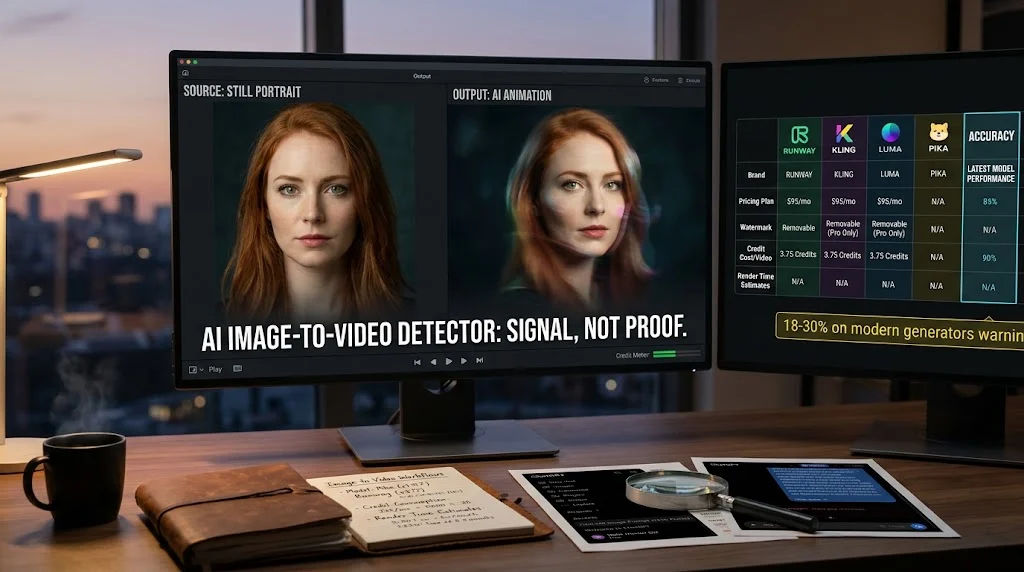
Image to video AI uses diffusion models and multimodal conditioning to animate a static image into a short video clip. The leading platforms in 2026 are Runway Gen-4.5 for editing integration, Kling for face stability and motion control, Luma Dream Machine for realistic physics, and Pika for creative effects. Free tiers exist but carry watermarks and restrict commercial use.
At-a-Glance: Key Takeaways
- Image to video (I2V) is now a distinct technical category, with dedicated benchmarks like DIVE measuring motion dynamics, controllability, and quality separately from text-to-video .
- Kling is the strongest choice for face stability and portrait animation, with its Motion Control feature preserving identity better than most competitors .
- Runway Gen-4.5 offers the deepest editing integration, with the ability to refine generated clips inside the platform and inside Premiere Pro, After Effects, and DaVinci Resolve .
- Luma Dream Machine leads on physical realism, with water, hair, and lighting behaving according to real-world physics .
- Free tiers are limited and watermarked, with Runway offering a one-time 125-credit grant, Kling providing daily credits, and Pika allowing credit pack purchases without a subscription .
- The category is moving toward longer clips and better temporal consistency, though error accumulation over long horizons remains an unsolved problem .
What Is Image to Video AI?
Image to video AI is a class of generative models that take a single still image as input and produce a short video clip that animates the scene. Unlike text-to-video, which generates everything from a prompt, I2V preserves the composition, identity, and details of the source image while adding motion.
The technical distinction matters. I2V models must solve two problems simultaneously: understanding the semantic content of the image (what objects are present, what the scene depicts) and generating plausible motion that respects physical constraints and the image’s structure. A model that produces beautiful motion but distorts the subject’s face has failed at I2V. A model that preserves identity but produces stiff, lifeless motion has also failed.
This is why dedicated benchmarks like DIVE have emerged. DIVE measures dynamic range (can the model generate both static and highly dynamic videos?), dynamic controllability (does it follow motion instructions accurately?), and dynamics-based quality (are the moving parts smooth, consistent, and natural?) . These metrics matter more than general video quality scores for I2V evaluation.
How Image to Video AI Works
The Multimodal Conditioning Pipeline
Modern I2V models use a multimodal conditional adapter to integrate the input image with a text prompt describing the desired motion. The adapter learns dynamic and discriminative features from multimodal large language models (MLLMs), allowing the model to understand both the visual content and the motion instruction .
In practice, the pipeline works like this: the input image is encoded into a latent representation. The text prompt is encoded separately. A conditioning module fuses these representations and guides the diffusion process to generate frames that are consistent with the image and responsive to the prompt.
The Motion Preservation Challenge
The hardest part of I2V is preserving appearance while adding motion. Supervised fine-tuning often exposes a tight coupling between appearance and motion representations: adapting a model to new motion patterns can unintentionally alter identity and visual consistency .
This is why some tools perform better on specific tasks. Kling’s Motion Control is designed to lock the face while animating the body, making it the best choice for portrait work . Luma’s model is tuned for physical realism, where hair and fabric move according to gravity and lighting changes naturally as the camera moves . Runway’s Gen-4.5 integrates with editing tools, allowing creators to refine the motion after generation rather than accepting a single output .
Long-Horizon Limitations
Current I2V models are optimized for short clips of a few to tens of seconds. Over longer durations, movements start to drift, details blur, and backgrounds shift unnaturally. The model may ignore the original prompt as errors accumulate .
This is why most platforms cap I2V output at 5 to 10 seconds. Some, like Luma Ray3, extend to 20 seconds, and Sora 2 reaches 25 seconds . But longer clips require more careful handling and often produce lower consistency.
The Leading Image to Video Platforms Compared
Runway Gen-4.5: The Professional’s Choice
Runway’s strength is not just generation quality but the ecosystem around it. The platform offers Aleph 2 for restyling footage, Workflows for chaining repeatable pipelines, and integrations with Premiere Pro, After Effects, and DaVinci Resolve .
Pricing Reality
The free tier gives 125 one-time credits, which translates to about 10 seconds of Gen-4.5 video . This is a demo, not a workflow. The Standard plan at $12/month annual provides 625 credits, or about 52 seconds of Gen-4.5 . Partner models like Veo 3 with audio cost 40 credits per second, meaning the same plan covers about 15 seconds .
Critical caveat: Credits expire monthly on Standard and Pro. Only Max ($76/month annual) allows one rollover. Failed generations still consume credits and are non-refundable . This makes Runway best suited for editors who value the integration and can plan their generations carefully.
Kling: Face Stability and Motion Control
Kling has carved a niche in portrait and character animation. Its Motion Control feature is consistently rated the best option for preserving face identity while animating the body .
Pricing Reality
The free Basic tier provides daily credits but carries a watermark and restricts output to non-commercial use . The Standard plan at $10/month provides 660 credits, removes the watermark, enables 1080p and 4K generation, and includes commercial rights .
Editorial interpretation: Kling is the best choice for creators animating people, especially for thumbnails, portraits, and character work where identity preservation is non-negotiable. The commercial restriction on the free tier is a hard limit.
Luma Dream Machine: Physical Realism
Luma’s differentiation is physical accuracy. Water flows according to gravity. Hair responds to motion. Lighting changes naturally as the camera moves . For creators who want realistic motion rather than stylized effects, Luma is the strongest option.
Pricing Reality
The free tier offers daily credits at 720p with a watermark, restricted to personal use . The Lite plan at $9.99/month still carries a watermark and remains non-commercial . Commercial use begins at Plus ($29.99/month), which also removes the watermark and enables 4K upscaling .
Important distinction: Luma operates two pricing systems. Dream Machine is the original tool with a free tier. Luma Agents is a newer, multi-model platform with no free option, starting at $30/month . Verify which product you are evaluating.
Pika: Creative Effects and Credit Flexibility
Pika’s strength is creative manipulation: Pikaswaps for replacing objects, Pikadditions for inserting elements, and Pikaframes for controlled motion . It is less focused on realism and more on playful, stylized results.
Pricing Reality
Pika’s free tier is unusual: access to all models, no watermark, two parallel generations, but no monthly credit allowance. Instead, users buy one-time credit packs at 60 credits per dollar . This makes it viable for occasional use without a subscription.
The Starter plan at $8/month annual provides 900 credits but no commercial license. Commercial rights begin at Creator ($28/month annual) .
Common Mistakes and Cautions
Assuming free means commercial. Every free tier on this list restricts commercial use. Runway’s free credits are one-time. Kling and Luma watermark free output and prohibit commercial use. Pika requires Creator tier for commercial rights .
Underestimating credit consumption. A 5-second Gen-4.5 clip costs 60 credits (12 per second). A Standard plan’s 625 credits yield about 52 seconds total . Kling’s 660 credits on Standard yield roughly 33 720p videos . Plan generations carefully.
Forgetting that failed generations cost. Runway charges for failed generations and does not refund them . This is a real cost that compounds with iteration.
Expecting long clips. Most I2V output is 5 to 10 seconds. Luma Ray3 reaches 20 seconds, Sora 2 reaches 25 seconds, but longer clips are less consistent .
Confusing Luma Dream Machine with Luma Agents. They are separate products with separate pricing. Dream Machine has a free tier; Agents does not .
Frequently Asked Questions
What is the best image to video AI tool?
It depends on the task. Kling is best for face stability and portrait animation . Runway Gen-4.5 is best for professional workflows with editing integration . Luma Dream Machine is best for physical realism . Pika is best for creative effects like object swaps and additions .
Can I use image to video AI for free?
Yes, with limitations. Runway offers 125 one-time credits. Kling and Luma provide daily credits with watermarks and non-commercial restrictions. Pika offers all models without a watermark but requires credit pack purchases . No free tier permits commercial use.
How long can image to video AI clips be?
Most platforms cap output at 5 to 10 seconds. Luma Ray3 extends to 20 seconds, and Sora 2 reaches 25 seconds . Longer clips are possible but less consistent due to error accumulation over time .
Why does my image to video AI output look distorted?
I2V models struggle to decouple appearance from motion. Animating new motion patterns can unintentionally alter identity and visual consistency . For portrait work, use Kling’s Motion Control, which is designed to lock the face while animating the body .
How much does image to video AI cost?
Entry pricing ranges from $8/month (Pika Starter, annual) to $30/month (Luma Agents Plus). Runway Standard is $12/month annual, Kling Standard is $10/month, and Luma Dream Machine Lite is $9.99/month . Commercial rights often require higher tiers.
Conclusion
Image to video AI has matured from a novelty to a practical tool for creators, marketers, and studios. The technical challenges remain real: preserving identity while adding motion, maintaining temporal consistency over longer clips, and controlling the trade-off between realism and creative flexibility.