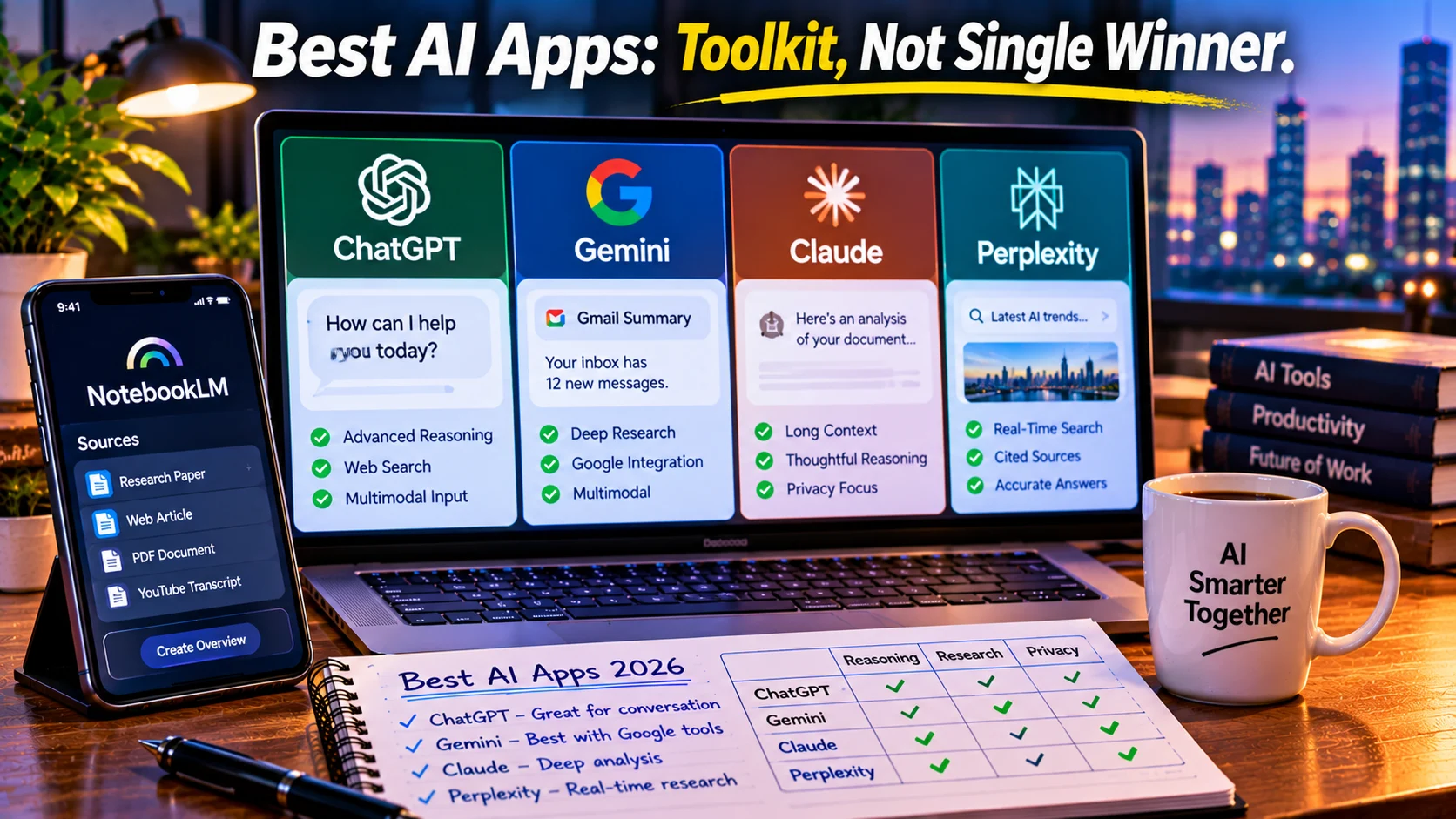
The best AI apps in 2026 depend on your task. ChatGPT remains the dominant general assistant with roughly 900 million weekly users, Gemini offers the strongest free tier with deep Google Workspace integration, Claude leads on complex reasoning and document analysis, and Perplexity is the dedicated research tool. Multi-tool usage is now the norm, with about 20% of ChatGPT users also visiting Gemini weekly.
At-a-Glance: Key Takeaways
- ChatGPT remains the market leader with roughly 900 million weekly users, but its download share has fallen from 67% in Q2 2025 to 47% in Q2 2026 as competitors gain ground .
- Gemini offers the best free tier, providing access to latest models, deep research, and voice chat without payment, plus 15GB of Google Drive storage .
- Claude has seen explosive growth, with monthly active users up 627% year-over-year and its web ranking climbing to third place globally .
- Perplexity is the dedicated research tool, with citations by default and multiple search modes for different research depths .
- NotebookLM is the sleeper pick for document work, answering only from your uploaded sources with citation links, reducing hallucination risk .
- Privacy-focused local options exist, like Manzoni for offline AI writing and BoltAI for multi-model workspaces on Mac .
What Makes an AI App “Best”?
The “best” AI app depends entirely on what you need it to do. A general assistant that answers questions and summarizes documents is different from a research engine that cites sources, a coding companion that understands your repository, or a privacy-first tool that runs locally.
The market has matured beyond the ChatGPT-only era. The a16z Top 100 Consumer AI Apps report from March 2026 confirmed that multi-tool usage is no longer a niche behavior. About 20% of ChatGPT users also visit Gemini weekly . People are assembling toolkits, not picking one winner.
This guide organizes the best apps by use case, with verified pricing, documented limitations, and clear guidance on who each tool suits.
Best General-Purpose Assistant: ChatGPT
ChatGPT remains the default entry point for most people. It handles text, images, code, voice, and file uploads in one interface. The free tier offers unlimited messaging on GPT-6 Luna, though uploads, voice, and Deep Research are capped.
What It Does Well
The breadth is unmatched. ChatGPT can draft, brainstorm, analyze documents, generate images, and browse the web. The recent Agent Mode adds the ability to complete multi-step tasks, including filling forms and interacting with websites .
Where It Falls Short
The free tier uses a capable but not frontier model. Context is limited to 27K tokens on GPT Instant. Premium features like Deep Research, Codex, and extended voice require the $20/month Plus plan. The download share erosion from 67% to 47% suggests users are exploring alternatives, not abandoning the platform entirely .
Who it suits: Anyone who wants one app for everything and is comfortable with usage limits on advanced features.
Best Free Tier: Gemini
PCMag’s testing concluded that Gemini offers the best free chatbot experience. It provides access to latest models, deep research, and voice chat at no cost, plus 15GB of Google Drive storage. Many competitors gate their most advanced models behind paywalls .
What It Does Well
The Google Workspace integration is the differentiator. Gemini can answer questions based on your Gmail history, summarize unread emails, and pull context from Drive and Docs. If you live in Google’s ecosystem, the assistant feels native rather than bolted on .
The paid plan (Google One AI Premium at €20/month) unlocks a 1-million-token context window, enough to process a 500-page PDF .
Where It Falls Short
Gemini tends to hallucinate on niche technical topics. One reviewer noted it struggles with complex Bash scripts and recommended double-checking output before running it . Privacy is also a consideration. Conversations feed Google’s models unless you disable history in Settings .
Who it suits: Google Workspace users who want a capable free assistant and are willing to verify technical output.
Best for Complex Reasoning: Claude
Claude has moved from a niche alternative to a genuine competitor. It climbed from sixth to third place on the web in a16z’s rankings, and its monthly active users grew 627% year-over-year . The paid subscriber growth was 200% .
What It Does Well
Claude Opus excels at complex reasoning and long document analysis, with up to 200,000 tokens of context on paid plans. Reviewers consistently highlight its strength on tasks requiring genuine thinking: summarizing an 80-page contract, debugging difficult code, or structuring a complex project .
The MCP (Model Context Protocol) ecosystem is a differentiator. Anthropic has curated 160 connected apps plus 50 community MCP servers for finance, code, and science. Only 11% overlap with ChatGPT’s app integrations, meaning each tool has its own lane .
Where It Falls Short
The free tier is functional but limited compared to Gemini. Pro costs $20/month. Claude does not offer image or video generation, which matters if you want one app for everything .
Who it suits: Professionals doing document-heavy work, developers, and anyone who values reasoning quality over feature breadth.
Best for Research: Perplexity
Perplexity is not trying to be ChatGPT. It is a search engine with AI synthesis, and it does that one thing with focus. The free tier includes basic search with citations, while Pro ($20/month) unlocks 10x more citations and full research features .
What It Does Well
Every answer comes with linked citations by default. You can verify claims against sources rather than trusting the model’s confidence. Three search modes (Basic, Research, Labs) let you choose the depth of investigation. Spaces turn topics into shared knowledge bases with files, links, and collaborators .
You can also choose which model powers your searches, including GPT, Claude, Gemini, or Perplexity’s own Sonar model .
Where It Falls Short
Perplexity is better for factual research than creative tasks. It is not as versatile as a general-purpose chatbot. The free tier has limited sources compared to Pro .
Who it suits: Researchers, journalists, students, and anyone who needs to verify information with sources.
Best for Document Work: NotebookLM
NotebookLM is the underrated pick for anyone who deals with large volumes of information. It answers only from the sources you provide, not from the open web, which dramatically reduces hallucination risk .
What It Does Well
Upload PDFs, notes, web links, and documents. NotebookLM reads through them in seconds and provides citation links so you can verify answers. You can ask questions like “Which study had the barber’s pole analogy?” and get an easily verifiable response .
The Studio panel generates mind maps, quizzes, and study guides from your sources. It is particularly useful for exam revision and learning new topics .
Where It Falls Short
Some outputs, including videos and mind maps, are less transparent about their exact sources. You may need to dig to verify correctness. It is not a general-purpose assistant. It only works with what you feed it .
Who it suits: Students, researchers, writers, and anyone who needs to search their own document collection rather than the web.
Best for Productivity and Task Management: Motion
Motion combines project management with intelligent scheduling. It predicts project timelines based on team capacity, surfaces risks before they become crises, and uses AI agents to handle meeting notes, document drafting, and process documentation .
What It Does Well
Describe a project and Motion generates a task list, assigns items, and sets due dates. The calendar and daily agenda update based on what needs doing, so you work from current information rather than a stale snapshot. AI employees handle repetitive coordination work .
Where It Falls Short
There is a noticeable learning curve to set up the AI features. At $49/month, it is pricey compared to basic task apps. It is designed for teams and individuals managing complex workloads, not casual users .
Who it suits: Project managers, team leads, and busy professionals juggling multiple workstreams.
Best for Privacy: Manzoni and BoltAI
Not every AI app sends your data to the cloud. For sensitive work, local and multi-model options exist.
Manzoni is a privacy-first macOS word processor that runs AI models locally. You can install Qwen, Mistral, Llama, or GPT-oss and rework text entirely offline. It is designed for journalists, authors, and legal professionals who cannot upload documents to cloud services. A lifetime license is $59 for three Macs .
BoltAI is a multi-LLM workspace for Mac that combines ChatGPT, Claude, and Gemini into one interface. You can choose between 300+ models and create reusable workflows. Privacy depends on the provider you choose, but the app itself keeps API keys on iCloud .
Who it suits: Anyone handling confidential documents, legal work, or sensitive writing that cannot leave their device.
How to Choose
| One app for everything | ChatGPT | Broadest feature set, unlimited free messaging |
| Best free tier | Gemini | Latest models, Google integration, 15GB storage |
| Complex reasoning and documents | Claude | Long context, strong reasoning, MCP ecosystem |
| Research with citations | Perplexity | Sources by default, multiple search modes |
| Searching your own documents | NotebookLM | Answers only from your sources, citation links |
| Task and project management | Motion | AI scheduling, risk prediction, agents |
| Privacy and offline work | Manzoni | Local models, no cloud upload |
Common Mistakes and Cautions
Assuming one app must do everything. The a16z data shows multi-tool usage is normal. Most people use two or three apps for different tasks .
Ignoring the free tier limitations. ChatGPT’s free tier caps uploads and voice. Gemini’s free tier is generous but feeds Google’s models unless you disable history. Claude’s free tier is functional but limited compared to paid .
Trusting AI output without verification. All models hallucinate. Perplexity’s citations and NotebookLM’s source-locked answers reduce the risk, but they do not eliminate it. Always verify high-stakes information .
Overlooking privacy defaults. Gemini’s Keep Activity is on by default. ChatGPT trains on user data unless you opt out. For sensitive work, local options like Manzoni are the safer choice .
Paying for overlapping tools. ChatGPT Plus and Claude Pro both cost $20/month. If you only need one, pick the one that matches your primary use case. If you need both, budget accordingly .
Frequently Asked Questions
What is the best AI app overall?
ChatGPT remains the most widely used and broadly capable general assistant, with roughly 900 million weekly users. However, the “best” depends on your task. Gemini offers the strongest free tier, Claude leads on reasoning and document work, and Perplexity is best for research .
What is the best free AI app?
Gemini offers the best free tier, providing access to latest models, deep research, and voice chat without payment, plus 15GB of Google Drive storage. ChatGPT’s free tier is also generous for text, but caps uploads and advanced features .
Is ChatGPT still the most popular AI app?
Yes. ChatGPT remains the most downloaded and most used AI app, though its download share fell from 67% to 47% between Q2 2025 and Q2 2026. Gemini and Claude are gaining ground, particularly among users exploring alternatives .
What is the best AI app for research?
Perplexity is the dedicated research tool, with citations by default and multiple search modes. NotebookLM is best for searching your own document collection, as it answers only from the sources you provide .
What is the best private AI app?
Manzoni is a privacy-first macOS word processor that runs AI models entirely offline. BoltAI offers a multi-model workspace for Mac users. Both avoid sending data to cloud services, making them suitable for confidential work .
Conclusion
The best AI apps in 2026 are not competing to be everything to everyone. ChatGPT remains the default general assistant, but its dominance is softening as users explore specialized tools. Gemini offers the strongest free tier, particularly for Google Workspace users.