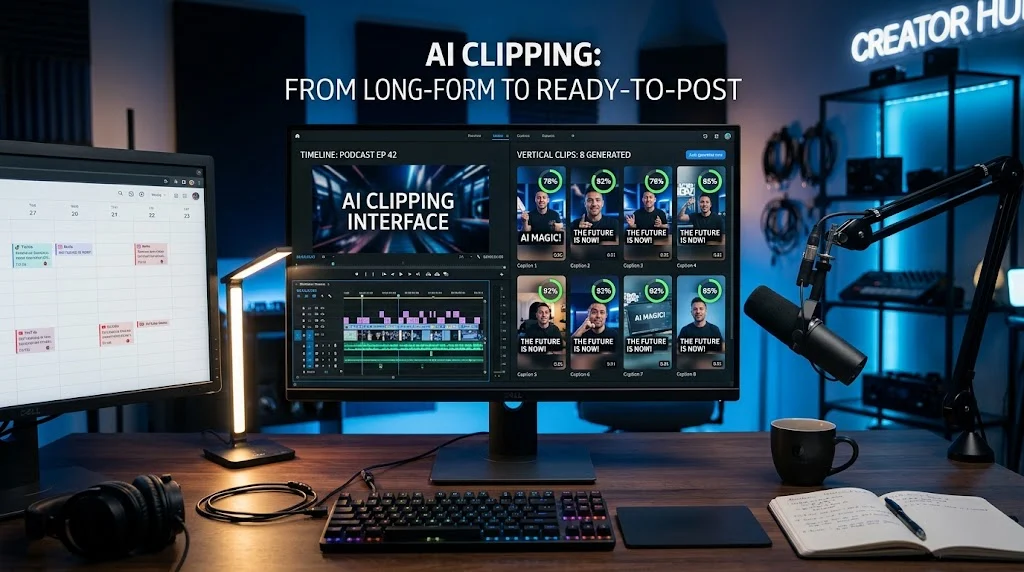
AI clipping is the automated process of analyzing long-form video to identify engaging moments, then cutting and reformatting those moments into short vertical clips for TikTok, Shorts, and Reels. Tools like OpusClip, Vizard, and Klap use speech analysis, visual emotion detection, and virality scoring to select highlights, burn in captions, and reframe speakers automatically.
At-a-Glance: Key Takeaways
- The market is crowded and consolidating. OpusClip remains the category default with the broadest source ingestion and editing surface, but alternatives compete on specific advantages like source-minute clarity or clip-volume forecasting .
- Credit systems punish long episodes. Most tools meter usage by source minutes or generated clips, making cost predictability a real challenge for podcasters with hour-long episodes .
- Free tiers exist but come with watermarks and export limits. OpusClip’s free plan includes 60 credits monthly, but clips carry a watermark, cannot be edited, and expire after three days .
- Open-source alternatives offer local processing. AutoClip runs entirely offline with Whisper and Ollama, requiring no accounts, uploads, or subscriptions .
- Privacy varies significantly. Restream Clips explicitly states it never uses content for AI training, while OpusClip’s terms allow model improvement for individual users .
- The core workflow problem remains unsolved. Reviewers consistently note that generated clips often require substantial editing before they are publish-ready .
What Is AI Clipping?
AI clipping describes a category of software that automatically extracts short, shareable moments from longer video content. The typical use case is a podcaster, webinar host, or streamer who produces hour-long content and wants to distribute highlights across TikTok, YouTube Shorts, Instagram Reels, and similar platforms without manual editing .
The technology is not simply a trimming tool. Modern AI clippers analyze multiple signal types: speech transcripts, speaker changes, emotional tone, visual motion, and in some cases chat velocity from live streams. They score moments for predicted engagement, then cut and reformat them into vertical aspect ratios with burned-in captions .
The market emerged from the podcast boom and the parallel rise of short-form video as the dominant discovery mechanism on social platforms. According to HubSpot data cited by NemoVideo, marketers who repurpose content see three times more leads per dollar spent than those producing net-new content for each channel .
How AI Clipping Works
The Technical Pipeline
An AI clipping workflow typically follows a multi-stage pipeline. The source video is first downloaded or ingested, then transcribed using speech recognition models like Whisper. The transcript becomes the foundation for moment detection, allowing the system to analyze the spoken content for self-contained segments that work outside the original context .
Visual analysis runs in parallel. Systems track motion intensity, detect scene changes, and in more advanced implementations, perform face tracking to keep speakers in frame when converting to vertical format. Speaker diarization identifies who is talking, enabling multi-person clips to be framed correctly .
The highlight selection algorithm then scores candidate segments. Different tools weight different signals. OpusClip emphasizes a “Virality Score” that predicts performance based on speech patterns and emotional content. ClipMe, a newer entrant, scores across 18 proprietary signals including chat velocity from live streams .
Once highlights are selected, the system cuts, reframes, adds captions, and exports in the target aspect ratio. Some tools also generate titles, descriptions, and hashtags for each clip .
The Agentic Shift
The most significant recent development is the shift toward agentic clipping. Rather than a simple “upload and receive” workflow, newer tools use AI agents that reason about what to clip, explain their choices, and can be directed through natural language instructions .
VidmagikAgent, an open-source project, demonstrates this pattern. The user provides a video URL and optional creative direction. An LLM then calls tools in a loop: downloading the video, detecting highlights via optical flow analysis, extracting subclips, applying face-tracking reframing, and concatenating the final output. Every tool call streams to a visible activity log, making the agent’s reasoning transparent .
OpusClip’s MCP server extends this further, allowing agents to submit videos, receive AI-curated clips, generate thumbnails and social copy, and even schedule posts to connected social accounts .
Key Features of AI Clipping Tools
Highlight Detection and Virality Scoring
The defining capability is moment selection. Tools differ in how they approach this. OpusClip scores clips on predicted virality, with the platform claiming clips scoring above 80 consistently outperform manual selections. Klap offers a similar Virality Score with a breakdown of hook strength, flow, value, and trend alignment .
The accuracy of these scores is a subject of debate. Reviewers note that virality predictions should be treated as signals rather than guarantees. The Multilogin review of OpusClip states that “clip selection quality” remains an open test question requiring direct measurement .
Auto-Reframing and Speaker Tracking
Converting horizontal video to vertical format requires intelligently cropping to keep the subject in frame. Basic tools use center-crop or face detection. Advanced implementations track subjects across frames, ensuring the right person remains visible as they move .
Big Room, an alternative listed on SourceForge, claims its in-house AI can “detect the most important people or objects in every frame of video and cut to them” so that vertical output “looks like a camera crew was by your side” .
Captions and Multi-Language Support
Burned-in captions are standard across all major tools. The quality varies. OpusClip claims 97%+ caption accuracy, though independent verification is limited .
Klap differentiates with Pro-tier dubbing and 4K export, positioning itself for creators who want to localize content for multiple language markets .
Social Publishing and Scheduling
The workflow from clip to publish is a key competitive battleground. OpusClip’s Pro tier includes social account connections and scheduling. Vizard offers in-app schedule and publish with templates and brand kits. Klap includes unlimited social accounts and analytics on its plans .
For teams managing multiple accounts, these integrated publishing features eliminate the need for separate scheduling tools.
Pricing and Credit Systems Compared
The pricing models across AI clipping tools are not directly comparable, and this creates confusion for buyers. The core distinction is the unit of measurement.
The Hidden Cost Problem
The credit system creates a subtle trap. OpusClip’s free plan includes 60 credits, but reviewers discovered that trial minutes and Agent Opus credits are separate balances. An account with 90 trial minutes could still have zero Agent Opus credits, blocking generation through that workflow .
StreamYard’s analysis highlights the cost disparity. Processing 12 hours of content monthly on OpusClip would require approximately 720 credits, priced around $87/month. The same volume on StreamYard’s Free plan is covered by two generations .
Editorial interpretation: Credit-based pricing works for occasional users with short source videos. For podcasters with hour-long weekly episodes, the meter runs fast, and cost predictability becomes difficult.
Privacy and Data Handling
Privacy practices vary significantly across the category, and this is a critical consideration for anyone processing client work or sensitive content.
Restream Clips takes the most explicit position. The company states it never generates or alters content, never uses videos to train AI models, and keeps content private unless the user chooses to share. Clips are described as “smart editing, not generative AI” .
OpusClip’s terms are more nuanced. For individual, non-enterprise users, uploaded data may be used to improve AI models. Enterprise data is excluded by contract. This distinction matters for professionals processing client footage .
AutoClip operates entirely locally. No accounts, no uploads to external servers, no telemetry. The trade-off is technical complexity and the absence of direct publishing .
Important distinction: The presence of a privacy policy does not guarantee zero data retention. Buyers should verify specific data handling practices for their use case, particularly if processing content subject to confidentiality obligations.
Who Should Use AI Clipping Tools
Podcasters and interviewers are the primary audience. The format naturally produces self-contained soundbites that AI clippers identify easily. For weekly shows, AI clipping can reduce a multi-hour editing task to a review-and-approve workflow .
Social media managers and agencies managing multiple client accounts benefit from tools with team workspaces and publishing integrations. OpusClip’s Pro tier includes two team seats and six social account connections. Vizard offers shared workspaces and team invitations on Business plans .
Live streamers should consider tools with live ingestion capabilities. ClipMe taps directly into Kick and Twitch HLS feeds, generating captioned, reframed highlights while the stream is still live. This eliminates the post-stream editing bottleneck .
Privacy-conscious creators or those handling confidential content may prefer open-source options like AutoClip that process everything locally .
Casual users testing the waters can start with free tiers, but should understand the limitations: watermarks, export windows measured in days, and feature restrictions that push toward paid plans.
Common Mistakes and Cautions
Underestimating editing requirements. The Multilogin review of OpusClip notes that “the biggest remaining question is how much editing its generated clips require in a real workflow.” Reviewers were unable to confirm clip selection quality, context preservation, or the percentage of generated clips approved for publishing without substantial edits .
Misreading the credit system. Free trial minutes and agent-specific credits may be separate balances. Reviewers discovered this through support interactions after failed generation attempts .
Assuming virality scores are reliable. Virality predictions are signals, not guarantees. They should inform prioritization, not replace human judgment.
Overlooking retention windows. OpusClip’s free clips expire from export after three days. Vizard’s free tier limits storage to three days. These constraints create urgency that may not align with production workflows .
Ignoring source constraints. Some tools have maximum file sizes or video lengths. HeyGen’s AI Clipping supports files up to 10GB and videos up to 10 hours, but shorter videos may not provide enough footage for comprehensive highlighting .
Frequently Asked Questions
What is AI clipping?
AI clipping is the automated process of analyzing long-form video to identify engaging moments, then cutting and reformatting them into short clips for social media. Tools use speech transcripts, visual analysis, and scoring algorithms to select highlights and add captions .
How much does AI clipping cost?
Pricing varies by model. OpusClip starts at approximately $15/month with a free tier of 60 credits. Vizard offers a free tier with 60 credits and paid plans from around $14.50/month annually. Klap structures plans by generated clip volume. Open-source tools like AutoClip are free but require local processing .
Is AI clipping safe for client work?
It depends on the tool. Restream Clips explicitly states it never uses content for AI training. OpusClip’s terms allow model improvement for individual non-enterprise users. AutoClip processes everything locally with no uploads. For confidential or client content, verify the specific data handling terms before processing .
Do AI clipping tools actually save time?
They save time on initial selection and formatting, but generated clips often require review and editing. A realistic workflow includes human review for context, caption corrections, and framing adjustments. The Multilogin review notes that editing requirements remain an open question requiring direct measurement .
What is the best free AI clipping tool?
Free tiers differ. OpusClip offers 60 credits monthly with watermarks and 3-day export limits. Vizard offers 60 credits with 720p and 3-day storage. StreamYard includes 2 generations monthly (up to 12 hours) with its free plan, but only for StreamYard recordings. AutoClip is free and unlimited but requires technical setup .
Conclusion
AI clipping has matured from a novelty to a practical workflow component for creators producing long-form content. The category offers genuine time savings on highlight selection and formatting, but the tools are not fully automated publishing machines. Human review remains essential for context, accuracy, and brand alignment.
What matters most is matching the pricing model to your content volume. Credit-based systems work for occasional use but penalize long episodes. Clip-volume pricing works for high-volume short-form output but may waste capacity for lower-volume creators. Integrated options like StreamYard AI Clips reduce cost per processed hour but lock you into that recording platform.
AI clipping may suit podcasters, interviewers, and social media managers who already produce long-form content and need to maintain a short-form presence. It may not suit creators who need precise editorial control, those without existing long-form libraries, or anyone processing highly sensitive content without verifying local processing options.
Before committing to a subscription, run one real episode through two competing tools. Compare clip selection quality, caption accuracy, reframing precision, and the editing effort required to make outputs publishable. The marketing promises virality. The reality requires a editor’s judgment to bridge the gap.