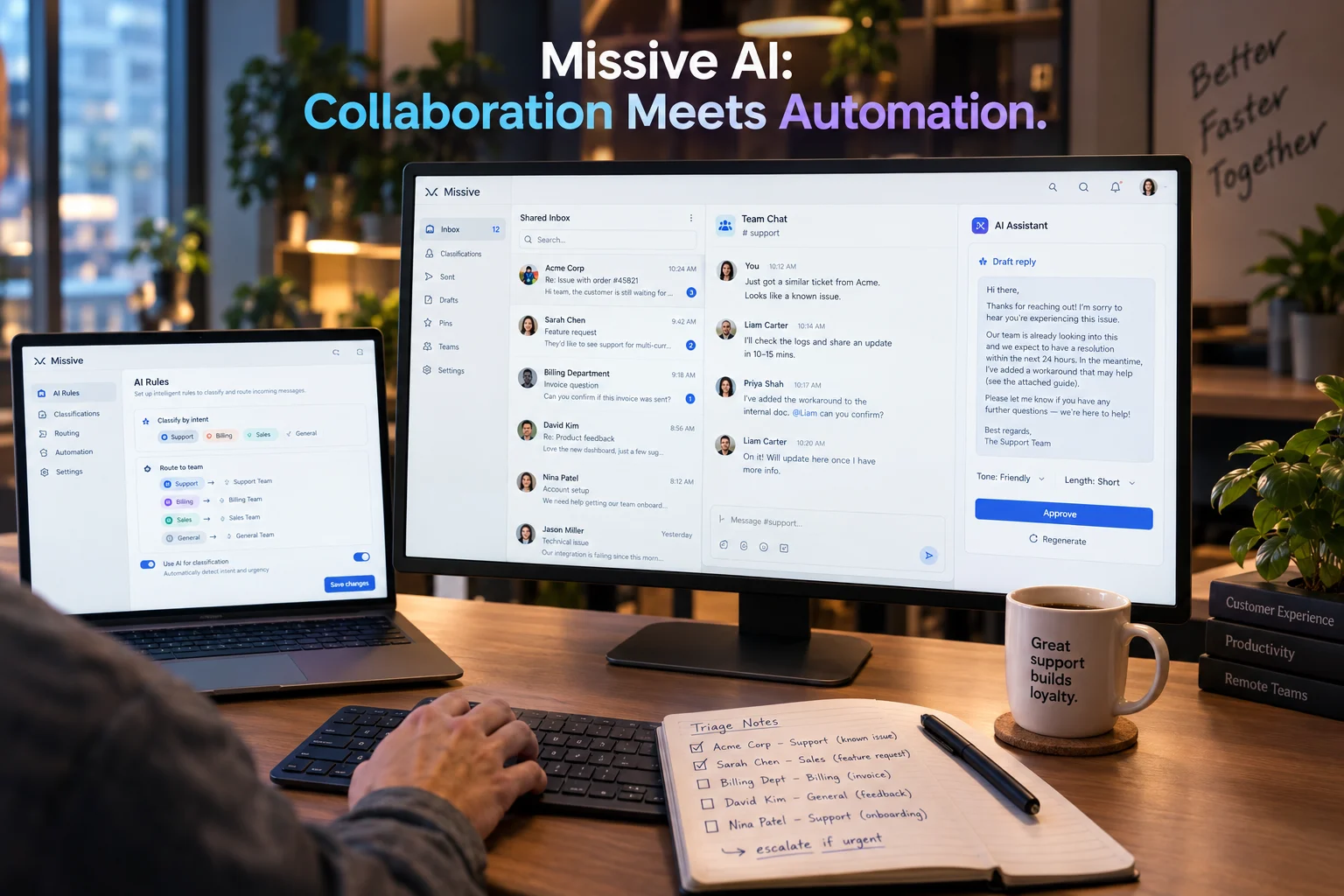
Missive AI is the built-in AI assistant within Missive, a collaborative email and team inbox platform. It drafts replies, searches conversations, checks calendars, looks up contacts, and finds canned responses, powered by your choice of OpenAI, Anthropic Claude, or Google Gemini models, with pricing starting at $24 per user monthly on the Productive plan.
At-a-Glance: Key Takeaways
- Missive AI is not a standalone product. It is the AI layer within Missive’s shared inbox platform, available on Productive ($24/user/mo annual) and Business ($36/user/mo annual) plans .
- You choose your provider. Connect OpenAI, Anthropic, or Google Gemini, or use Missive AI credits with a 25% markup over provider prices .
- SOC 2 Type II applies from the Starter tier, with encryption in transit and at rest, audit logs, and two-factor authentication .
- AI rules can automate triage. Classify, label, route, or draft replies based on incoming message content .
- User complaints cite context limitations. Forum feedback notes AI drafts don’t include previous messages and limited context length hinders output quality .
- Missive is not HIPAA compliant and does not sign BAAs, making it unsuitable for protected health information .
What Is Missive AI?
Missive AI is the artificial intelligence capability embedded within Missive, a collaborative email and team inbox platform. Missive itself is not primarily an AI product. It is a shared inbox tool that keeps team collaboration inside the email thread, with internal comments, shared drafts, tasks, and assignments appearing directly beside the conversation .
The AI assistant extends this foundation. Rather than a standalone chatbot, it operates within the context of your conversations, reading the full thread, searching across connected accounts, and taking action on your behalf . Missive positions the assistant as “not a simple chatbot” because it has access to your Missive data and can execute multi-step tasks .
The company was founded to help teams manage shared inboxes without forcing every message into a ticket or requiring constant context-switching between email, chat, and project management tools .
How Missive AI Works
The Assistant Architecture
Missive AI functions as a conversational sidebar linked to your active conversation. When opened from within a thread, it has full context: every email, internal chat message, and note in that conversation . For standalone tasks, private sessions provide a clean slate without thread linkage.
The assistant can execute several capabilities within a single request:
- Read full conversation context across emails, chat messages, and notes
- Search your emails across all connected accounts with filters for date, sender, recipient, and attachments
- Check your calendar from Google Calendar or Microsoft Outlook, including availability and scheduling conflicts
- Look up contacts from your address book with organization, job title, and custom fields
- Find canned responses using semantic search across your team’s templates
- Draft and edit replies directly in the conversation, handling recipients, subject lines, and signatures
- Ask clarifying questions with multiple-choice options when requests are ambiguous
The assistant can also apply, update, and remove labels, and create, update, or delete calendar events, asking for approval before making changes .
Model Selection and Provider Choice
Missive supports OpenAI, Anthropic, and Google Gemini as AI providers. The model picker lets you select from models including GPT-5.2, GPT-5 Mini, GPT-5 Nano, Claude Opus 4.7, Claude Sonnet 4.6, Claude Haiku 4.5, and Gemini models . You can switch models mid-conversation, with context preserved .
The “Auto” option lets Missive select the best available model. Organizations can connect one or more providers simultaneously and choose models per task .
The Two Connection Paths
Missive offers two ways to connect AI providers, and this distinction matters for cost and control :
Missive AI Credits: Missive manages the provider connection. You pay from a single credit balance that works across every supported provider. No API key setup is required, and per-user cost analytics appear inside Missive. Every paid organization starts with $5 in free credits .
Bring Your Own Key (BYOK): You create an API key with OpenAI, Anthropic, or Google and paste it into Missive. Usage bills directly to your provider account at the provider’s price with no markup. This path preserves advanced provider features like OpenAI’s EU data residency .
AI Rules and Automation
Beyond the assistant, Missive offers AI rules that trigger automatically on incoming messages. These can classify, label, route, or draft replies based on content . Organization-wide behavior guidelines shape how the assistant responds across the entire team, ensuring consistent tone and boundaries .
Key Features of Missive AI
Drafting and Reply Assistance
The most commonly used feature. The assistant writes reply drafts directly in the conversation, handling recipients, subject lines, and signatures automatically. It can update drafts after feedback . Prompts provide one-click actions for summarize, translate, fix grammar, and generate a reply from a template .
Semantic Canned Response Search
Rather than keyword matching, the assistant performs semantic search across canned responses. This finds relevant templates and policies even when the search terms don’t match exactly .
External Tool Integration via MCP
The assistant connects to external tools through the Model Context Protocol, including Notion, Linear, Attio, Stripe, or custom MCP servers . This pulls external context into the inbox without switching tabs. A community-developed MCP server (missive-mcp) exposes 17 tools for Claude Code and other MCP clients, covering conversations, messages, drafts, contacts, and contact books .
Calendar and Contact Context
The assistant reads calendar events from Google Calendar and Microsoft Outlook, can search events by keyword, and suggests meeting times based on availability. Contact lookup returns full details including organization, job title, and custom fields .
Pricing and Plans
Missive offers a permanent Free plan and three paid tiers, all billed per active user .
| Plan | Annual | Monthly | Users | AI Access |
|---|---|---|---|---|
| Free | $0 | $0 | Up to 3 | No |
| Starter | $14/user/mo | $18/user/mo | Up to 5 | No |
| Productive | $24/user/mo | $30/user/mo | Up to 50 | Yes |
| Business | $36/user/mo | $45/user/mo | Unlimited | Yes |
Free plan limitations: The Free plan supports only 3 users, 15 days of visible history, and 2 shared accounts . It functions more as a demo than a production tier, as 15 days of history cannot serve as a team’s record .
AI costs: AI requires the Productive or Business plan. Organizations on those plans start with $5 of free Missive AI credits . After that, credits are purchased or BYOK is configured.
The 25% markup: Missive AI credits carry a 25% markup over provider prices. BYOK avoids this markup, making it more economical for heavy usage or teams with existing provider accounts .
Extra shared accounts: Each paid user contributes 5 shared accounts to the organization pool. Additional blocks cost $15/month per 5 accounts .
Annual plans are non-refundable. Monthly subscriptions can be canceled anytime .
Privacy and Security
Missive holds SOC 2 Type II certification, applying from the Starter tier . Security measures include encryption in transit and at rest, two-factor authentication, and audit logs recording every action inside a conversation .
Data residency: Service data is hosted in US infrastructure. OpenAI EU data residency is only available through BYOK, not Missive credits .
Data training: Missive states it does not train on your emails. Every AI request is routed through your chosen provider. However, provider retention and residency policies apply separately and should be reviewed for OpenAI, Anthropic, and Google Gemini .
HIPAA limitation: Missive is not HIPAA compliant and does not sign Business Associate Agreements. It is unsuitable for workflows containing protected health information .
Important distinction: SOC 2 Type II certification does not automatically mean Zero Data Retention. Missive’s documentation does not claim ZDR. Organizations with strict retention requirements should verify provider settings and consider BYOK for more control.
Limitations and User Concerns
Context and Draft Quality
Forum feedback reveals persistent complaints about AI draft quality. Users report that AI Reply “doesn’t understand context and refers exclusively to the content of the last email, even if it doesn’t make any sense at all” . Another noted auto-drafting “does not include previous messages” and cited “limited context length and model selection” as constraints .
One user summarized: “AI feels bolted on, but needs to be seamless as it will quickly become essential to workflows” . Missive has acknowledged these concerns and released updates, but the feedback thread suggests ongoing refinement.
Starter Tier May Be Too Limited
The $14 Starter tier caps at 5 users and excludes rules, integrations, API access, and AI. For teams that need automation, the effective entry point is Productive at $24/user/month . The jump from Starter to Productive also applies to existing seats when adding a sixth user .
No Built-In Knowledge Base
Missive lacks a customer-facing knowledge base or portal. Teams must use external tools or rely on canned responses for self-service content .
US Data Hosting
Service data resides in US infrastructure. Organizations with EU data residency requirements may need to evaluate whether BYOK’s provider-side options satisfy compliance needs .
Who Should Use Missive AI
Teams managing shared inboxes are the primary audience. Missive keeps collaboration inside the email thread, with internal comments and shared drafts appearing beside the conversation. AI extends this by drafting replies, summarizing threads, and automating triage .
Support and customer success teams benefit from AI rules that classify and route incoming messages, and from the assistant’s ability to pull context from CRM integrations like Salesforce, HubSpot, and Shopify .
Teams with existing AI provider accounts can use BYOK to avoid the 25% credit markup and access advanced provider features like EU data residency .
Organizations requiring HIPAA compliance should not use Missive. The platform does not sign BAAs .
Teams wanting AI bundled into the seat price may find Missive’s model unusual. AI requires either credit purchases or a separate provider account, adding a second bill to forecast .
Common Mistakes and Cautions
Assuming AI is included in all paid plans. AI requires Productive or Business. Starter tier users cannot access the assistant, prompts, or AI rules .
Underestimating the second bill. AI costs scale with usage. Teams planning heavy automation should model credit consumption or BYOK provider costs separately from seat pricing .
Confusing Missive credits with bundled AI. The $5 starting credit is one-time, not monthly. After it depletes, admins must top up or configure BYOK .
Ignoring the free tier’s history limit. 15 days of visible history makes the Free plan unsuitable as a team’s record. It is a demo, not a production tier .
Expecting HIPAA compliance. Missive explicitly states it is not HIPAA compliant and does not sign BAAs .
Frequently Asked Questions
What is Missive AI?
Missive AI is the built-in AI assistant within Missive’s shared inbox platform. It drafts replies, searches conversations, checks calendars, looks up contacts, and finds canned responses, powered by OpenAI, Anthropic, or Google Gemini models .
How much does Missive AI cost?
AI requires the Productive ($24/user/month annual) or Business ($36/user/month annual) plan. Organizations start with $5 in free Missive AI credits. Additional usage is purchased via credits with a 25% markup over provider prices, or through BYOK at provider cost .
Is Missive AI private and secure?
Missive holds SOC 2 Type II certification with encryption and audit logs. Data is hosted in US infrastructure. Missive states it does not train on your emails, but provider retention policies apply separately. The platform is not HIPAA compliant .
What are the main limitations of Missive AI?
Users report AI draft quality issues, including limited context from previous messages and incomplete understanding of conversation history. The Starter tier does not include AI, and the free plan is limited to 3 users and 15 days of history .
How does Missive AI compare to Front?
Both offer shared inboxes with AI capabilities. Missive is cheaper and includes AI on Productive tier, while Front’s AI features are paid add-ons on top of seat pricing. Front offers deeper routing and a built-in knowledge base; Missive offers simpler pricing and multi-channel support .
Conclusion
Missive AI extends a capable shared inbox platform with an assistant that reads context, searches across accounts, and drafts replies. The BYOK option gives teams control over provider choice and costs, and SOC 2 Type II from the entry tier provides a credible security baseline.
What matters most is understanding the cost structure. The seat price is only part of the bill. AI requires the Productive tier, and usage is metered through credits with a markup or billed separately through your provider. Teams planning heavy automation should model both costs before committing.
Missive AI may suit teams that need collaborative inbox management with AI drafting and triage, especially those with existing OpenAI or Anthropic accounts who can use BYOK. It may not suit organizations requiring HIPAA compliance, teams with strict EU data residency needs that credits cannot satisfy, or anyone expecting AI bundled into the Starter price.
Before subscribing, test the AI assistant’s draft quality with your actual conversation patterns. Review the provider data handling policies for your compliance requirements. And consider whether the 25% credit markup is worth the convenience versus configuring BYOK. Missive’s strength is collaboration. The AI is a capable extension, not the core product.