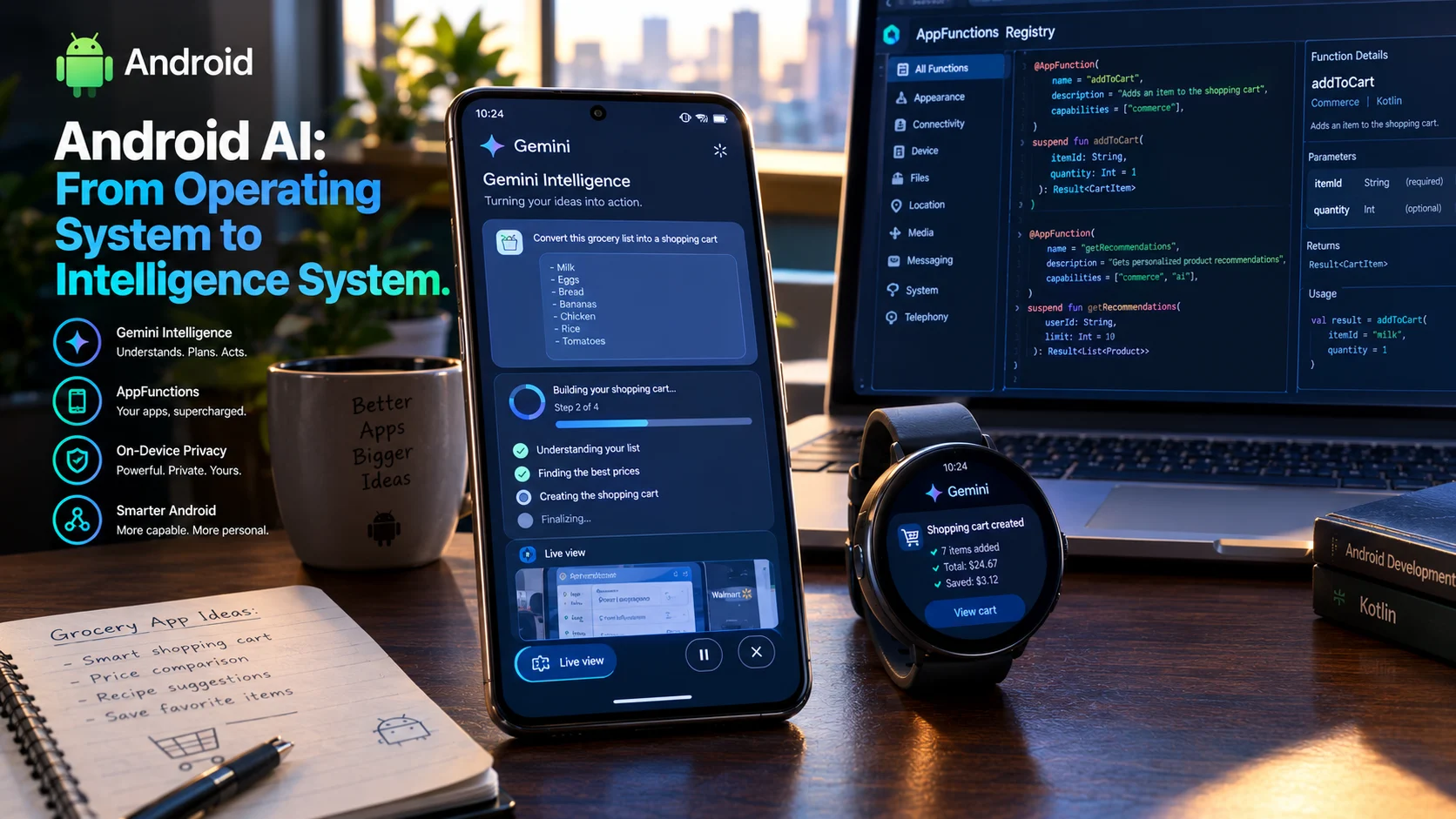
Android AI refers to Google’s strategy of embedding artificial intelligence across the Android platform, from on-device Gemini Nano models to cloud-based Gemini assistants and agentic automation. In 2026, Android is evolving from an operating system into what Google calls an “intelligence system” that anticipates user needs and executes multi-step tasks across apps.
At-a-Glance: Key Takeaways
- Gemini Nano runs on-device via AICore, processing prompts locally without cloud calls for privacy, offline functionality, and zero inference cost .
- Android AppFunctions lets apps expose features to AI agents using an on-device MCP model, giving developers control over what Gemini can access .
- Gemini Intelligence automates multi-step tasks across apps, including food ordering, grocery cart building, and rideshare coordination .
- Hardware requirements are strict: full Gemini Intelligence features require flagship processors, 12GB+ RAM, and Gemini Nano v3 or higher .
- Deleted AI chats may remain recoverable from device memory, raising privacy concerns for local AI assistants .
- AICore temporarily doubles storage usage during updates, retaining old and new model versions for up to three days for rollback safety .
What Is Android AI?
Android AI is Google’s comprehensive strategy for integrating artificial intelligence throughout the Android operating system. It spans three distinct layers: on-device models that run entirely on the phone, cloud-based assistants that leverage Google’s data centers, and agentic automation that executes tasks across multiple applications on the user’s behalf.
The strategy represents a fundamental shift in how Google describes Android. At Google I/O 2026, the company announced that Android is “evolving from an operating system to an intelligence system” . The distinction matters. An operating system provides tools for users to operate. An intelligence system anticipates needs, understands context, and takes action.
This evolution is powered by the Gemini family of models. Gemini Nano, Google’s most efficient on-device model, handles private, low-latency tasks locally. Gemini, the cloud-based assistant, handles complex reasoning and multi-step automation. And AppFunctions, a new developer API, bridges the two by letting apps expose their capabilities to AI agents in a controlled, privacy-preserving way.
How Android AI Works
On-Device AI with Gemini Nano
Gemini Nano is a foundation model optimized for mobile devices. It runs inside AICore, an Android system service that manages model distribution, updates, and inference . The architecture is designed to eliminate the privacy and cost concerns of cloud inference.
Because inference happens locally, user data never leaves the device. This enables features like summarization, proofreading, rewriting, and image description without network calls. It also means these features work offline and incur no cloud inference costs .
The ML Kit GenAI APIs provide a high-level interface for these capabilities. Developers can implement prompt-based generation, summarization, proofreading, rewriting, image description, and speech recognition without managing model downloads or hardware interfaces .
AICore adheres to Private Compute Core principles. It has no direct internet access; all network requests route through a separate, audited companion service. Each request is isolated, and input data is not stored after processing .
Cloud and Hybrid AI
Not every task suits on-device inference. Complex reasoning, long-context analysis, and tasks requiring broad world knowledge benefit from larger cloud models. Google provides Firebase AI Logic for hybrid inference, letting developers route requests between on-device and cloud models based on explicit orchestration modes like PREFER_ON_DEVICE, PREFER_CLOUD, ONLY_ON_DEVICE, or ONLY_CLOUD .
This hybrid approach addresses a fundamental trade-off. On-device models offer privacy and speed but limited capability. Cloud models offer greater capability but introduce latency, cost, and data transmission concerns. Hybrid routing lets developers optimize for each specific use case.
Agentic Automation with AppFunctions
The most significant shift in Android AI is the move toward agentic automation. Rather than users tapping through apps step by step, AI agents execute tasks across multiple applications.
Android AppFunctions is the API that enables this. It lets apps expose annotated Kotlin functions as type-safe, sandboxed tool definitions that a privileged on-device agent can discover and invoke locally . The model is essentially an on-device version of the Model Context Protocol (MCP), where the app acts as a local MCP server and the Android platform serves as the central tool registry.
The JetPacker example from Google’s developer blog illustrates the pattern. A travel app exposes addExpense, getItinerary, and addVoiceNote functions. When a user says “Add a five-dollar coffee expense to my Paris trip,” the agent finds the correct trip ID and inserts the expense without the user navigating to the app .
Samsung Gallery on the Galaxy S26 demonstrates this in production. Users can ask Gemini to “Show me pictures of my cat from Samsung Gallery,” and Gemini triggers the appropriate function and presents the photos without leaving the Gemini interface .
Key Features of Android AI
AI Notification Summaries
Android 16 introduced AI-powered notification summaries, initially on Pixel devices and expanding to Samsung and other manufacturers. The feature condenses long chat messages and group conversations into short snippets. Google limits it to chat apps to avoid the “wonky” AI summaries that can occur with news or other content types .
A companion feature, the notification organizer, automatically groups and silences low-priority notifications from promotions, news, and social platforms .
Gemini Intelligence
Announced at The Android Show in May 2026, Gemini Intelligence represents Google’s next phase of AI on Android. It brings agentic capabilities to multi-step tasks across apps, including food ordering, rideshare coordination, grocery cart building from notes, and even finding a course schedule in Gmail and adding required books to a shopping cart .
The system also introduces “Create My Widget,” which generates custom home screen widgets from natural language descriptions. A user could ask for a widget that suggests three high-protein meal prep recipes weekly, and Gemini generates it automatically .
Intelligent Form Filling
Gemini Intelligence includes enhanced autofill that draws on connected apps to populate forms intelligently. Users control which apps are connected, and the feature can be toggled on or off in settings .
Rambler
A new speech-to-text feature called Rambler refines spoken input into polished written text, removing filler words and organizing thoughts into concise messages. It addresses the friction of voice input for professional communication .
Main Use Cases
Productivity and Task Automation
The primary use case for Android AI is reducing friction in everyday tasks. Instead of opening multiple apps and navigating through screens, users delegate multi-step processes to Gemini. The agent handles the logistics and returns the result .
Privacy-Sensitive Processing
On-device inference handles tasks involving sensitive data. Receipt scanning for expense tracking, summarization of private messages, and image description all happen locally without transmitting data to Google’s servers .
Accessibility
Gemini Nano powers accessibility features like TalkBack’s image description, which works offline and on unstable connections. This extends AI capabilities to users who benefit most from intelligent assistance .
Developer Integration
AppFunctions lets developers integrate their apps into the intelligence system without building custom AI features. Exposing functions as tools gives apps “agentic reach” with a structured, controlled interface .
Benefits of Android AI
Privacy through local processing. On-device inference keeps sensitive data on the device. AICore’s isolated architecture and lack of direct internet access reinforce this .
Offline functionality. On-device features work without network connectivity, ensuring consistent experience regardless of connection quality .
Zero cloud inference cost. Processing locally eliminates per-request cloud costs, making AI features scalable to millions of users without proportional expense .
Low latency. On-device inference avoids network round trips. Gemini Nano v3 on Pixel 10 Pro achieves 940 tokens per second for text-to-text processing .
Controlled automation. AppFunctions gives developers explicit control over which functions agents can access, keeping other app data private .
Limitations and Cautions
Hardware Requirements
Full Gemini Intelligence features demand flagship hardware. Google specifies flagship processors, at least 12GB RAM, AICore support, and Gemini Nano v3 or higher. Manufacturers must also commit to at least 5 OS updates and 6 years of security patches . This creates a tiered experience where older or mid-range devices receive limited AI capabilities.
Storage Usage During Updates
AICore temporarily increases storage usage during model updates. Google retains both old and new model versions for up to three days to enable rollback if issues arise. Once stability is confirmed, the older version is deleted and storage is reclaimed .
Deleted Chat Recovery
Research from Georgia Tech demonstrated that deleted AI conversations on Android devices may remain recoverable from device memory. The ORISA tool recovered information from a deleted conversation and rebuilt a working session with more facts than the original active session contained . This raises privacy concerns for users who assume deletion is permanent.
Model Availability and Fragmentation
Gemini Nano support varies across manufacturers. Google published a list of supported Xiaomi, Redmi, and POCO devices, but many devices remain unsupported. The gap between flagship and mid-range devices creates an uneven user experience .
Developer Preview Limitations
AICore Developer Preview models may be slower and less accurate than production versions. Using them can impact system stability, storage, and performance. The preview is intended for prototyping, not production .
Who Should Use Android AI
Android users with flagship devices receive the full Gemini Intelligence experience. Pixel and Samsung Galaxy users are first in line for new features .
Developers building intelligent apps should explore AppFunctions, ML Kit GenAI APIs, and Firebase AI Logic. The tools are available now for prototyping and production .
Privacy-conscious users benefit from on-device processing. Features like summarization, proofreading, and receipt scanning keep data local .
Users with mid-range or older devices should check compatibility before expecting full AI features. Gemini Nano support requires specific hardware .
Enterprise and IT teams should evaluate AppFunctions for controlled agent access and review data handling practices for compliance requirements.
Frequently Asked Questions
What is Android AI?
Android AI is Google’s strategy for embedding artificial intelligence across the Android operating system. It includes on-device Gemini Nano models, cloud-based Gemini assistants, and agentic automation that executes tasks across apps. Google describes Android as evolving from an operating system to an intelligence system .
What is Gemini Nano?
Gemini Nano is Google’s on-device foundation model for Android. It runs inside AICore, processes prompts locally without cloud calls, and powers features like summarization, proofreading, rewriting, and image description. It requires specific hardware and is available on supported flagship devices .
What are Android AppFunctions?
AppFunctions is an Android API that lets apps expose annotated Kotlin functions as tools for AI agents. It works like an on-device version of the Model Context Protocol (MCP). Developers control which functions agents can access, keeping other app data private .
Does Android AI work offline?
Yes. On-device features powered by Gemini Nano work without network connectivity. Cloud-based Gemini features require an internet connection. Hybrid inference lets developers choose between on-device, cloud, or automatic routing .
Is Android AI private?
On-device inference keeps data local. AICore has no direct internet access and isolates each request without storing input or output. However, research shows deleted AI chats may remain recoverable from device memory, so users should not assume deletion is permanent .
Conclusion
Android AI represents a fundamental reimagining of what a mobile operating system does. Google is moving Android from a platform that runs apps to an intelligence system that anticipates needs and takes action.
What matters most is the layered architecture. Gemini Nano handles private, low-latency tasks on-device. Cloud Gemini handles complex reasoning and multi-step automation. AppFunctions connects the two by letting apps expose capabilities to agents in a controlled way. Together, these layers enable experiences that range from summarizing a group chat to ordering groceries from a note.
Android AI may suit users with flagship devices who want the full agentic experience. It may suit developers looking to integrate their apps into the intelligence system. It may suit privacy-conscious users who benefit from local processing.
It may not suit users with older or mid-range devices that lack Gemini Nano support. It may not suit developers whose apps cannot justify the AppFunctions integration effort.
Before adopting, evaluate your hardware for compatibility. Review the privacy implications of on-device processing and the recovery risks for deleted chats. Consider whether agentic automation fits your use case or introduces unnecessary complexity. Android AI is powerful, but that power comes with hardware requirements and a learning curve for both users and developers.