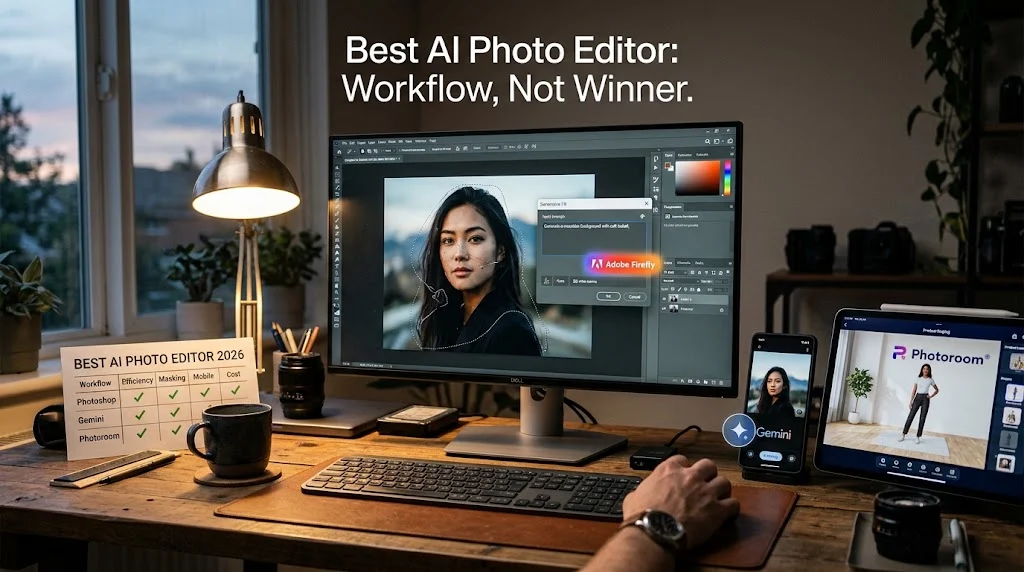
The best AI photo editor depends on your task. Adobe Photoshop remains the professional standard with Firefly, Generative Fill, and partner models like GPT Image 2 and Gemini. For free conversational editing, Gemini’s Nano Banana Pro delivers the most consistent results. For e-commerce product photos, Photoroom offers purpose-built AI staging and virtual models.
At-a-Glance: Key Takeaways
- Adobe Photoshop is the most capable professional option, with Firefly Image 5, Generative Fill, partner models including GPT Image 2 and Gemini 3.1, and on-device generative AI processing .
- Gemini’s Nano Banana Pro leads free conversational editing, preserving facial features better than ChatGPT and offering a more generous daily limit, though every edit carries a visible watermark .
- Photoroom is the e-commerce specialist, with AI Product Staging, Virtual Model, and batch exports. Pro starts at $7.99/month, but generative features consume separate AI credits .
- Apple’s iOS 27 adds serious AI editing, with a revamped Clean Up that now uses cloud models, Extend for outpainting, and Spatial Reframing for perspective shifts .
- Canva remains the easiest entry point for design-adjacent editing, with Magic Eraser, Magic Edit, and AI-assisted layout, though its editing tools are less powerful than dedicated apps .
- Free tiers are universally limited. Pixlr caps at 3 saves daily, Photoroom watermarks free exports, and Photoshop requires a subscription for meaningful AI access .
What Makes an AI Photo Editor “Best”?
The search for the best AI photo editor is really a search for the right tool for a specific job. A professional retoucher needs layer-based precision and generative fill. A social media manager needs quick background removal and template integration. An e-commerce seller needs batch product staging with consistent lighting. A casual iPhone user needs one-tap object removal.
The market has matured to the point where no single app dominates every use case. Adobe Photoshop remains the professional benchmark, but Gemini’s conversational editing has made sophisticated AI accessible to anyone with a Google account. Photoroom has carved out a defensible niche in product photography. And Apple’s native iOS tools are now genuinely useful for casual editing .
This guide organizes the best options by use case, with verified pricing, documented limitations, and clear guidance on who each tool suits.
Best Professional Editor: Adobe Photoshop
Photoshop remains the most capable AI photo editor available, but “AI photo editor” undersells what it actually is. Photoshop is a full professional editing suite with AI woven throughout. The distinction matters: you are not choosing an AI tool that happens to edit photos. You are choosing a professional editor that happens to have the most advanced AI features in the industry.
What It Does Well
The AI feature set is unmatched. Firefly Image 5 powers Generative Fill with natural language prompts. The Remove tool automatically detects distractions and removes them. Generative Expand outpainting extends images convincingly. And Photoshop now integrates partner models directly: GPT Image 2 for generation and precise prompt-based editing, Gemini 3.1 with Nano Banana 2 for fine-tuned creative control, and Flux for multi-reference consistency .
A recent addition lets users choose whether generative AI processing runs in the cloud or locally on their device. This matters for professionals handling sensitive or confidential imagery .
The layer-based workflow is the other differentiator. AI edits are non-destructive, meaning you can refine masks, adjust intensity, and revert changes without starting over. This is the difference between a tool for experiments and a tool for production.
Where It Falls Short
Photoshop requires a subscription, and the AI features that matter most are gated behind it. The learning curve is steep for beginners. And the AI features, while powerful, are not always the fastest option. For quick background removal or simple object erasure, dedicated tools or conversational editors can be faster.
Who it suits: Professional photographers, retouchers, designers, and anyone producing imagery for commercial use where precision and non-destructive workflows matter.
Best Free Conversational Editor: Gemini (Nano Banana)
TechTudo’s testing found Gemini’s Nano Banana Pro to be the strongest free option for conversational photo editing. The key differentiator is consistency: when editing faces, Nano Banana tends to preserve original features rather than “reinventing” them, applying corrections more discreetly than ChatGPT .
What It Does Well
The workflow is simple. Upload an image to Gemini chat, describe the change you want, and the model applies it. You can request additional adjustments in the same conversation without re-uploading the image. The regenerative fill is a standout, with convincing results even on textured backgrounds .
The free daily limit is more generous than ChatGPT’s, though Google adjusts the exact number frequently based on platform demand. Every edited image carries a visible “made with AI” watermark plus an invisible SynthID watermark that can be removed by cropping .
Where It Falls Short
The visible watermark is a real limitation for professional use. There is no dedicated visual tool for marking specific areas to fill, which reduces precision on localized edits. And Google may use the information you provide to improve its AI products, a privacy consideration for sensitive images .
Who it suits: Anyone who wants capable AI photo editing without a subscription, particularly for casual or social media use where a watermark is acceptable.
Best for E-Commerce: Photoroom
Photoroom is purpose-built for product photography, and that focus shows. The AI Product Staging feature places products in realistic scenes without a physical photoshoot. Virtual Model generates on-model images for apparel. Batch mode processes and exports multiple images simultaneously .
What It Does Well
The workflow is designed for sellers, not photographers. You upload a product image, select a staging scene or virtual model, and export. The results are consistent and commercially safe, with no generative ambiguity about what the product actually looks like.
The free tier is genuinely useful for testing, though exports are watermarked. Pro starts at $7.99/month (about $7.50 billed annually), with Max at $26.99/month and Ultra from around $99/month .
Where It Falls Short
The headline price understates real cost. Generative features run on an AI credit balance, batch exports have a separate monthly cap, and the API is billed separately at roughly $0.02 per image for background removal and $0.10 for AI editing. Sellers with large catalogs should model their real monthly volume before committing .
Who it suits: E-commerce sellers, Shopify store owners, and retailers producing product listings at scale.
Best Native Mobile Editor: Apple iOS 27
The Verge’s hands-on with Apple’s iOS 27 photo editing found that the new AI features “mostly work, for better and worse.” The revamped Clean Up tool now uses cloud models instead of on-device processing, making it genuinely useful for removing photobombers and distractions. Extend adds plausible filler to the edges of a photo, and Spatial Reframing mimics moving the camera around a scene to recompose after the fact .
What It Does Well
Clean Up 2.0 is a major improvement. The previous version left artifacts and was “more trouble than it was worth.” The cloud-powered version does the job convincingly. Extend is conservative, avoiding edits to people and only adding modest padding, which limits shenanigans. Spatial Reframing allows minor perspective corrections that appeal to anyone who wishes they had stepped slightly to the left when taking a shot .
Where It Falls Short
Spatial Reframing introduces what The Verge calls “existential chaos.” It is the most ambitious and maybe the most problematic of the three features. Extend can add things that were not there, like a potted plant on a side table, which feels weird to publish on Instagram .
Who it suits: iPhone users who want capable AI editing without a third-party app, particularly for casual photo cleanup and minor recomposition.
Best for Design-Adjacent Editing: Canva
Canva is not a dedicated photo editor, but its AI features have become genuinely useful for anyone already using the platform for design work. Magic Eraser removes objects, Magic Edit replaces elements with generative AI, and Magic Media generates images from text prompts .
What It Does Well
The integration is the point. You can edit a photo, add it to a social media template, resize it for multiple platforms, and export, all without leaving Canva. The AI features are accessible to non-designers, which is Canva’s core audience.
Where It Falls Short
The editing tools are less powerful than dedicated apps. Magic Eraser is “not quite as reliable as Photoshop’s implementation,” though it is “good enough for simple clean-up jobs.” Canva’s AI features feel integrated rather than shoehorned in, but they are not the reason to choose Canva over a dedicated editor .
Who it suits: Social media managers, small business owners, and anyone creating design assets who needs basic AI photo editing without learning a professional tool.
How to Choose
| Professional precision and control | Adobe Photoshop | Layer-based, non-destructive, most advanced AI features |
| Free conversational editing | Gemini (Nano Banana) | Consistent results, generous free tier, watermark caveat |
| E-commerce product photos | Photoroom | Purpose-built staging, virtual models, batch processing |
| iPhone-native editing | Apple iOS 27 | Clean Up 2.0, Extend, Spatial Reframing, no extra app |
| Design-adjacent quick edits | Canva | Integrated with templates and design workflow |
Common Mistakes and Cautions
Assuming “AI photo editor” means one thing. A conversational editor like Gemini is fundamentally different from a layer-based professional tool like Photoshop. Choose based on your workflow, not the label.
Ignoring the watermark. Gemini adds a visible watermark to every edited image. Photoroom watermarks free exports. If you need clean output, budget for a paid tier .
Underestimating Photoroom’s real cost. The $7.99/month Pro price does not include AI credit consumption or API costs. Model your actual volume before committing .
Overlooking privacy defaults. Google may use information you provide to improve its AI products. Photoshop now offers on-device generative AI processing for sensitive work. Choose accordingly .
Expecting Spatial Reframing to be a perfect fix. Apple’s feature introduces what The Verge calls “existential chaos.” It is a minor adjustment tool, not a substitute for getting the shot right in camera .
Frequently Asked Questions
What is the best AI photo editor overall?
Adobe Photoshop is the most capable professional option, with Firefly Image 5, Generative Fill, and partner models including GPT Image 2 and Gemini 3.1 . For free conversational editing, Gemini’s Nano Banana Pro delivers the most consistent results .
What is the best free AI photo editor?
Gemini’s Nano Banana Pro is the strongest free option for conversational editing, with more consistent face preservation than ChatGPT and a more generous daily limit. Every edit carries a visible watermark . Pixlr offers a capable free tier with 3 image saves per day .
What is the best AI photo editor for product photos?
Photoroom is purpose-built for e-commerce, with AI Product Staging, Virtual Model, and batch exports. Pro starts at $7.99/month, but generative features consume separate AI credits .
Does Apple have AI photo editing?
Yes. iOS 27 added a revamped Clean Up tool that uses cloud models, Extend for outpainting, and Spatial Reframing for perspective shifts. The Verge’s testing found they “mostly work, for better and worse” .
Can I use AI photo editors for commercial work?
It depends on the tool and plan. Photoshop’s Firefly models are trained on licensed and public domain content and are safe for commercial use . Gemini adds a watermark and may use your data for training . Always check the terms before commercial use.
Conclusion
The best AI photo editor in 2026 depends on what you need it to do. Photoshop remains the professional standard, with AI features that extend rather than replace its layer-based workflow. Gemini’s Nano Banana Pro has made sophisticated conversational editing free, with a watermark caveat. Photoroom dominates product photography with purpose-built staging and virtual models. Apple’s iOS 27 brings capable AI editing to the iPhone natively. Canva integrates basic AI editing into a broader design workflow.