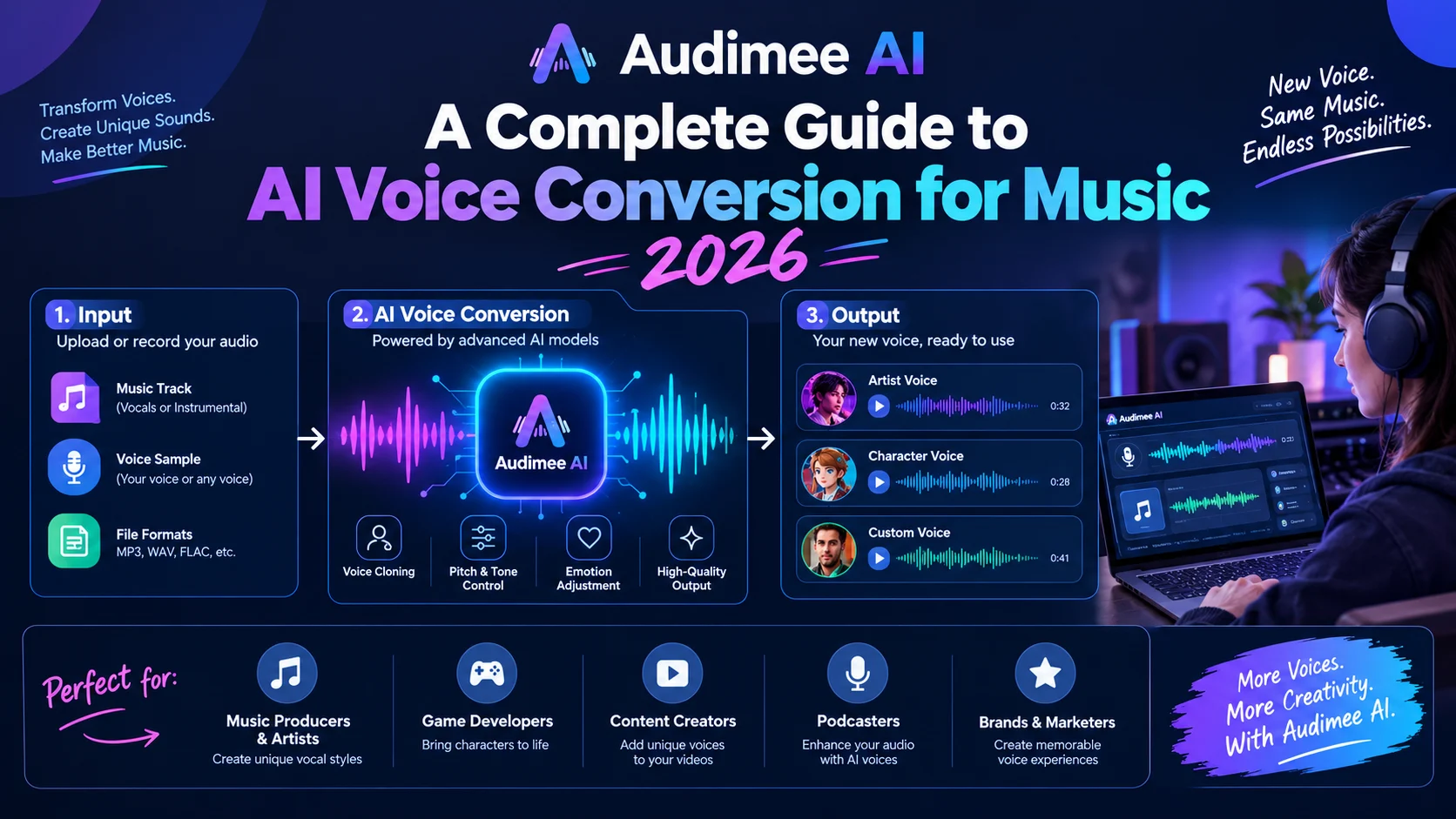
Audimee AI is a browser-based voice-to-voice conversion platform that transforms recorded vocals into over 100 royalty-free voice models or custom-trained voices. It targets music producers, songwriters, and content creators seeking vocal enhancement, harmonies, and stem separation without expensive studio sessions.
At-a-Glance
- Audimee specializes in voice-to-voice conversion, meaning it requires an existing vocal recording as input rather than generating singing from text or MIDI alone .
- The platform offers over 100 built-in voice models with new additions released weekly, covering multiple genres and styles .
- Custom voice training is available on paid plans, with training audio limits of up to 30 minutes per model depending on your tier .
- Commercial rights depend on your subscription level. Free tier is personal use only; paid plans include commercial licensing .
- API access is available for enterprise users, enabling programmatic voice conversion and custom model training .
- The free tier provides 15 conversion minutes as a one-time introduction, not a recurring monthly allowance .
What Is Audimee AI?
Audimee AI is a web-based platform built around voice conversion technology. The company positions it as a tool that gives everyday users access to “top-tier vocalists” without hiring session singers .
The core premise is straightforward: you record a guide vocal, upload it, and Audimee transforms it into a different voice. The platform handles pitch, timing, and expression automatically, producing output that matches the target voice model’s characteristics.
Unlike AI singing generators that create performances from scratch, Audimee operates as a voice-to-voice system . This distinction matters. You need an existing vocal performance as input. The quality of that input significantly influences the final result. A clean, well-recorded guide vocal converts better than a noisy phone recording.
How Audimee AI Works
The Conversion Pipeline
The workflow follows a simple pattern:
- Upload your vocal as an audio file
- Select a voice model from Audimee’s library or use a custom-trained model
- Adjust parameters such as conversion strength and pitch shift if needed
- Download the converted output in MP3 or WAV format
The API documentation reveals the technical underpinnings. Conversions run asynchronously, meaning the server processes your request in the background while you poll for progress . Typical conversion times range from seconds to a few minutes depending on file length and server load.
Voice Model Types
Audimee distinguishes between two categories of voice models:
Built-in voices are identified by short numeric IDs like “101” and include metadata such as gender, genres, pitch range, and preview audio . These voices are always available and require no training.
Custom voices are trained from your own audio. They receive UUID identifiers and undergo a training process that can take several minutes. The model becomes usable once confirmedDone: true appears in the API response .
Training Custom Voices
Custom voice training requires providing audio samples through publicly accessible URLs. The API documentation notes that training audio has a default limit of 30 minutes combined duration per model . The quality of these samples directly affects the resulting voice model.
Once training completes, custom voices remain private to your account and cannot be accessed by other users .
Key Features of Audimee AI
Voice Conversion Library
The platform’s voice library exceeds 100 models with weekly additions . Users can filter by gender, genre tags, and processing style. The “Unprocessed” tag helps identify voices with minimal compression, which may suit producers wanting a rawer sound .
Favorites can be saved for quick access, and preview functionality lets you hear how a voice will sound before committing to a full conversion.
Harmony Maker
The Harmony Maker transforms a single vocal line into layered arrangements with up to five harmony tracks . Genre presets include Gospel and Metal, among others. This feature addresses a common production need: building vocal stacks without recording multiple takes.
The preview function includes Solo and Mute controls, allowing you to audition individual harmony tracks or specific combinations before committing .
Vocal Isolation and Stem Splitting
Audimee includes tools beyond conversion. The Stem Splitter separates tracks into vocals, drums, bass, and instruments using AI-powered analysis . The Vocal Isolator targets specific cleaning tasks that basic splitters often handle poorly :
- Background vocal removal leaves a dry lead vocal without harmonic residue
- Reverb and echo elimination strips spatial effects from poorly recorded stems
- Noise reduction cleans up room hiss and artifacts
These features position Audimee as more than a one-trick voice changer. It functions as a lightweight vocal production suite.
Pitch Editor
The Pitch Editor allows manual adjustment of vocal pitch and timing after conversion. Combined with the preview function, producers can fine-tune results before downloading .
Mixed Voices
Users can blend two different vocal models to create hybrid voices . This feature expands creative possibilities beyond the existing library without requiring custom training.
Audimee AI Pricing and Plans
Audimee uses a subscription model with annual discounts. Here is the current structure based on the official pricing page :
| Free | $0 | $0 | 15 min (one-time) | 0 |
| Starter | $9 | $108 | 1 hour/month | 1 |
| Pro | $19 | $228 | 3 hours/month | 3 |
| Ultimate | $37 | $444 | Unlimited | 8 |
| Enterprise | Contact | Contact | Custom | Custom |
What the Free Tier Actually Includes
The free plan provides 15 minutes of conversion as a one-time introduction, not a recurring monthly allowance . It includes access to 11 royalty-free voices, the Vocal Isolator, stem splitter, and pitch editor. However, downloads are MP3 only, and you cannot save conversions or isolations .
Critically, the free tier is personal use only . Commercial projects require a paid subscription.
Hidden Limits to Watch
- Training audio caps: Custom voice training has a default limit of 30 minutes combined audio per model
- Concurrent models: Plan-driven limits exist on how many custom models you can train simultaneously
- One-time free minutes: The 15 free minutes do not reset monthly
Commercial Use and Licensing
Audimee’s commercial terms are relatively clear. Vocals created on a paid plan can be released commercially, including on Spotify and Apple Music .
You are not required to credit Audimee or the voice models when publishing . If you prefer, you can use an alias for the vocal contribution.
Importantly, vocals generated during a paid subscription remain yours to use commercially in perpetuity, even if you cancel later . This provides certainty for projects with long release timelines.
Data Ownership
Audimee’s FAQ states that uploaded audio will not be shared, sold, or made accessible to others. Custom voice models remain private to your profile . The company does not claim ownership of content you upload or modify .
Verification note: These are company claims from Audimee’s own documentation. Independent third-party audits or certifications (such as SOC 2) are not referenced in available materials.
How Audimee AI Compares to Alternatives
What Sets Audimee Apart
Audimee’s harmony generation and vocal isolation tools provide value beyond simple voice conversion. The browser-based approach means no software installation. The platform’s API access opens possibilities for automated workflows and integration into larger production pipelines .
Where Audimee Falls Short
The requirement for an existing vocal input limits its use cases. Producers seeking to generate complete vocal performances from lyrics or MIDI will need different tools . The one-time free minutes and personal-use restriction on the free tier also limit evaluation opportunities.
Who Should Use Audimee AI
Music producers and songwriters who want to experiment with different vocal textures without hiring session singers may find Audimee useful. The ability to convert a rough guide vocal into a polished performance can accelerate demo creation.
Content creators producing covers or original music benefit from the royalty-free voice library. The harmony maker helps build full vocal arrangements from a single recorded line.
Podcasters and voiceover artists might use the vocal isolation and reverb removal tools for cleaning up recordings, though the platform’s primary focus remains musical.
Enterprise teams with API needs can integrate Audimee’s conversion capabilities programmatically. The Enterprise tier includes assistance with voice training and custom model counts .
Who Should Look Elsewhere
Producers seeking MIDI-to-singing generation will not find it here. Audimee requires an existing vocal recording . Those wanting a native desktop application should consider ACE Studio or Voice-Swap . Users needing perpetual licenses without subscriptions will find Audimee’s model limiting.
Technical Considerations
API Integration
Audimee’s API uses static bearer tokens for authentication. All endpoints return a consistent error shape with human-readable messages . The conversion endpoint accepts parameters for conversion strength (0.0 to 1.0), pitch shift (in semitones from -24 to 24), and sample rate (44100 or 48000 Hz) .
Training and conversion jobs run asynchronously. The recommended polling cadence is every 10 to 30 seconds for training and every 5 to 15 seconds for conversions .
Input Requirements
Training audio URLs and conversion input files must be publicly reachable. The server downloads them server-side, so the host must remain available for the duration of the API call . This adds a dependency on external file hosting for programmatic workflows.
Quality Factors
The quality of input audio significantly influences conversion results. The platform’s documentation recommends clean guide vocals for best outcomes. The “Unprocessed” voice tag helps identify models that may work better with raw or minimally processed input .
Common Mistakes When Using Audimee
Expecting free tier commercial rights. The free plan is personal use only. Producers planning to release music commercially need a paid subscription .
Assuming the free minutes reset. The 15 free conversion minutes are a one-time allocation, not a monthly allowance .
Uploading low-quality guide vocals. Conversion quality depends on input quality. A noisy phone recording will not produce the same results as a properly recorded vocal take.
Forgetting training audio limits. Custom voice models have a default combined training duration of 30 minutes . Exceeding this returns an error.
Overlooking API polling intervals. Aggressive polling can waste resources. The recommended cadence balances responsiveness with server courtesy .
Latest Developments
Audimee has expanded beyond core voice conversion into a broader vocal production toolkit. The addition of the Stem Splitter, Vocal Isolator, and Harmony Maker reflects a strategy of capturing more of the vocal production workflow .
The platform’s API documentation indicates ongoing development of programmatic access, with Enterprise tiers offering custom model counts and training assistance . This suggests Audimee is positioning itself for both individual creators and larger production operations.
Third-party reviews have begun appearing. A Duke University digital media blog praised Audimee’s surgical approach to vocal cleaning, noting that it “carves out a specific niche” by focusing on “the surgical details of vocal production” . A podcast review described the platform as delivering “natural” results that were “usable for music production” .
Frequently Asked Questions
What is Audimee AI used for?
Audimee AI converts recorded vocals into different voice models. It targets music producers, songwriters, and content creators who want to change a vocal’s character, generate harmonies, or clean up recordings. The platform also includes stem splitting and vocal isolation tools .
Is Audimee AI free to use?
Audimee offers a free tier with 15 one-time conversion minutes, 11 royalty-free voices, and basic tools. However, the free tier is personal use only and does not include commercial rights. Paid plans start at $9 monthly for 1 hour of conversions and commercial licensing .
Can I use Audimee AI for commercial music?
Yes, on paid plans. Audimee’s terms state that vocals created on paid subscriptions can be released commercially, including on streaming platforms. You do not need to credit Audimee, and your rights to use generated vocals persist even after cancellation .
Does Audimee AI require an existing vocal recording?
Yes. Audimee operates as a voice-to-voice system. You must upload a recorded vocal performance as input. It does not generate singing from lyrics, MIDI, or text prompts alone .
How does Audimee AI handle my uploaded audio?
Audimee’s FAQ states that uploaded audio is not shared, sold, or made accessible to others. Custom voice models remain private to your account. The company does not claim ownership of content you upload or modify . These are company claims; independent third-party verification is not referenced in available documentation.
Conclusion
Audimee AI occupies a specific niche in the AI music tool landscape. It is not a song generator or a text-to-singing platform. It is a voice conversion and vocal production suite for people who already have a vocal recording and want to transform it.
What matters most is understanding the input requirement. Audimee needs an existing vocal performance. The quality of your guide vocal shapes the quality of the output. This makes it a tool for refining and re-voicing, not for generating performances from scratch.
Audimee may suit music producers exploring vocal textures, songwriters building demos, and content creators producing covers. The harmony maker and vocal isolation tools add practical value beyond simple conversion. The API opens doors for automated workflows.
Important limitations exist. The free tier is personal use only with one-time minutes. Commercial rights require a paid plan. Custom voice training has audio duration caps. The platform does not compose melodies from MIDI.
Before choosing Audimee, evaluate your workflow. If you need voice-to-voice conversion with strong cleaning and harmony tools, it deserves consideration. If you need MIDI-to-singing generation or a native desktop app, look at alternatives like ACE Studio or Voice-Swap. Review the current pricing and commercial terms carefully, as plan structures and feature availability can change